
Mixpanel is where your product analytics live: events, funnels, cohorts, and retention. Claude Code is Anthropic's AI coding CLI that runs in your terminal. Sequel's MCP server connects the two, so you can ask about user behavior without leaving the codebase that produced it.
This guide covers the full setup in three steps.
What You'll Accomplish
By the end of this guide, you'll be able to run Claude Code and ask questions like:
- "How many unique users triggered the export event last week, split by plan?"
- "Run the signup to activation funnel for the last 30 days and tell me the worst drop-off step."
- "Which event properties are we sending on checkout_completed, and which are mostly null?"
Claude Code calls Sequel's MCP server, which queries your Mixpanel project and returns the results inline.
Prerequisites
- A Sequel account: Sign up free at sequel.sh
- A Mixpanel project on US or EU residency
- Organization access to create a Service Account, or an admin who can create one for you
- Your numeric project ID, from Project Settings or your Mixpanel URL
- Claude Code installed: run
npm install -g @anthropic-ai/claude-codeif you haven't already
Step 1: Connect Mixpanel to Sequel
Sign in to sequel.sh and click Data Sources in the left sidebar.
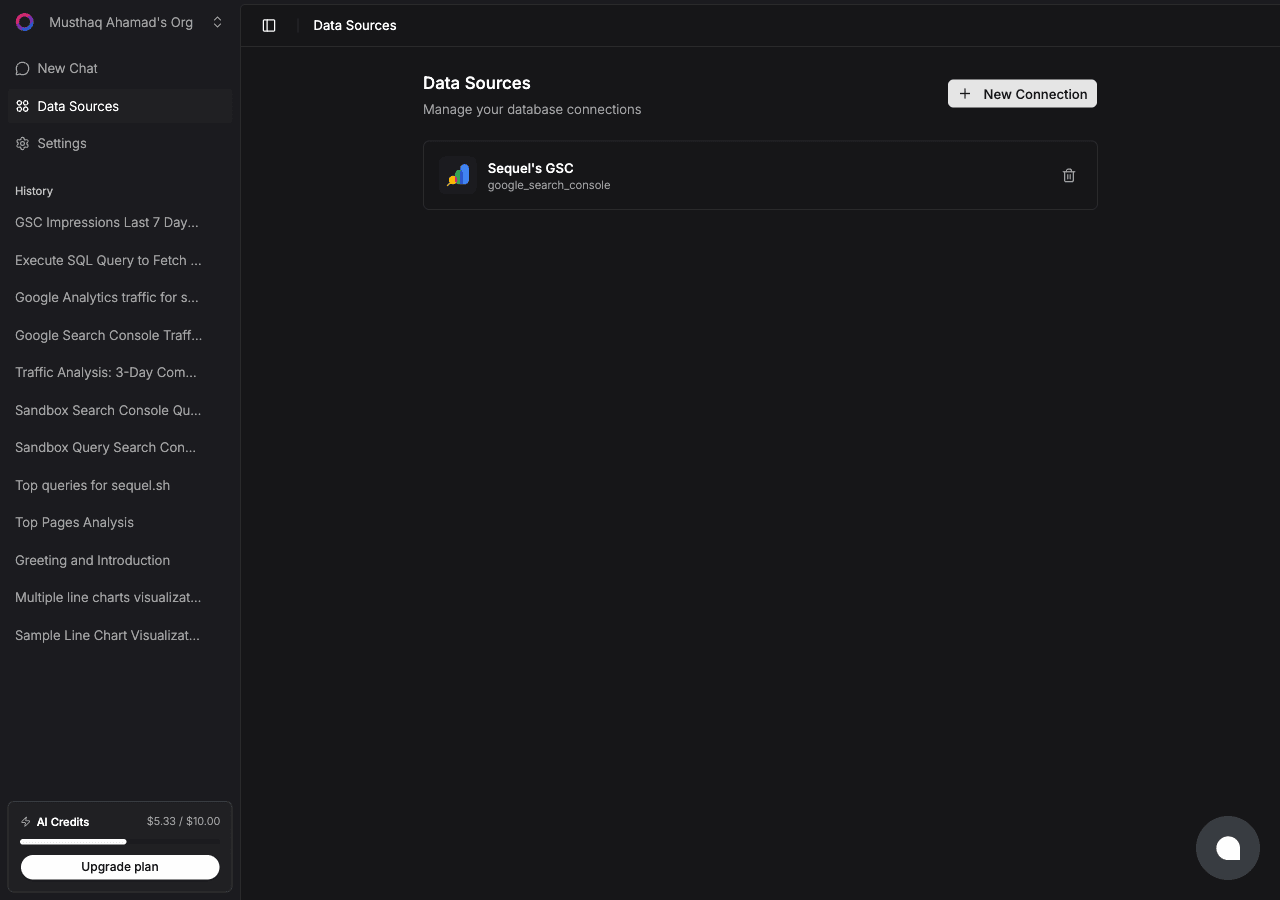
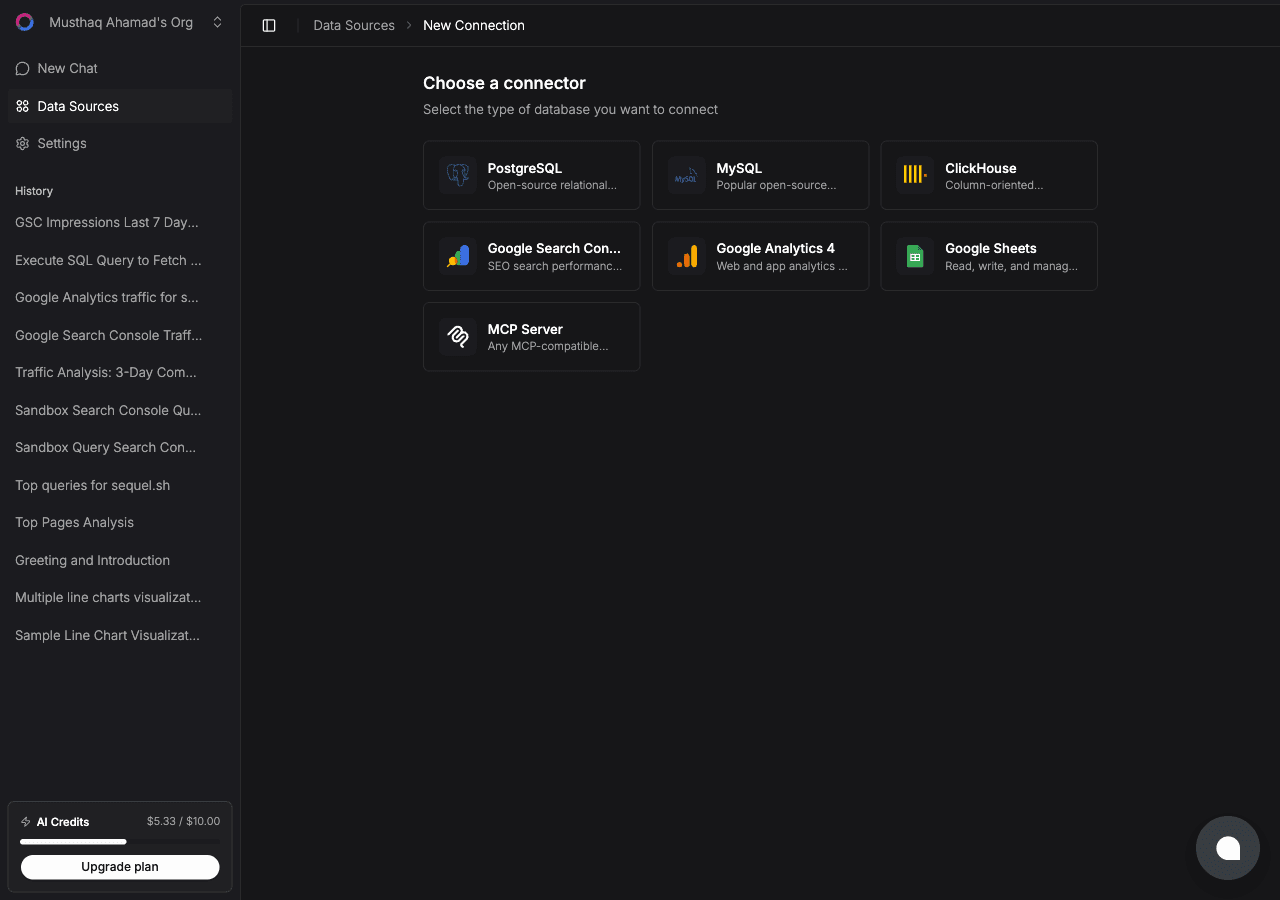
Click New Connection, then select Mixpanel on the connector list.
Now create the credential in Mixpanel. Go to Organization Settings → Service Accounts → Add Service Account and grant at least project-level read access to the project you want to query.
Mixpanel shows the secret exactly once. Copy it before closing the dialog.
Back in Sequel, fill in four fields:
- Service Account username: looks like
my-sa.abc123.mp-service-account - Service Account secret: the value Mixpanel showed once
- Project ID: the number from Project Settings or your Mixpanel URL
- Region:
usfor mixpanel.com,eufor projects created in EU residency
Click Connect. Sequel verifies the credentials against the project before saving them.
Tip: grant read access only. The connector has no write tools, so a read-scoped service account closes the door a second time.
Step 2: Add Sequel to Claude Code
In your terminal:
claude mcp add sequel \
  --transport http \
  https://api.sequel.sh/mcp
Claude Code opens a browser so you can authorize Sequel. Once you approve, the server is saved and available in every future session. Add --scope user to install it globally rather than per project.
Verify it registered:
claude mcp listYou should see sequel in the list of configured MCP servers.
Step 3: Query Your Mixpanel Data
Start a Claude Code session and try these:
How many unique users triggered checkout_completed in the last 14 days, broken down by plan?
Run the signup to first-project funnel for users who signed up last month, and tell me which step loses the most people.
Which properties do we send on the subscription_upgraded event, and how often is each one missing?
Claude Code calls the Sequel MCP server, which runs the segmentation or funnel query against Mixpanel and returns the results in your terminal.
What You Can Do Now
- Ship-and-check loops: after deploying, ask "How many users have fired the new onboarding_v2 event since yesterday?" without opening a browser.
- Funnel debugging: ask "Compare the activation funnel this week against last week and tell me which step changed most."
- Instrumentation hygiene: ask "Which tracked events had zero volume in the last 30 days?" to find dead tracking before it rots.
- Property auditing: ask "Which required properties are missing on more than 5% of checkout events?"
- Cross-source analysis: with Stripe or Postgres also connected, ask "For accounts on the Pro plan in Stripe, what is their 30-day event volume in Mixpanel?" That join is the part Mixpanel cannot answer alone.
For more on the joins that make this worth setting up, see how to join Search Console and GA4 data with one AI agent and our guide to MCP for databases.