

Stripe holds the numbers everyone asks you about. MRR, churn, failed payments, what actually hit the bank last Tuesday. Claude Code is Anthropic's AI coding CLI that runs in your terminal. Sequel's MCP server connects the two, so you can answer revenue questions without loading the Stripe Dashboard or exporting another CSV.
This guide walks you through the full setup in four steps.
What You'll Accomplish
By the end of this guide, you'll be able to open a terminal, run Claude Code, and ask questions like:
- "What's our MRR this month, broken down by plan?"
- "List failed payment intents from the last 7 days with their failure reason."
- "How much did we pay in Stripe fees last quarter?"
Claude Code will use Sequel's MCP server to call the Stripe API, aggregate the results, and answer in your terminal.
Prerequisites
- A Sequel account: Sign up free at sequel.sh
- A Stripe account with Dashboard access to create API keys
- Claude Code installed: run
npm install -g @anthropic-ai/claude-codeif you haven't already
Step 1: Connect Stripe to Sequel
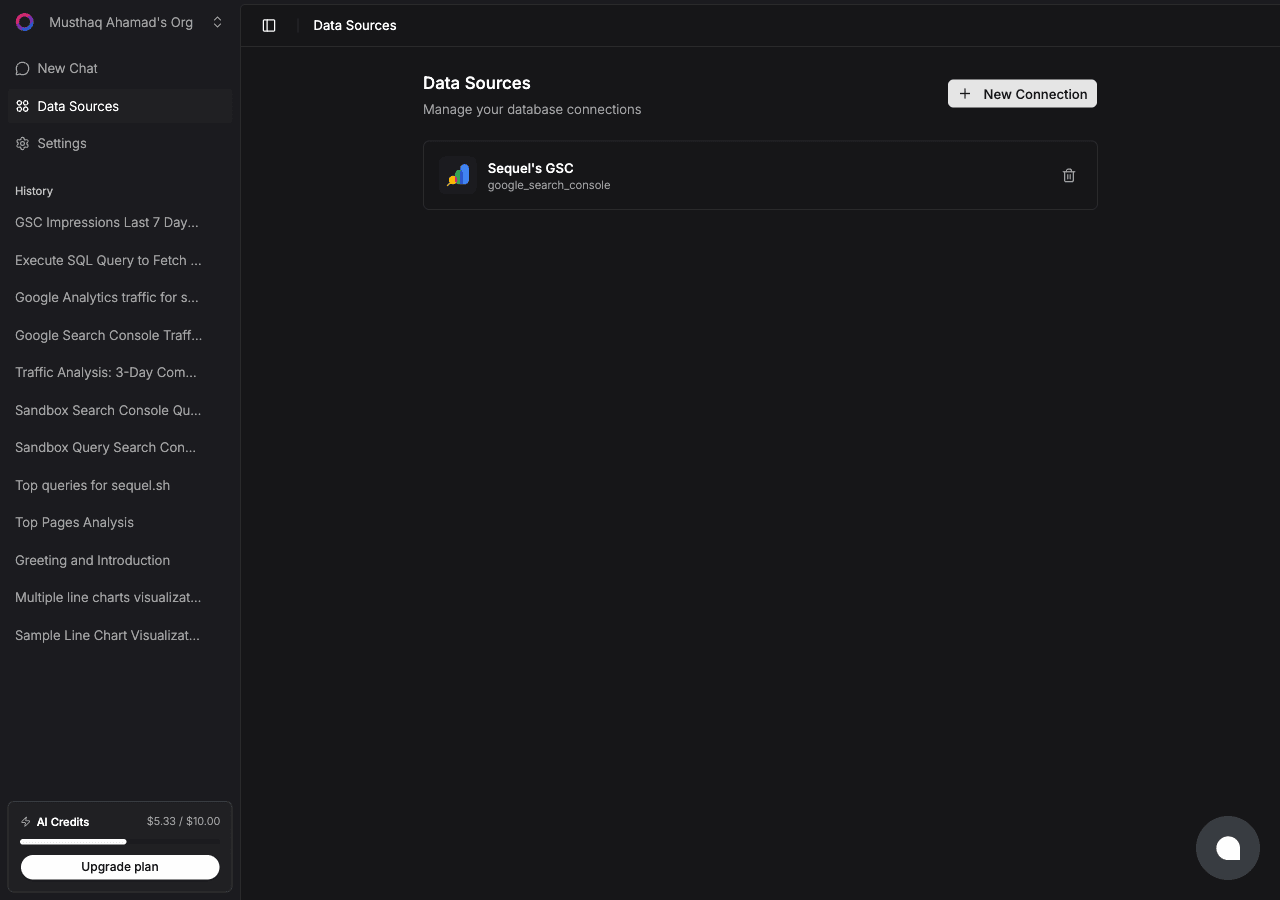
Sign in to sequel.sh and click Data Sources in the left sidebar.
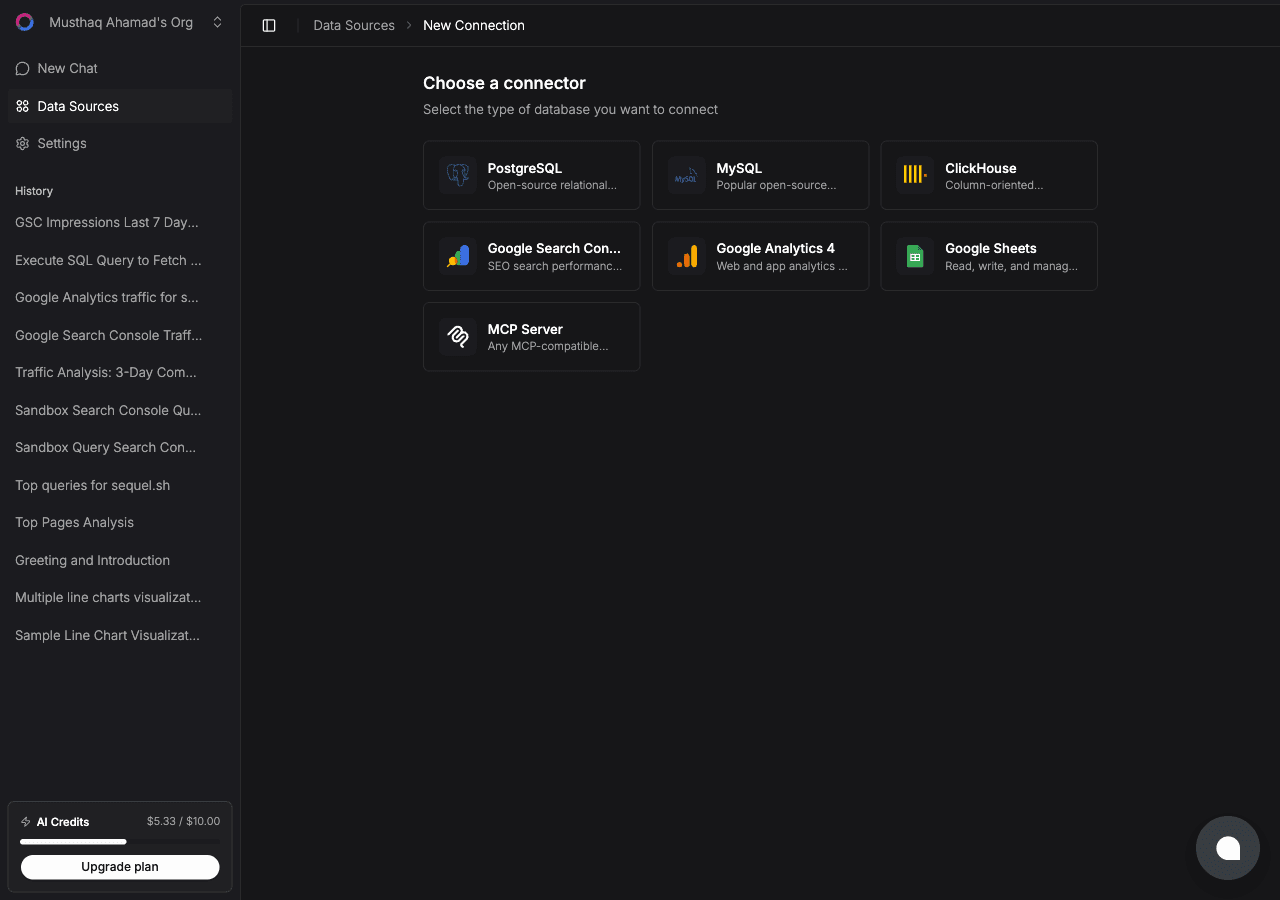
Click New Connection. On the "Choose a connector" page, select Stripe.
Now create the key in Stripe. Go to Developers → API keys → Create restricted key in your Stripe Dashboard. Set these resources to Read and leave everything else on None:
- Customers
- Charges and Payment Intents
- Invoices and Subscriptions
- Products and Prices
- Refunds and Disputes
- Payouts and Balance Transactions
- Balance
Use rk_test_… if you want test-mode data, or rk_live_… for live data. Copy the key, paste it into the API key field in Sequel, and give the connection a name like Stripe Live.
Click Connect. Sequel verifies the key against the Stripe API and saves the connection.
Tip: want both test and live data? Create two connections, one per key. Sequel keeps them separate, and you can tell Claude Code which one to use by name.
Step 2: Get Your Sequel API Key
Click Settings in the left sidebar, then select API Keys.
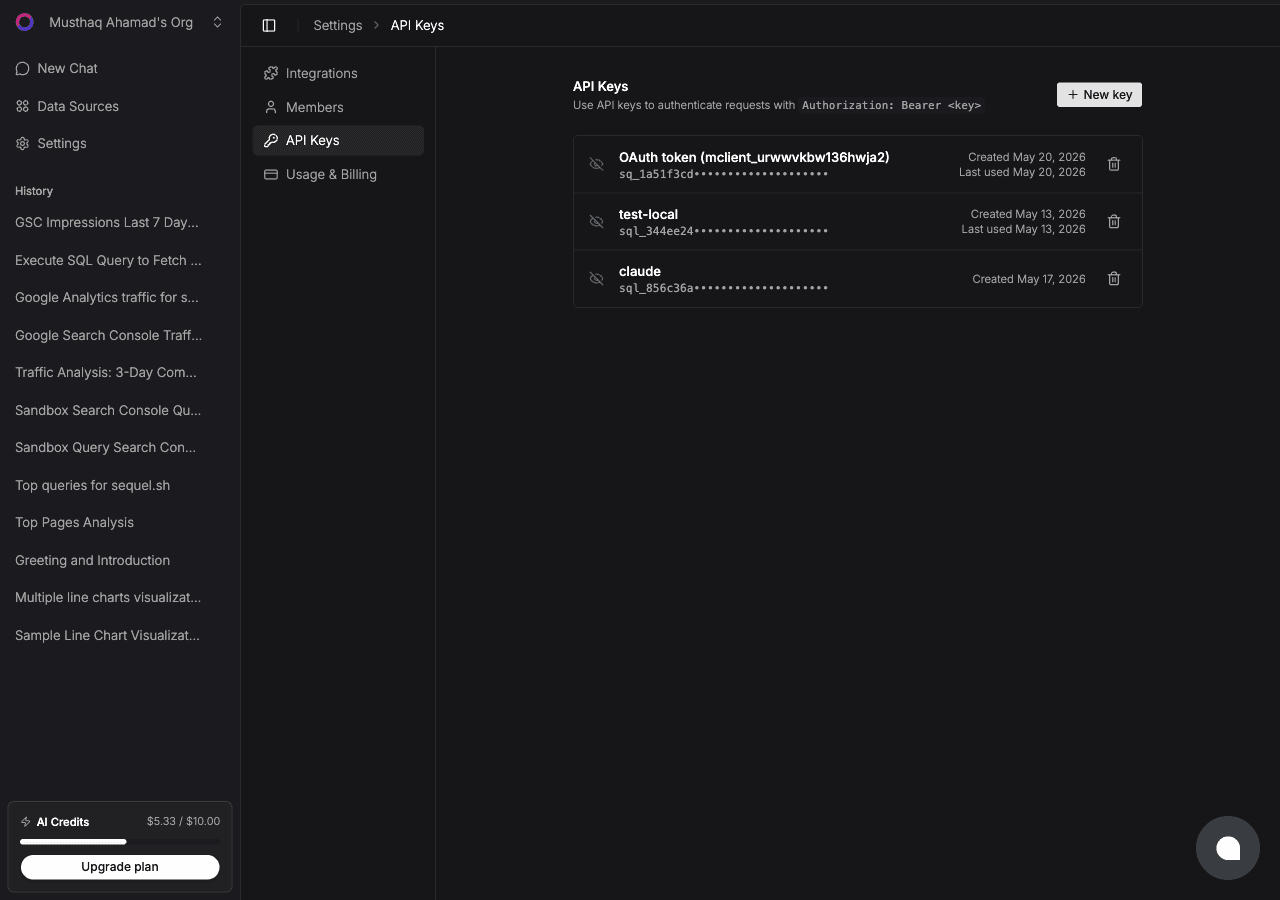
Click New key, name it claude-code-stripe, and copy the key. It starts with sql_. Treat it like a password.
Shortcut: if you have the Sequel CLI installed,
sequel install claude-codecreates the key and writes the Claude Code config for you. That covers Steps 2 and 3 in one command.
Step 3: Configure Claude Code to Use Sequel MCP
In your terminal:
claude mcp add --transport http sequel https://api.sequel.sh/mcp \
  --header "Authorization: Bearer sql_your_api_key"
Replace sql_your_api_key with the key from Step 2. Add --scope user before --transport to install it globally for every project. Verify with:
claude mcp listYou should see sequel in the list of configured MCP servers.
Step 4: Query Your Stripe Data
Start a Claude Code session and try these:
What's our MRR right now, broken down by plan and billing interval?
Show me every failed payment intent in the last 14 days with the decline reason and customer email.
Which subscriptions were canceled last month, and what was their total monthly value?
Claude Code calls the Sequel MCP server, which queries Stripe and returns the numbers inline.
What You Can Do Now
- Revenue reporting: ask "Compare gross revenue this quarter against the same quarter last year."
- Dunning triage: ask "List customers with a failed payment in the last 7 days who still have an active subscription."
- Fee and payout reconciliation: ask "What did we net after Stripe fees on payouts settled this month?"
- Dispute monitoring: ask "Show me open disputes and how many days until the evidence deadline."
- Cross-source analysis: with a database also connected, ask "For customers who churned in Stripe last month, what were their last 10 events in our Postgres events table?" That join is the part Stripe's own dashboard cannot do.