

In today’s data-driven landscape, product managers need powerful product analytics tools to gain insights into user behavior, optimize product features, and drive growth. Selecting the right tool can be challenging with so many options available.
This article highlights some of the top product analytics tools to help you make informed decisions for your team. We’ll compare Sequel, PostHog, Amplitude, Mixpanel and FullStory, focusing on features, ease of use, setup complexity, and team needs. Whether you're looking for analytics tools that require minimal technical setup or the best product analytics tools for in-depth user insights, this guide is here to help.
Why Product Analytics Tools Are Essential for Product Teams
Product analytics is crucial for modern product management. Here’s why the top product analytics tools are essential for any team:
- Understanding User Behavior: Product analytics tools help teams understand how users interact with their product, pinpoint friction points, and track feature adoption.
- Driving Data-Driven Decisions: Analytics tools provide data to inform decisions on feature prioritization, product development, and even strategic pivots.
- Tracking Key Metrics: Top product analytics tools allow you to track core metrics like user retention, engagement, and conversion rates, which are vital for assessing product performance and business impact.
Key Considerations for Choosing Product Analytics Tools
When comparing the best product analytics tools, keep these key factors in mind:
- Ease of Use: Look for product analytics tools that are intuitive enough for non-technical users.
- Setup Complexity: Consider the time and resources needed to implement the tool. Some analytics tools require engineering support for setup and maintenance.
- Data Accessibility and Flexibility: Determine if the tool provides direct database access or relies on event tracking, and if it integrates with your existing data sources.
- Insight Types: Each tool offers different insight capabilities, such as behavioral analytics, funnel analysis, and retention tracking.
- Customization & Scalability: Choose a tool that can adapt as your team grows and your product analytics needs evolve.
Best Product Analytics Tools
1. Sequel - The Easiest Product Analytics Tool for Quick Insights
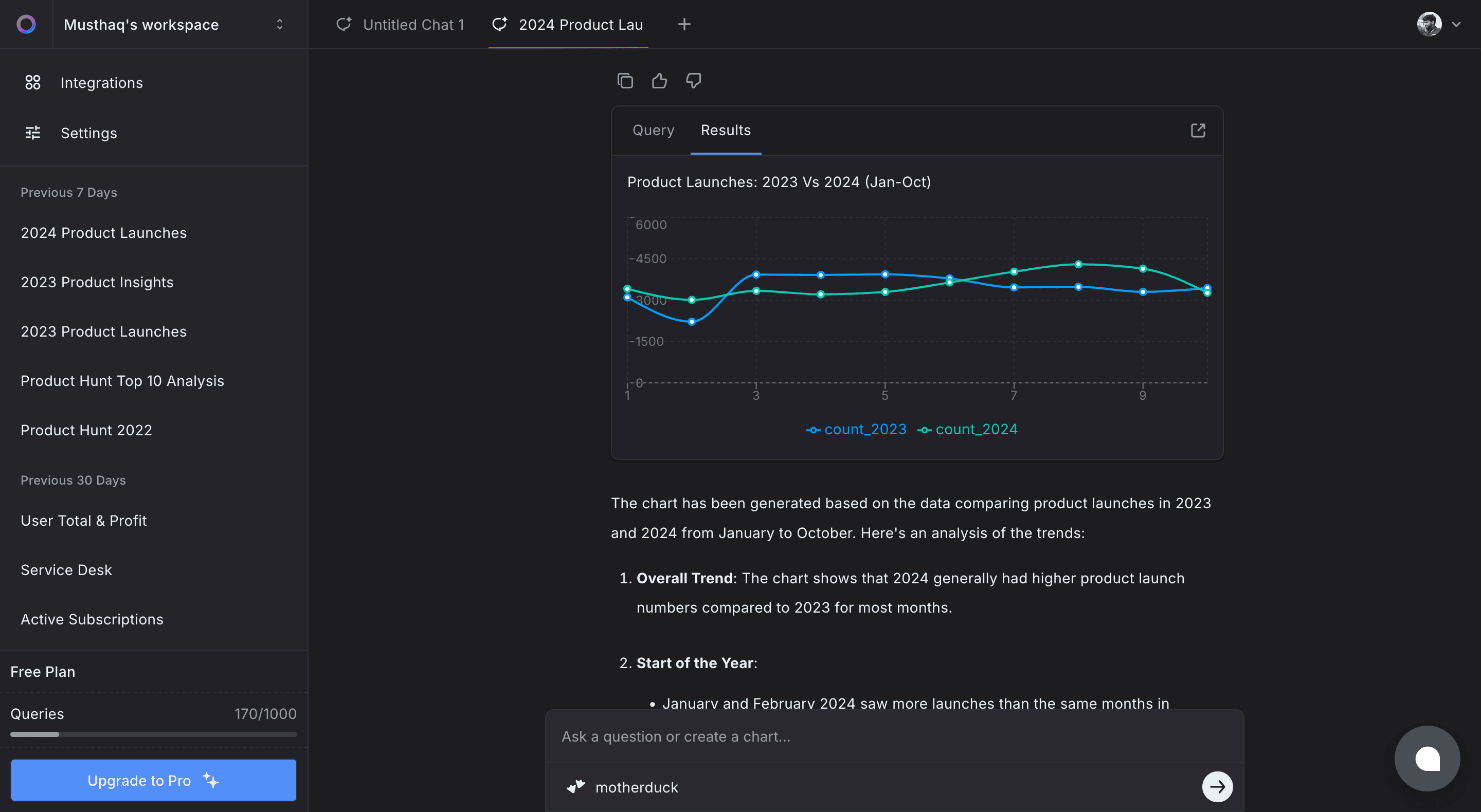
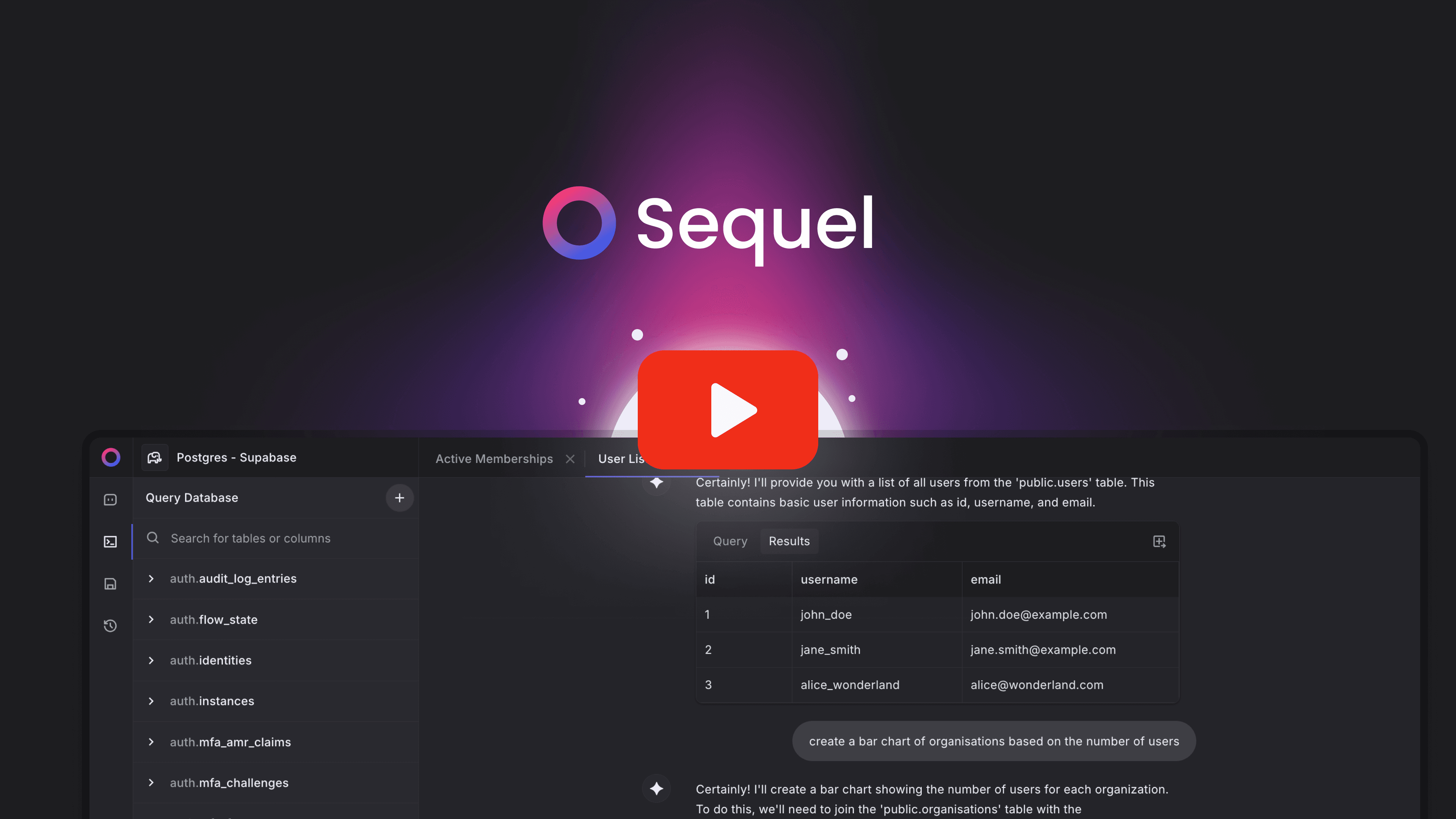
Sequel is an AI-powered tool that enables product managers to query databases using natural language, eliminating the need for SQL expertise. Here’s what makes Sequel one of the top product analytics tools:
Key Features:
- Natural Language Querying: Allows users to ask questions in plain English, which Sequel translates into SQL queries.
- Direct Database Connection: Connects seamlessly to existing databases, providing real-time data access.
- Built-in Visualization: Generates charts and graphs from query results for easy data interpretation.
- Instant Reporting: Produces reports without coding, enabling quick data-driven decisions.
Ease of Use:
- Sequel is designed for non-technical users, making it an ideal product analytics tool for teams without technical support.
Setup Complexity:
- Minimal setup is required; connect Sequel to your database and start querying immediately.
Best For:
- Teams looking for the best product analytics tools for quick insights with minimal technical dependencies.
2. PostHog - A Customizable Product Analytics Tool
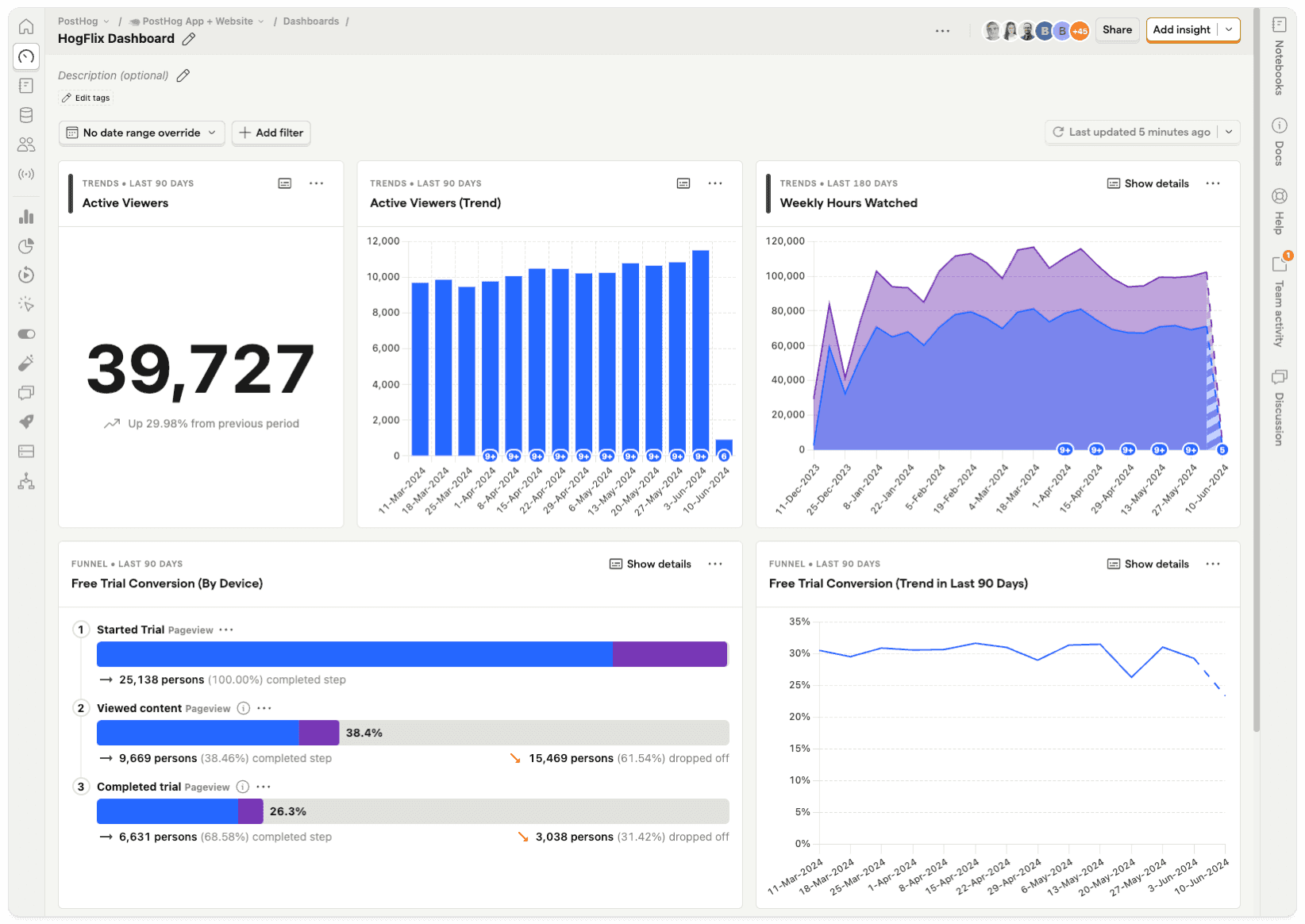
PostHog is an open-source product analytics tool offering a range of features to understand user behavior.
Key Features:
- Event Tracking: Captures user interactions, making it one of the best product analytics tools for behavior analysis.
- Session Replay: Records user sessions for qualitative analysis.
- Feature Flags: Supports controlled feature rollouts and A/B testing.
- Heatmaps: Visualizes user engagement on web pages.
Ease of Use:
- PostHog offers a user-friendly interface, though some features may require technical knowledge for setup and customization.
Setup Complexity:
- PostHog requires engineering support, especially for self-hosted deployments.
Best For:
- Teams needing a customizable, open-source product analytics tool with engineering resources for setup and maintenance.
3. Amplitude - A Comprehensive Product Analytics Platform
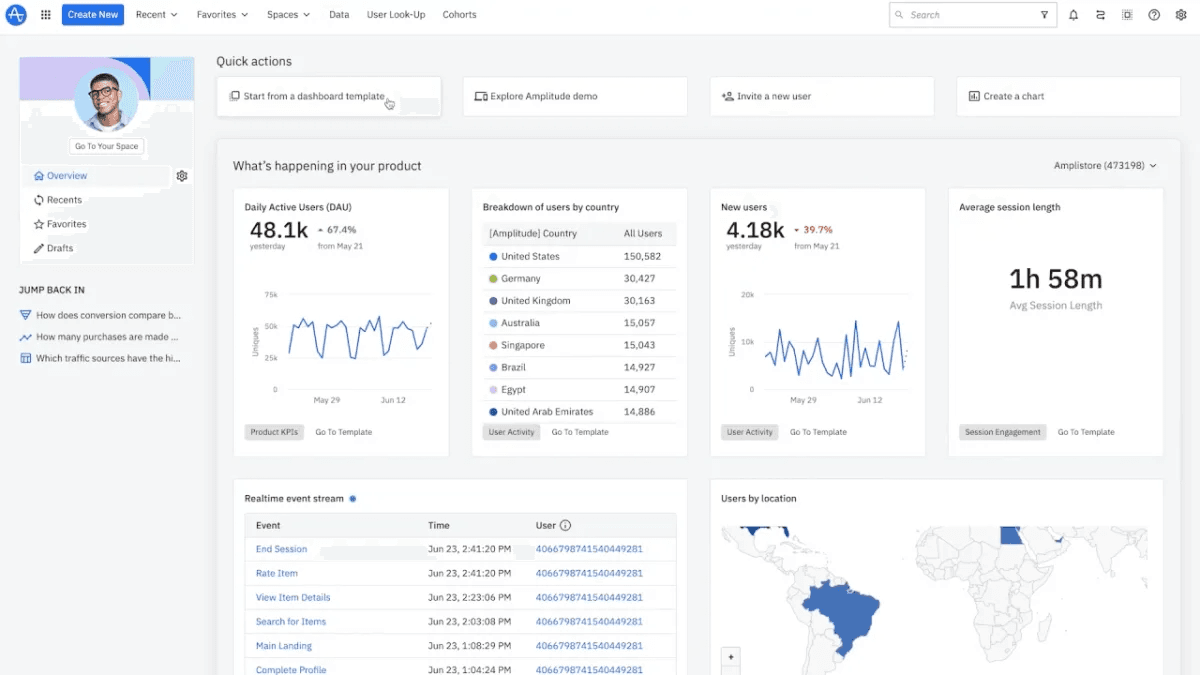
Amplitude is a comprehensive product analytics tool that provides detailed insights into user behavior and engagement.
Key Features:
- Behavioral Reports: Analyzes user actions to uncover engagement patterns.
- Cohort Analysis: Groups users based on behavior to identify trends.
- Retention Tracking: Tracks user retention over time.
- Pathfinder: Visualizes user journeys through the product.
Ease of Use:
- Amplitude offers a rich feature set, though it may have a learning curve for non-technical users.
Setup Complexity:
- Amplitude requires engineering resources for event tracking setup and data integration.
Best For:
- Medium to large teams needing advanced behavioral analytics and segmentation features from a top product analytics tool.
4. Mixpanel - An Event-Based Product Analytics Tool
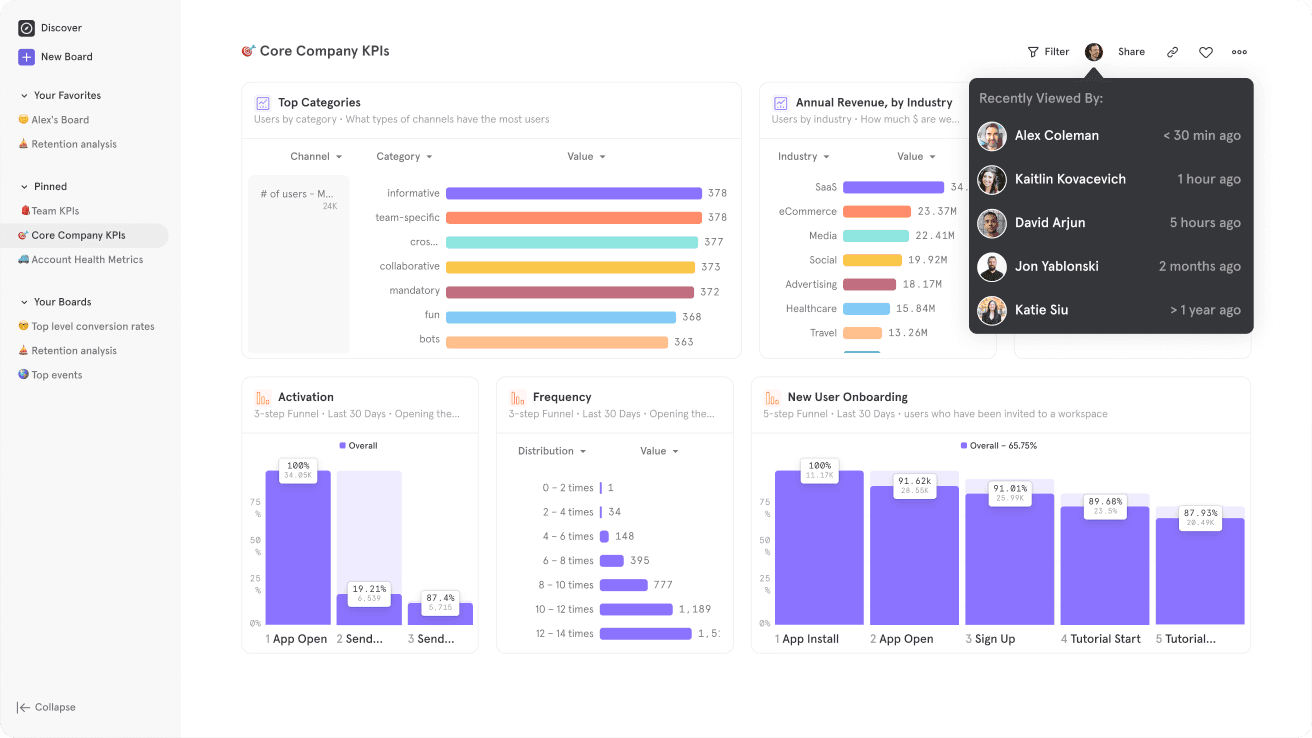
Mixpanel specializes in event-based tracking, making it a powerful product analytics tool for understanding user interactions.
Key Features:
- Event Tracking: Tracks specific user actions within the product.
- Funnel Analysis: Identifies drop-off points in user flows, making it a valuable analytics tool for conversion optimization.
- Segmentation: Divides users into groups based on behavior or demographics.
- A/B Testing: Tests different feature versions to optimize performance.
Ease of Use:
- Mixpanel has an intuitive interface, though complex event setups may require technical help.
Setup Complexity:
- Engineering support is often necessary to implement event tracking and ensure data accuracy.
Best For:
- Teams focused on detailed event tracking and conversion optimization, looking for the best product analytics tools with advanced features.
5. FullStory - A Screen Recording Tool with Product Analytics
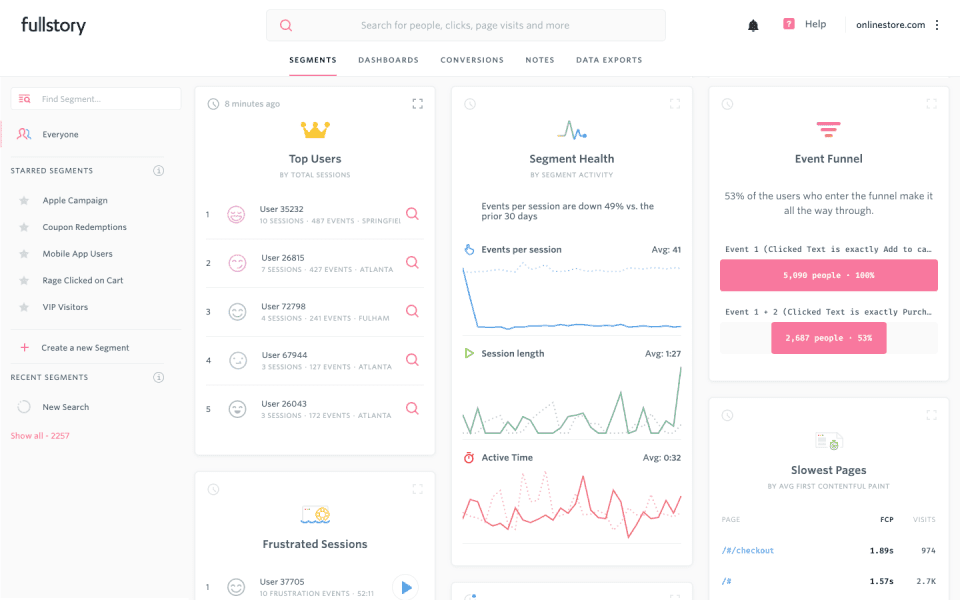
FullStory combines screen recording with advanced product analytics, making it a powerful tool for understanding the full context of user interactions. By capturing and analyzing real user sessions, FullStory enables product teams to identify pain points, observe behavior patterns, and uncover opportunities to enhance user experience.
Key Features:
- Session Replay: Records user sessions, allowing teams to watch real-time interactions and pinpoint where users may struggle or drop off.
- Heatmaps & Click Maps: Visualizes user engagement on pages, showing where users click, scroll, and interact the most.
- Error Tracking & Analysis: Detects user frustrations such as rage clicks or dead clicks, helping teams prioritize fixes and improvements.
- Search & Segment: Filters sessions based on specific behaviors, demographics, or events to analyze targeted user groups.
- Event Tracking: Automatically logs events and user actions for in-depth behavioral analysis.
Ease of Use:
- FullStory offers an intuitive, user-friendly interface and provides product managers, UX designers, and engineers with actionable insights without extensive technical setup.
Setup Complexity:
- Requires basic integration with the product, usually involving adding a small snippet of code. Once set up, FullStory begins tracking automatically, with no need for manual event tagging.
Best For:
- Teams focused on user experience and looking for a tool that provides visual insights into user behavior. FullStory is ideal for understanding user journeys, identifying friction points, and enhancing product usability through real-life session replays and data-driven insights.
Comparison Summary of Top Product Analytics Tools
| Tool | Ease of Use | Setup Complexity | Engineering Support | Key Features | Best For |
|---|---|---|---|---|---|
| Sequel | High | Low | Minimal | Natural language querying, visualization | Quick insights without technical overhead |
| PostHog | Moderate | High | Required | Event tracking, session replay, heatmaps | Customizable with engineering support |
| Amplitude | Moderate | High | Required | Behavioral reports, cohort analysis, retention tracking | In-depth analytics for larger teams |
| Mixpanel | Moderate | High | Required | Event tracking, funnel analysis, segmentation | Detailed event tracking and conversion optimization |
| FullStory | High | Moderate | Minimal | Session replay, heatmaps, error tracking, event analysis | Teams focused on UX and visual insights into behavior |
Conclusion
Choosing the right product analytics tool depends on your team’s unique needs, technical resources, and the type of insights required. Sequel offers a user-friendly, AI-driven solution for teams seeking fast insights without complex setup. PostHog, Amplitude, and Mixpanel provide powerful features but may require more technical involvement.
If you're in search of the best product analytics tools for your needs, evaluate your requirements carefully. For teams wanting quick, independent access to insights, Sequel could be the ideal choice.