
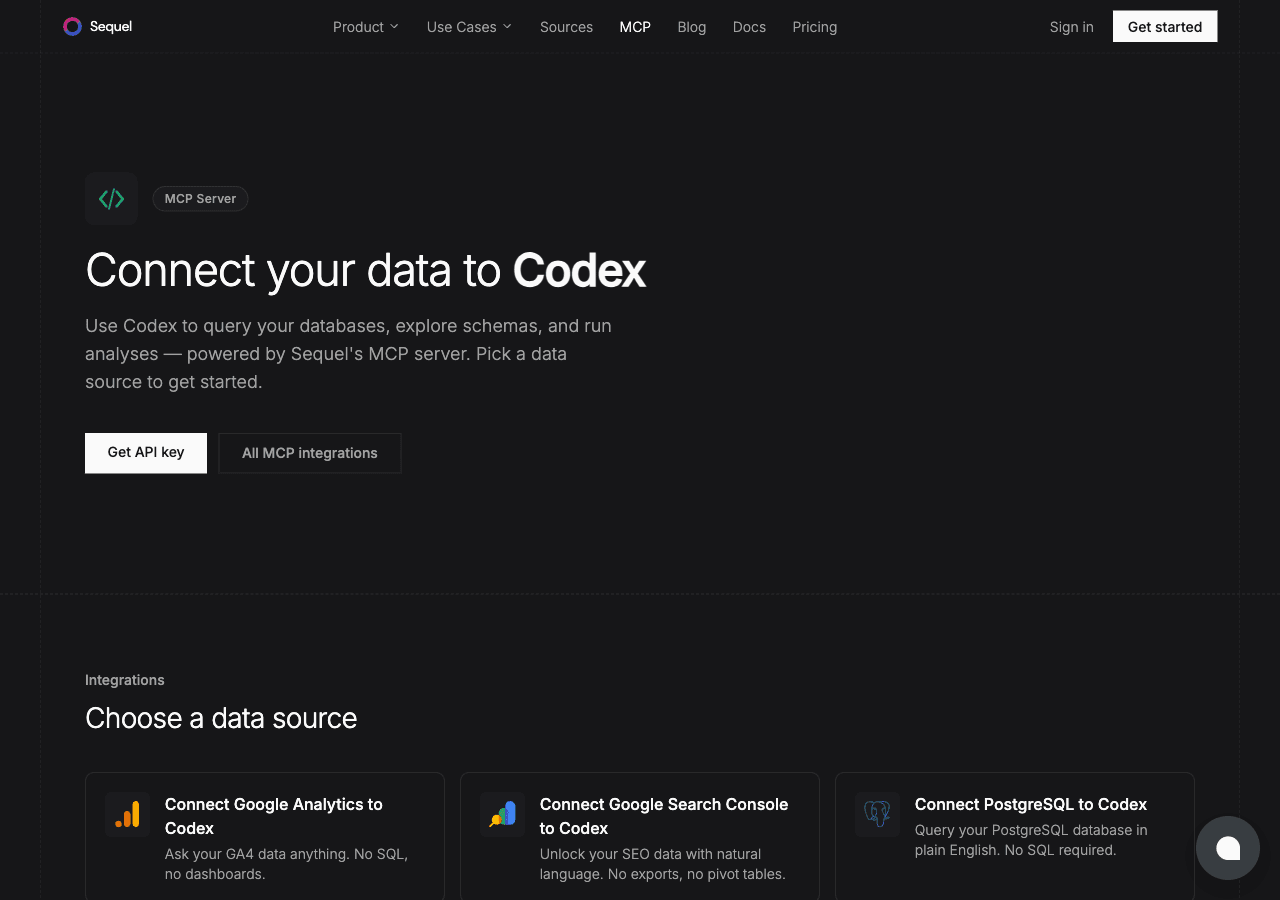
Google Search Console shows you how your site performs in search: what queries bring people in, which pages rank, how often you appear in results. The OpenAI Codex CLI brings AI assistance to your terminal. Connecting them through Sequel's MCP server means you can interrogate your search performance data from the same terminal where you build and ship code. No CSV exports, no switching to a browser.
What You'll Accomplish
Once set up, you can launch Codex and ask:
- "What are the top 20 queries driving traffic to my site this month?"
- "Which pages have the highest impressions but low click-through rate?"
- "How has our average position for branded queries changed over the past 90 days?"
Prerequisites
- A Sequel account. Sign up free at sequel.sh
- Google Search Console access. You need at least Full User on the property.
- OpenAI Codex CLI installed. Follow the install guide at openai.com/codex.
Step 1: Connect Google Search Console to Sequel
Sign in to sequel.sh and click Data Sources in the left sidebar.
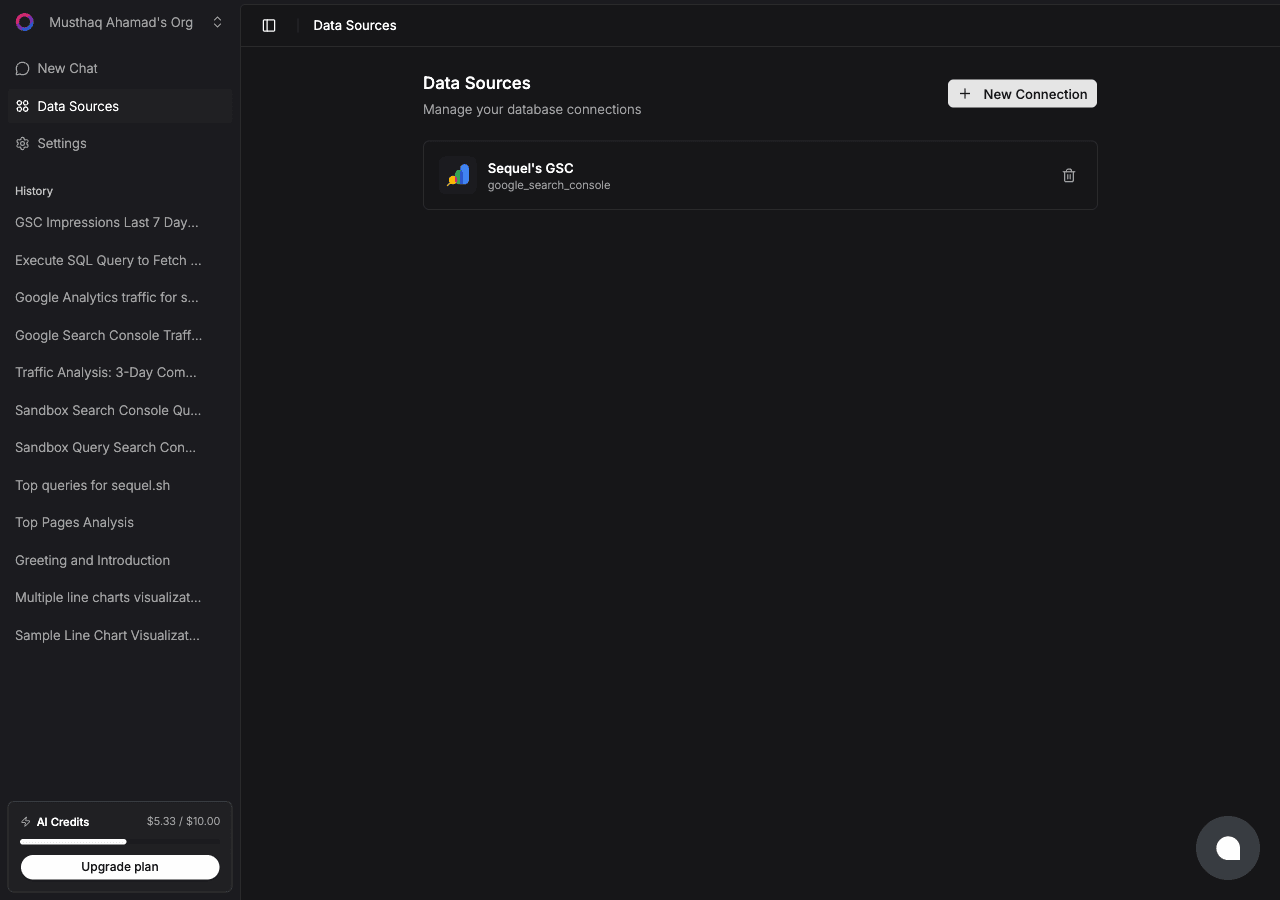
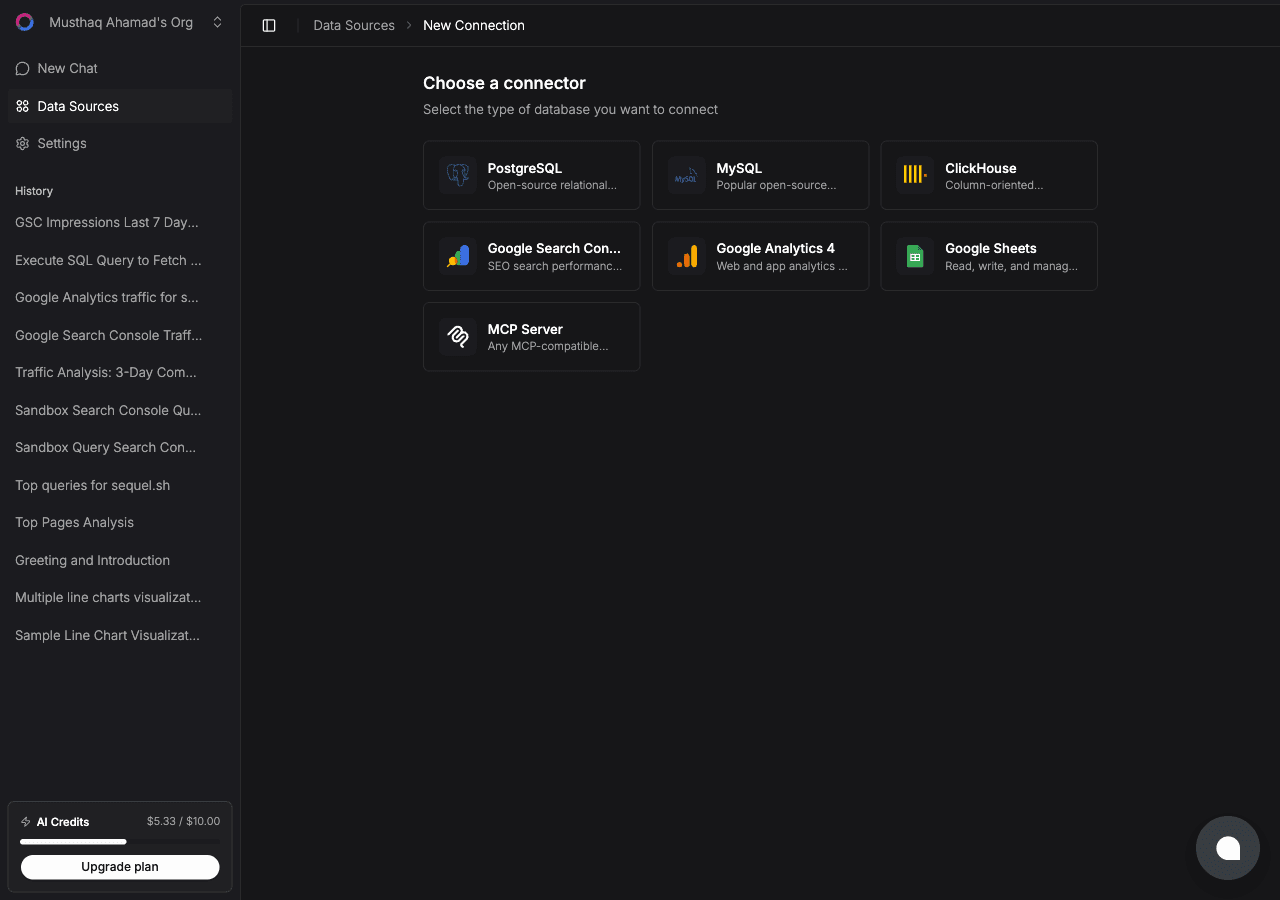
Click New Connection. On the "Choose a connector" page, select Google Search Console.
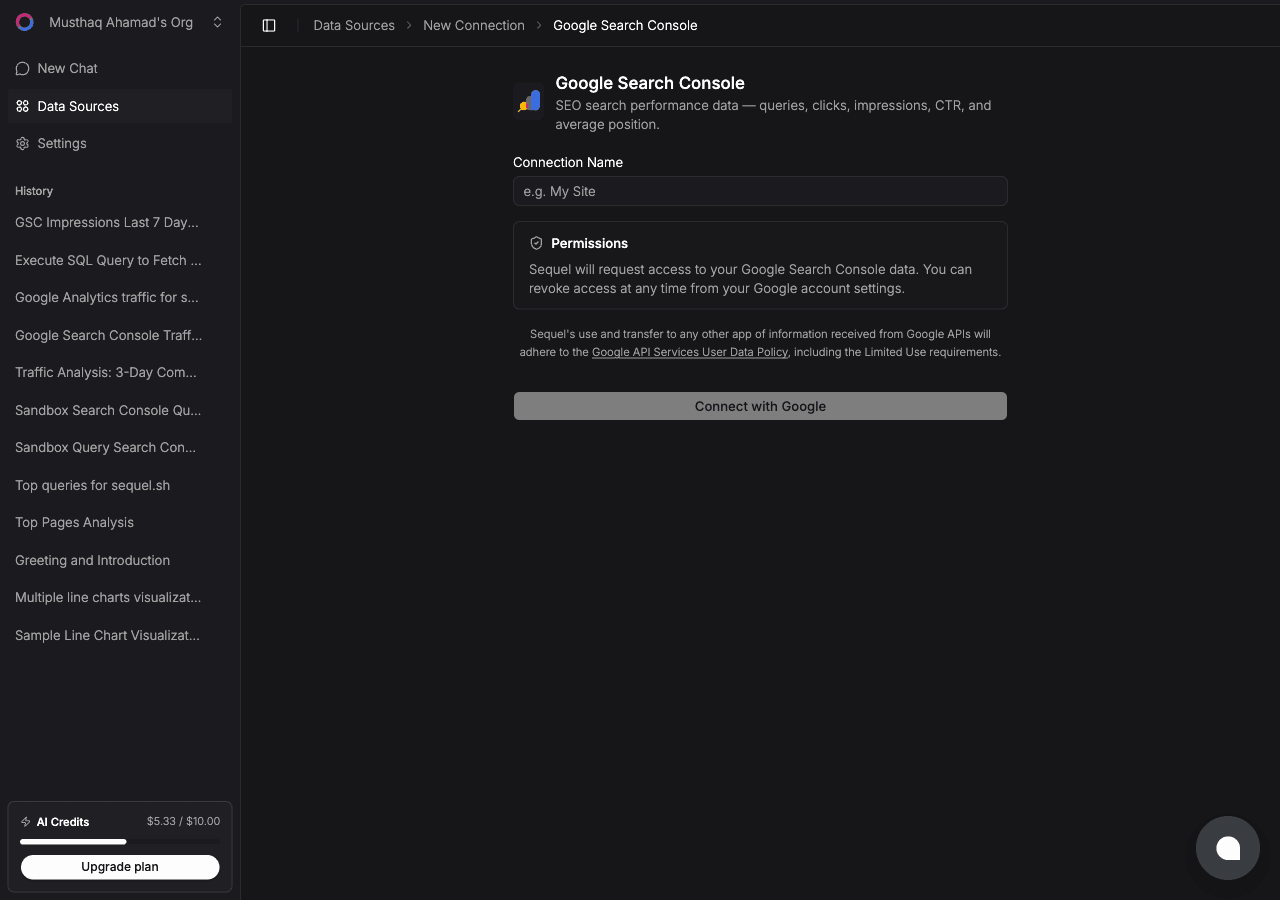
Enter a Connection Name, a label for this property, e.g. sequel.sh GSC.
Then click Connect with Google.
A Google OAuth window will open. Sign in with the Google account that has access to your Search Console property and grant Sequel the requested permissions. You'll be redirected back to Sequel with the connection saved.
Step 2: Get Your Sequel API Key
Click Settings in the left sidebar, then select API Keys from the settings navigation.
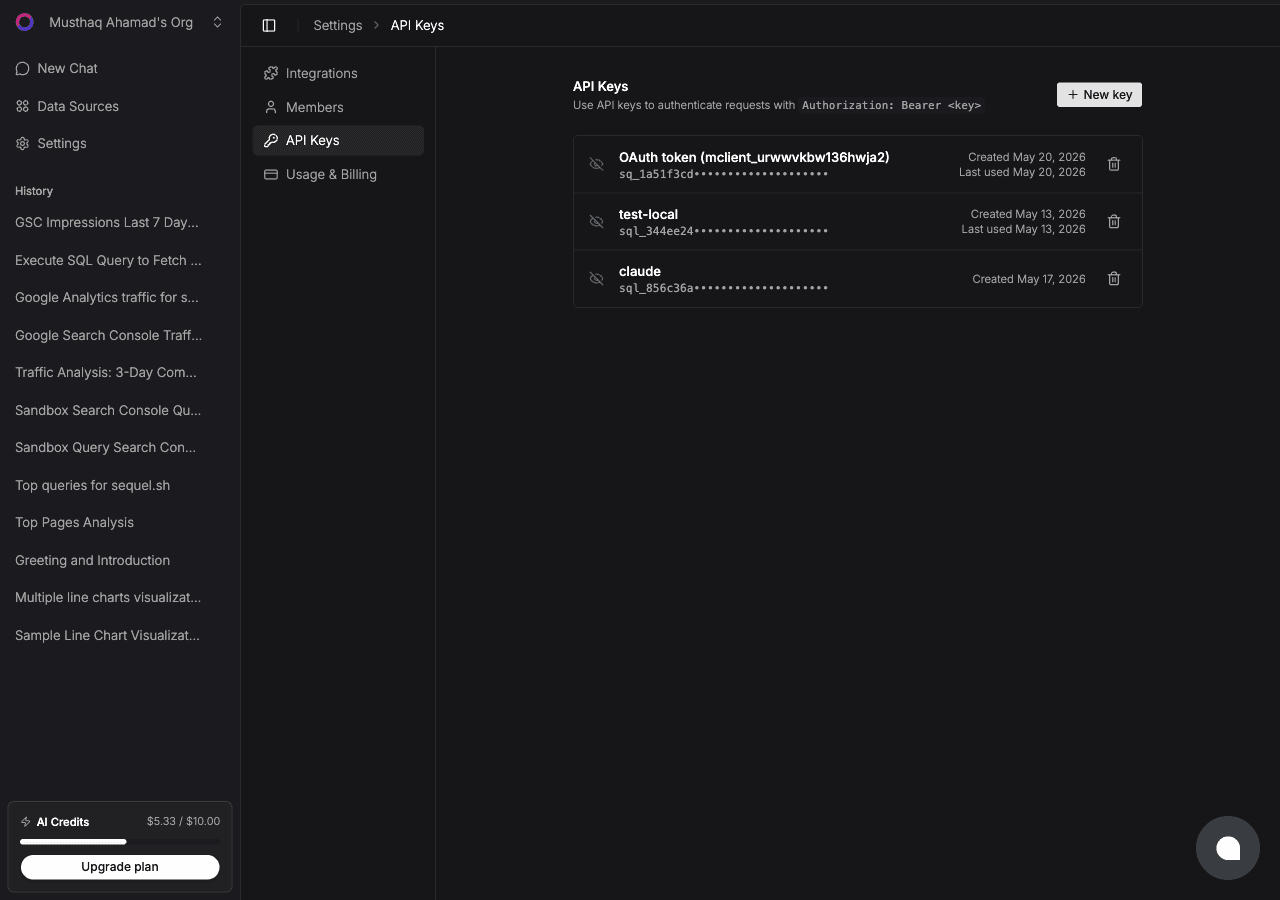
Click New key, name it codex-gsc, and copy the key (starts with sql_).
Step 3: Configure Codex CLI to Use Sequel MCP
Set your API key as an environment variable. Add this to ~/.zshrc or ~/.bashrc:
export SEQUEL_API_KEY="sql_your_api_key"Reload your shell:
source ~/.zshrcAdd Sequel to ~/.codex/config.toml. Create the file if it doesn't exist:
[mcp_servers.sequel]
url = "https://api.sequel.sh/mcp"
bearer_token_env_var = "SEQUEL_API_KEY"
Save the file. The next Codex session will load the Sequel MCP server automatically.
Step 4: Query Your Search Console Data
codexThen ask:
What tables are available from my Search Console data?
What are my top 10 queries by clicks this month?
Which pages have more than 1000 impressions but less than 2% CTR?
What You Can Do Now
- Keyword research: ask "What are the top 50 queries I rank for with an average position below 10?" to find quick-win opportunities
- Content audits: ask "Which pages have been losing impressions over the past 3 months?"
- CTR optimization: ask "Which queries have high impressions but low CTR?" to prioritize title and meta description improvements
- Ranking monitoring: ask "Am I ranking for [keyword]? What's the current average position?"
- Data-grounded development: ask Codex to generate a ranking report script grounded in your actual Search Console data schema