
ClickHouse is purpose-built for high-speed analytics over large volumes of data. Claude Desktop is a native AI application for conversational work. Connect them through Sequel's MCP server and you can explore petabytes of analytics data through a simple chat interface.
What You'll Accomplish
Once connected, you'll be able to open Claude Desktop and ask:
- "How many events did we track last week, compared to the week before?"
- "What's the average session duration for users in Europe this month?"
- "Which marketing channels are driving the most conversions?"
Prerequisites
- A Sequel account -- Sign up free at sequel.sh
- A ClickHouse instance -- ClickHouse Cloud or self-hosted
- Claude Desktop installed -- download from claude.ai/download
Step 1: Connect Your ClickHouse Database to Sequel
Sign in to sequel.sh and click Data Sources in the left sidebar.
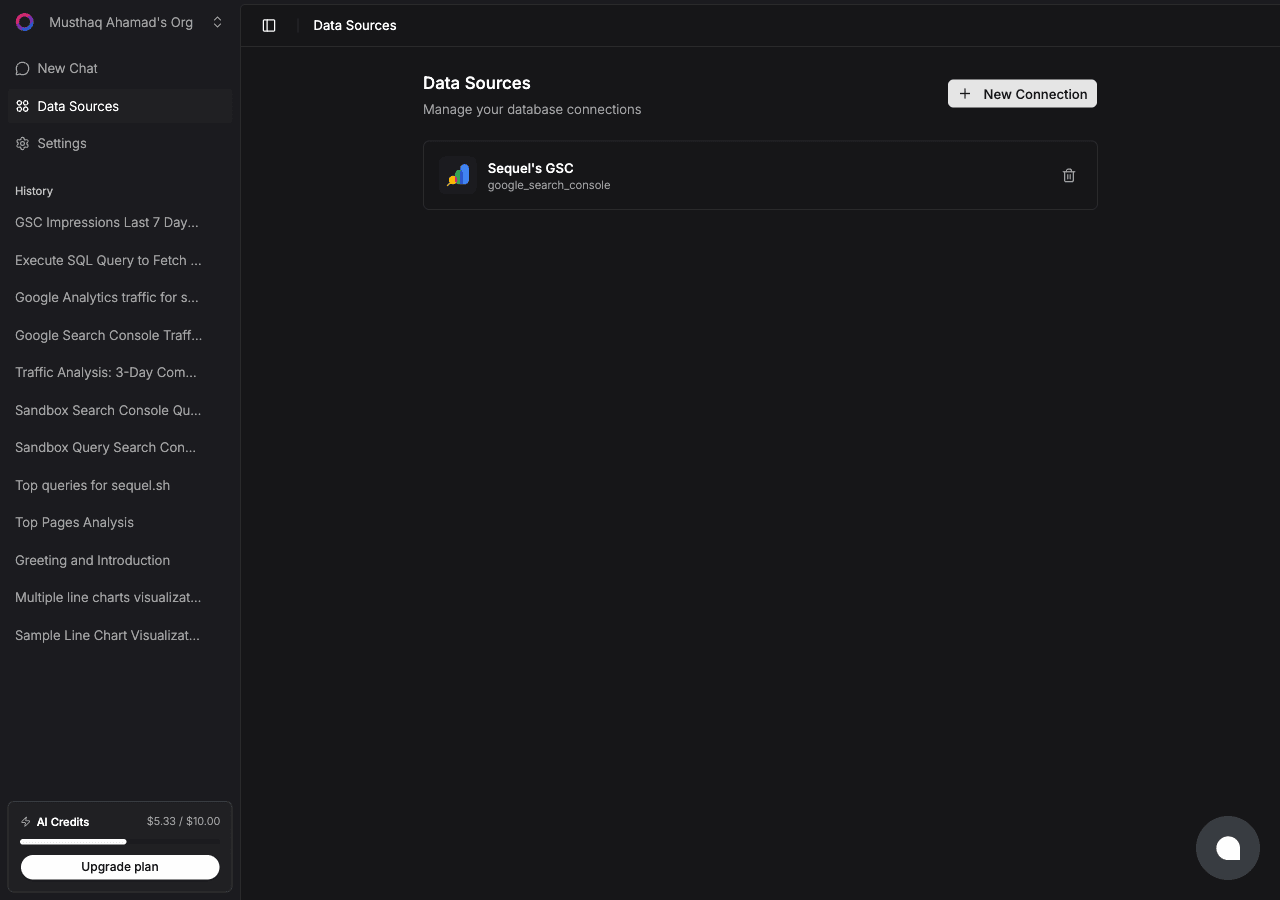
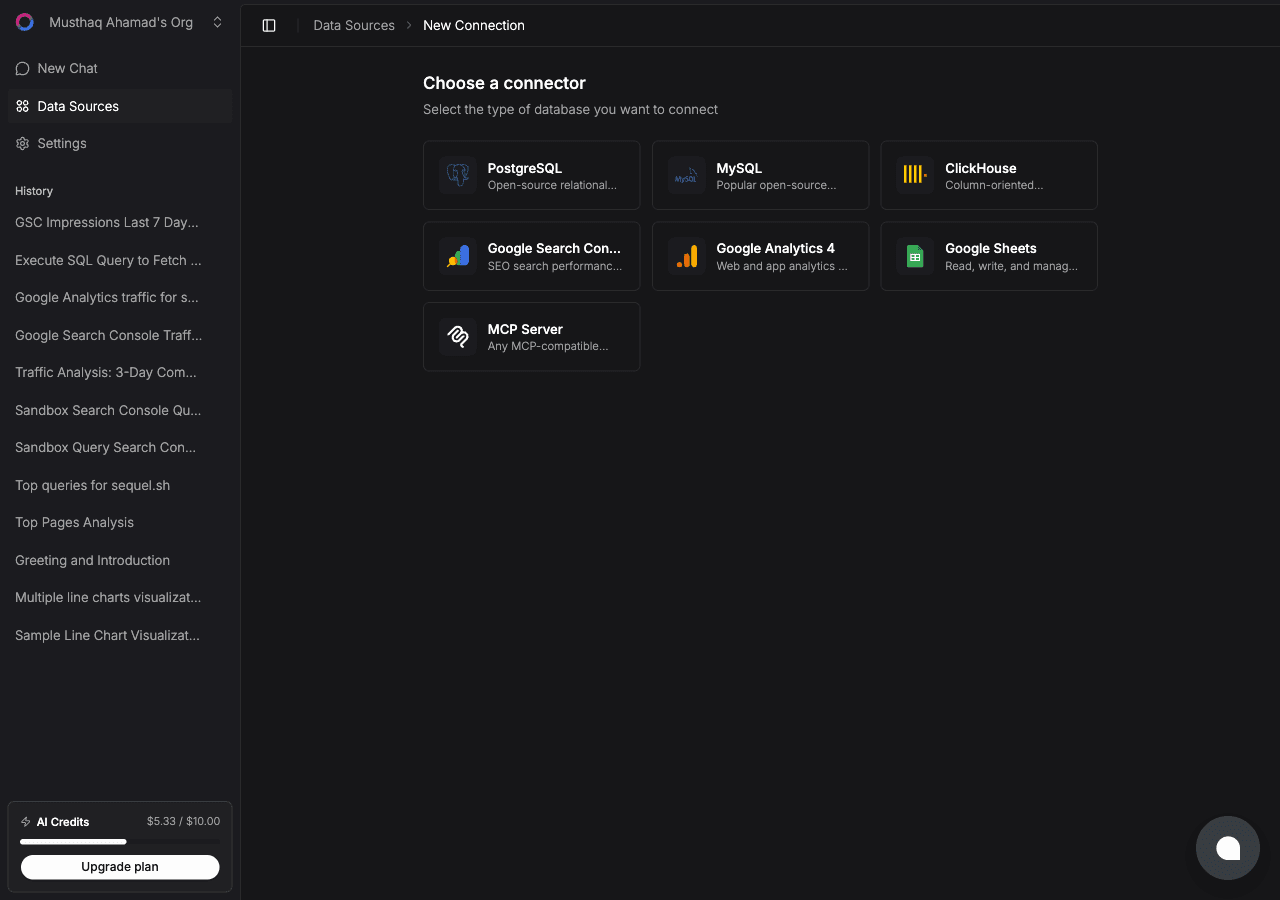
Click New Connection. On the "Choose a connector" page, select ClickHouse.
Fill in the connection fields:
- Connection Name -- a memorable label, e.g.
ClickHouse Analytics - Host -- your ClickHouse hostname, without
https://orhttp:// - Port --
8443for ClickHouse Cloud,8123for self-hosted HTTP - Username -- e.g.
default - Password -- your ClickHouse password
- Database -- the database name to connect to
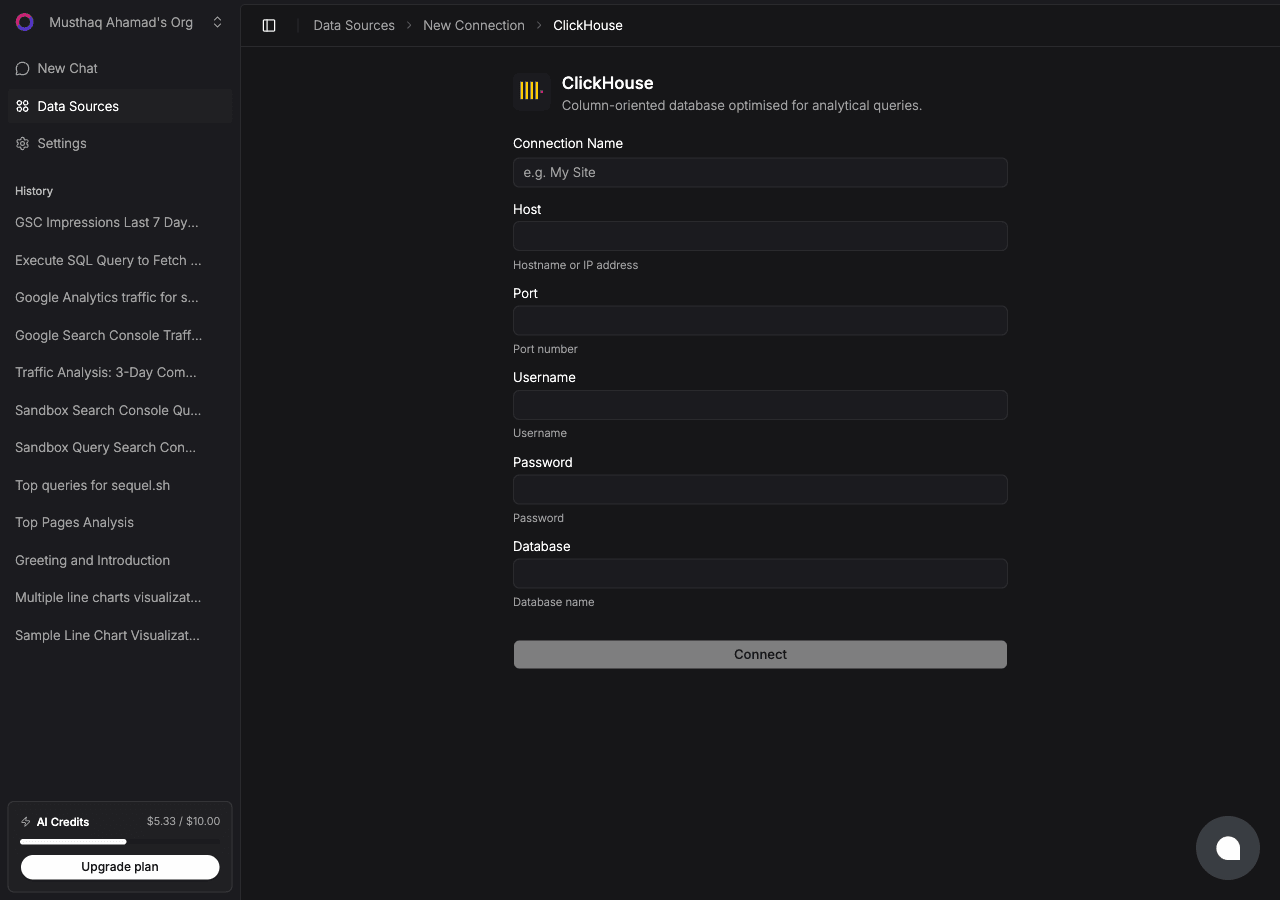
Click Connect to verify and save.
Step 2: Get Your Sequel API Key
Click Settings in the left sidebar, then select API Keys from the settings navigation.
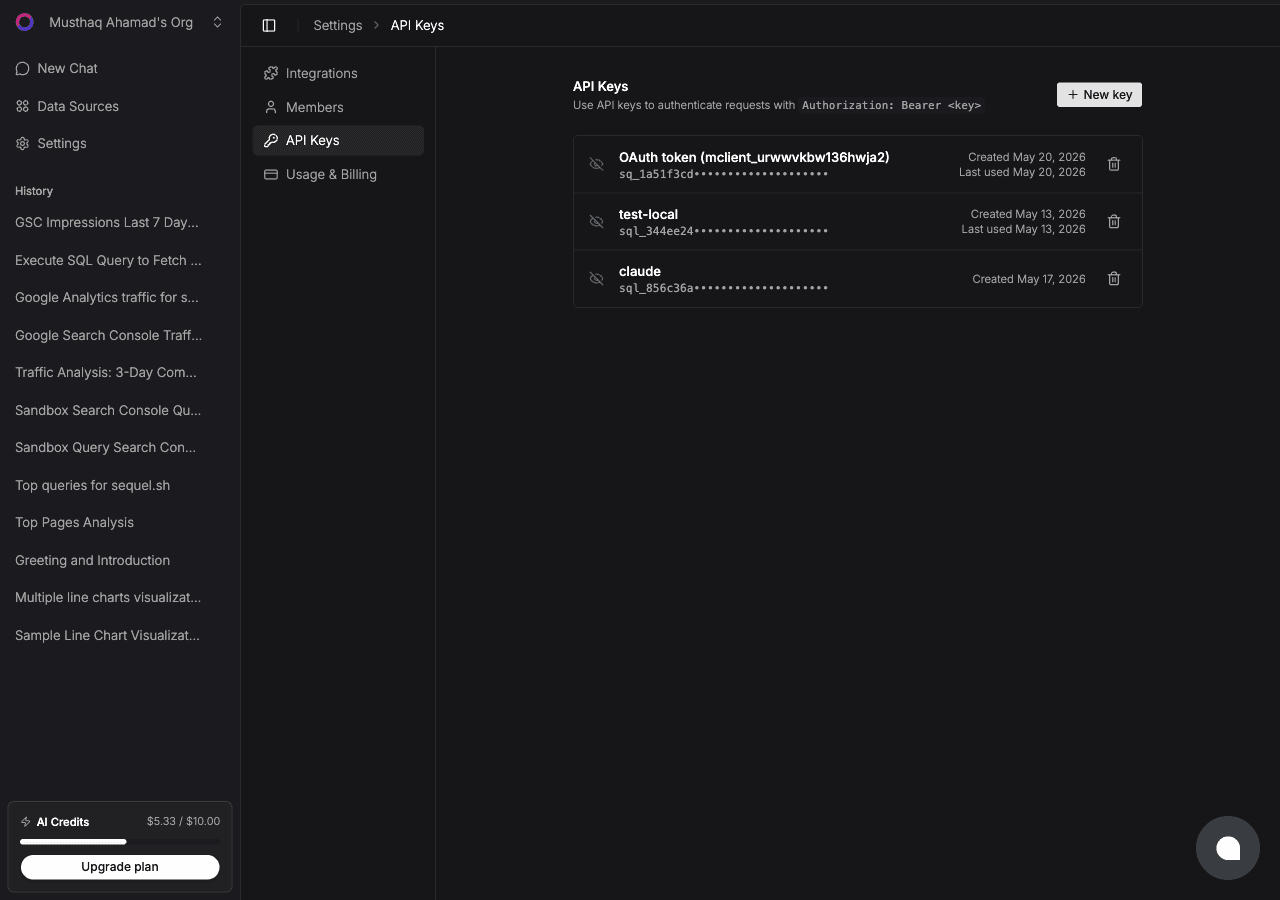
Click New key, name it claude-desktop, and copy the key (starts with sql_).
Step 3: Configure Claude Desktop
Open or create the config file:
- Mac:
~/Library/Application Support/Claude/claude_desktop_config.json - Windows:
%APPDATA%\Claude\claude_desktop_config.json
Add the Sequel entry:
{
  "mcpServers": {
    "sequel": {
      "url": "https://api.sequel.sh/mcp",
      "headers": {
        "Authorization": "Bearer sql_your_api_key"
      }
    }
  }
}
Replace sql_your_api_key with the key from Step 2. Restart Claude Desktop after saving.
Step 4: Query Your ClickHouse Database
Open a conversation in Claude Desktop:
How many unique users visited the site this week?
What's the trend of API errors over the past 30 days?
Which product pages have the highest bounce rate?
What You Can Do Now
- Data-driven Q&A for your whole team -- product managers, marketers, and execs can ask data questions without SQL knowledge
- Incident analysis -- ask "Did anything unusual happen with error rates in the last 2 hours?"
- Growth reporting -- ask "What's our week-over-week growth for signups across the past 3 months?"
- Behavioral analysis -- ask "What's the most common user journey before converting to paid?"