
Ahrefs holds the backlink and keyword data most SEO decisions rest on, and getting a cross-cut of it usually means three exports and a spreadsheet. Grok Bot is xAI's bot builder, an agent that keeps context and reaches your tools through plugins. Connect Ahrefs through Sequel and the bot pulls the reports itself, then joins them with your own traffic data.
TL;DR
| What you're connecting | An Ahrefs workspace to Grok Bot |
| Setup time | About 5 minutes |
| Setup method | One chat message. Grok Bot has no MCP config file |
| Auth to Ahrefs | API key, pasted into Sequel once |
| Auth to the bot | OAuth to Sequel. No key in the chat |
| Access level | Read-only reports over Ahrefs API v3 |
| Cost note | Most reports consume Ahrefs API units, minimum 50 per request |
What You'll Accomplish
Once this is wired up, you can ask your bot:
- "Which new referring domains did our top competitor gain in the last 30 days?"
- "What organic keywords do we rank for in the US top 10, and what are they worth?"
- "What's the search volume and difficulty for this list of 20 keywords?"
Prerequisites
- A Sequel account: sign up free at sequel.sh
- An Ahrefs account with API access on an eligible paid plan
- An Ahrefs API key from Account settings → API keys (owners and admins only)
- A Grok account with a bot you can send messages to
Step 1: Connect Ahrefs to Sequel
In Ahrefs, go to Account settings → API keys and create a key. Copy it.
Then sign in to sequel.sh and open Data Sources.
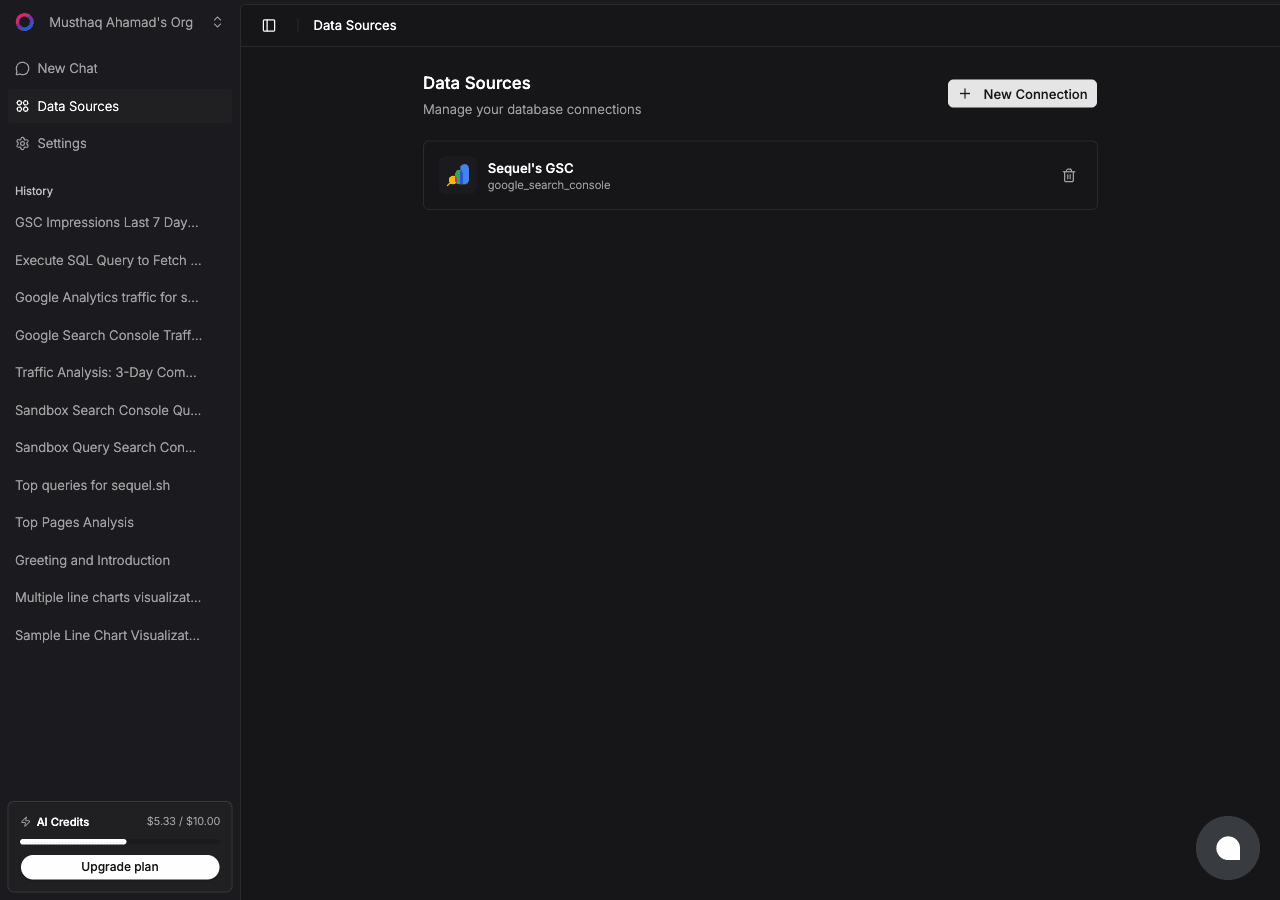
Click New Connection and choose Ahrefs.
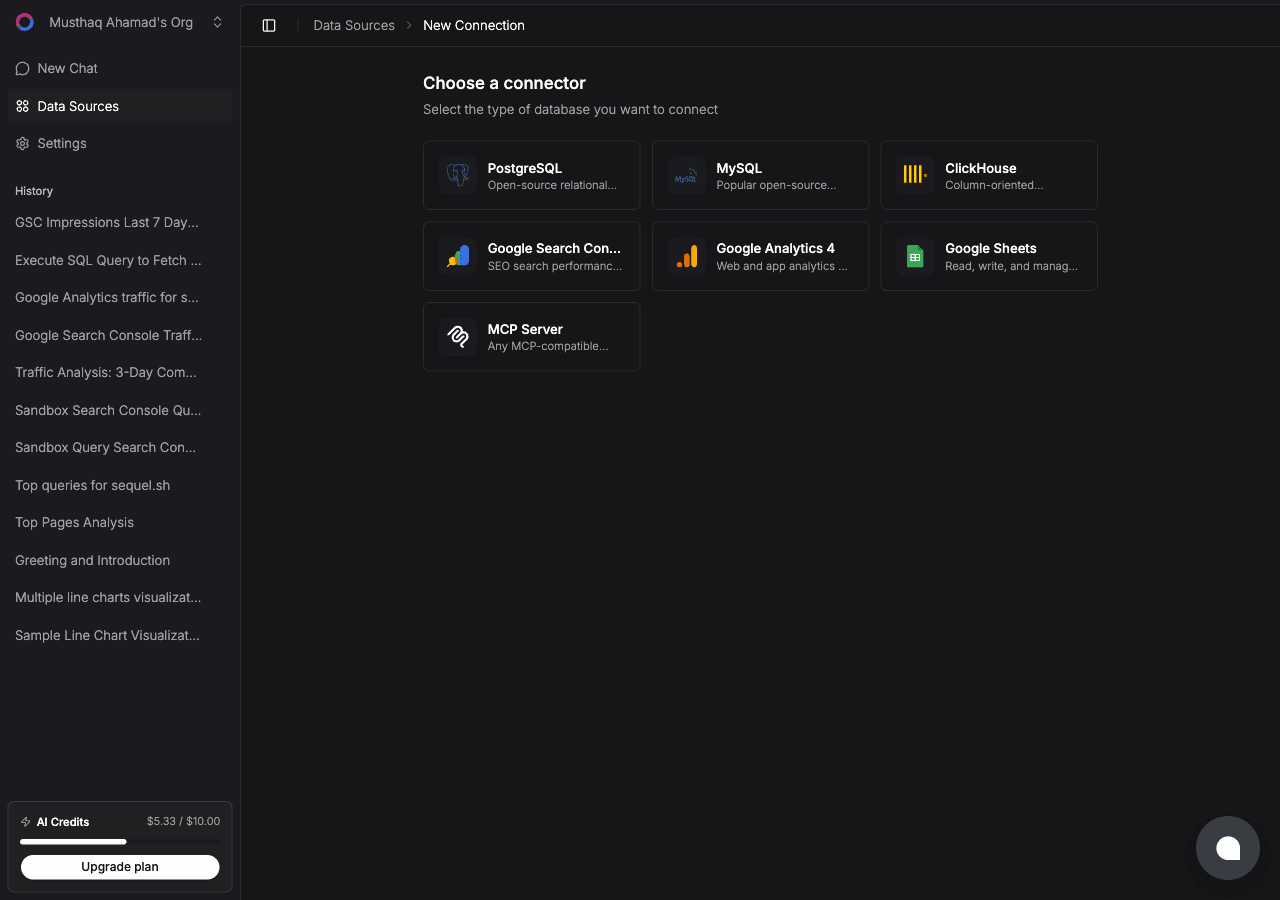
| Field | What to enter |
|---|---|
| Connection Name | A memorable label, for example Ahrefs Main Workspace |
| API key | The key you copied from Ahrefs |
Click Test. Sequel validates the key against the free subscription-info endpoint, which consumes no units. Save and the connection goes live.
What you get, all read-only:
| Report | What it returns |
|---|---|
| Domain overview | Domain Rating, organic and paid traffic, keyword counts |
| Backlinks | Individual inbound links with anchor text and source metrics |
| Referring domains | Unique linking domains and their authority |
| Organic keywords | Keywords a target ranks for, with position, volume, traffic |
| Top pages | Top pages by organic traffic and their lead keyword |
| Keyword research | Volume, difficulty, and CPC via Keywords Explorer |
Step 2: Add Sequel to Grok Bot
Grok Bot has no MCP config file and no settings form to fill in. You add a server by asking the bot.
Open a chat with your bot and send this:
Add a custom MCP server called sequel at https://api.sequel.sh/mcp
Say custom server explicitly. Leave those words out and the bot searches the plugin marketplace instead of registering your endpoint.
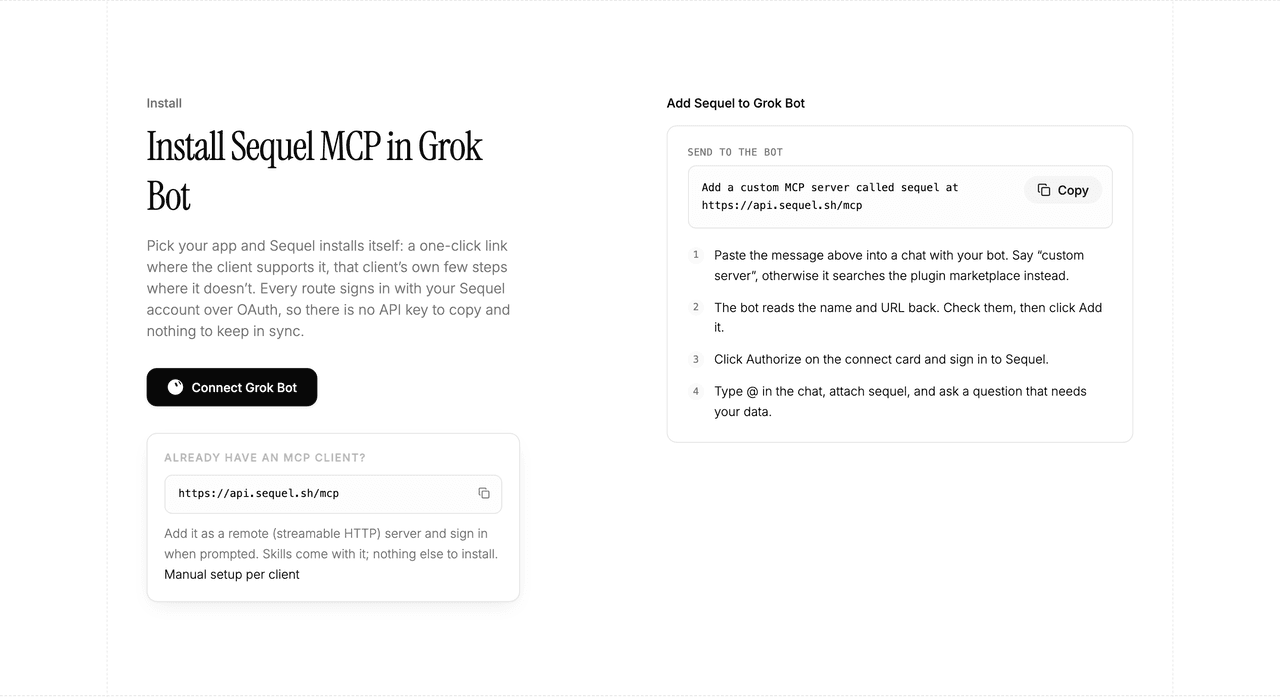
The bot reads the name and URL back to you. Check both, confirm, and it posts a connect card in the chat. Click Authorize, sign in to Sequel, and approve access. The OAuth token stays on the connector side, so there is no API key to copy and nothing to keep in sync.
To confirm it registered, open Settings → Plugins → Yours. Every server on your account is listed there, including the ones you added by chat.
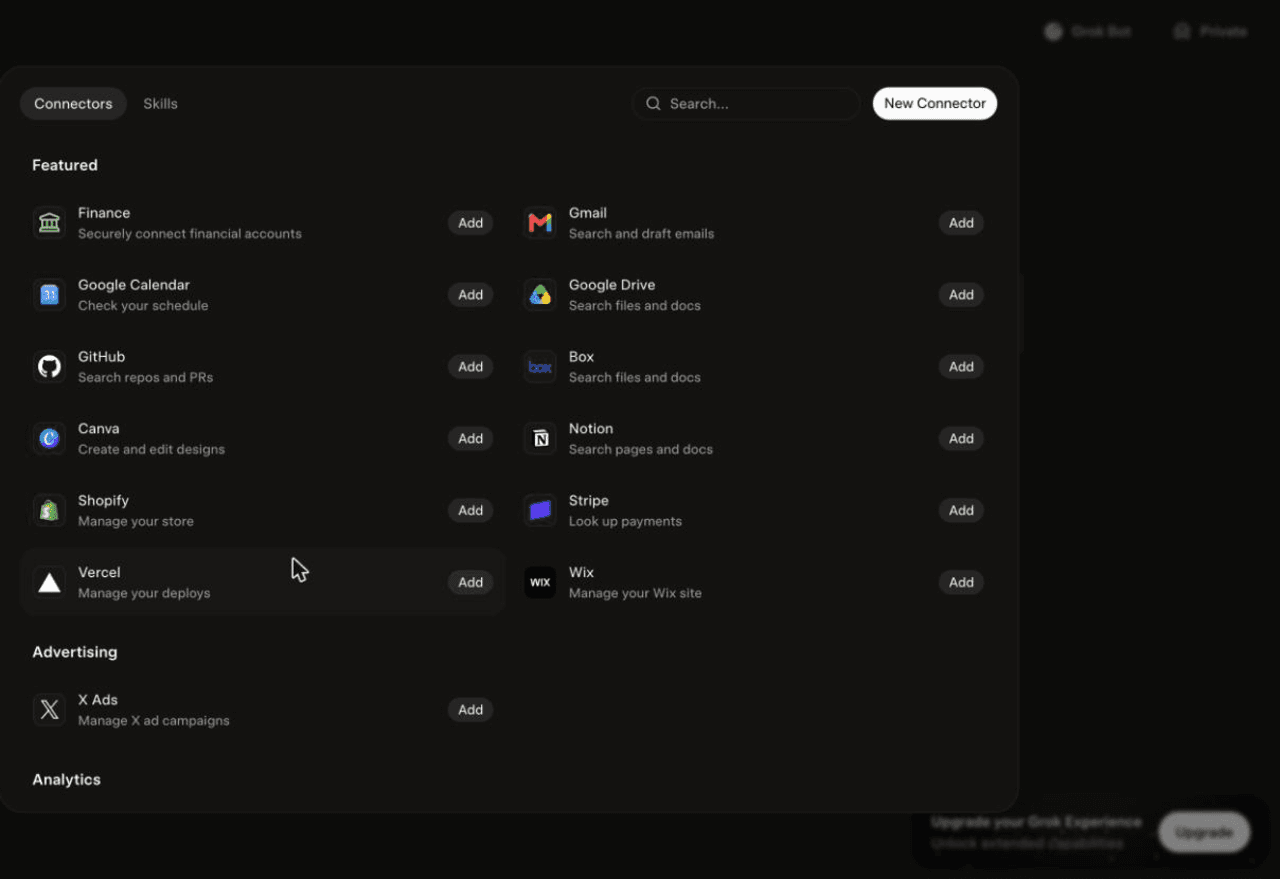
Then attach it to a task: type @ in the chat and pick sequel.
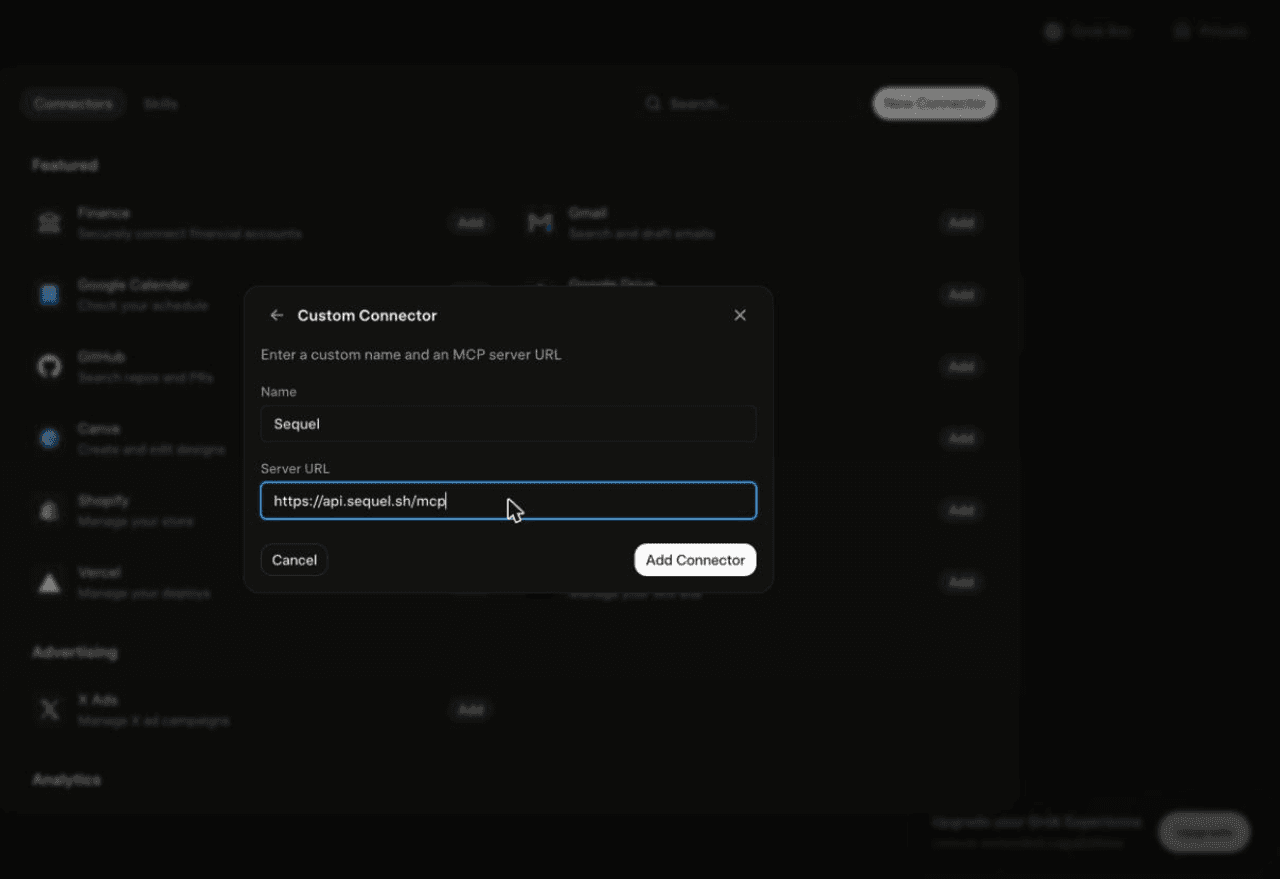
Using Grok chat rather than a bot? The steps do not carry over. On grok.com, open Plugins → New Connector → Custom, set the name to
Sequeland the Server URL tohttps://api.sequel.sh/mcp, click Add Connector, and sign in.
Step 3: Ask Grok Bot About Your Ahrefs Data
Attach @sequel and ask:
What's the Domain Rating and organic traffic for our site and our three main competitors?
Show the top 50 referring domains for competitor.com, sorted by domain authority.
Which organic keywords does our site rank for in positions 4 to 10 in the US?
What You Can Do Now
- Competitor link monitoring: the bot runs unattended, so a weekly "new referring domains" check is a schedule, not a chore.
- Keyword prioritisation: volume, difficulty, and current position in one table instead of three exports.
- Content gap analysis: "What do competitors rank for that we do not?" in one message.
- Link prospecting: pull referring domains for a competitor and filter by authority.
- Cross-source joins: pair Ahrefs rankings with Search Console clicks and revenue from your database.
Troubleshooting
| Symptom | Likely fix |
|---|---|
| The bot searched the marketplace instead of adding the server | Resend the message with the words "custom server" in it. |
| The server is not listed under Settings → Plugins → Yours | The registration did not complete. Resend the message and confirm the name and URL when the bot reads them back. |
| The bot answers without touching your data | You did not attach it. Type @ in the chat and pick sequel before asking. |
| Test fails with an auth error | The key is invalid or revoked. Create a fresh one under Account settings and API keys. |
| Reports return an access error | Your plan may lack API access or your units are exhausted. Check both in Ahrefs. |
| Empty results for a domain | Check the spelling and the country filter. Ahrefs may have no data for that market. |