
Search Console holds every query, click, impression, and position for your site, and its interface caps you at a thousand rows and one comparison at a time. Grok Bot is xAI's bot builder, an agent that keeps context and reaches your tools through plugins. Connect GSC through Sequel and the bot can pull the full picture, then keep drilling without resetting a filter.
TL;DR
| What you're connecting | A verified Search Console property to Grok Bot |
| Setup time | About 4 minutes |
| Setup method | One chat message. Grok Bot has no MCP config file |
| Auth | Google OAuth, read-only. Nothing to copy |
| Access needed | Restricted or Full user on the property |
| Data freshness | Lags roughly two days |
| Availability | Account-wide, including scheduled and background runs |
What You'll Accomplish
Once this is wired up, you can ask your bot:
- "Which queries lost the most clicks in the last 28 days versus the previous 28?"
- "Which pages rank between position 8 and 15 with high impressions?"
- "What's our CTR for branded versus non-branded queries, by month?"
Prerequisites
- A Sequel account: sign up free at sequel.sh
- A verified Search Console property with Restricted or Full access
- A Grok account with a bot you can send messages to
Step 1: Connect Google Search Console to Sequel
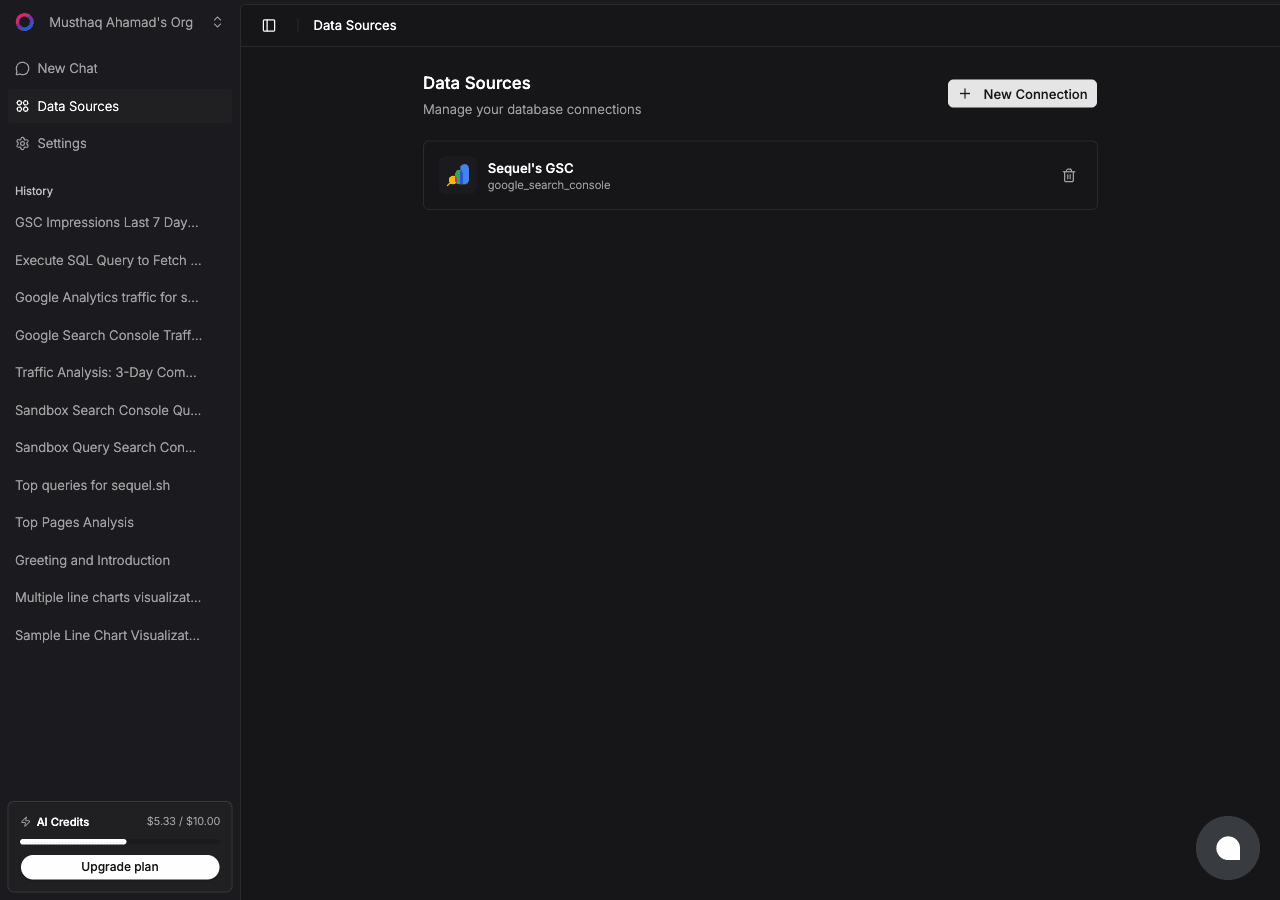
Sign in to sequel.sh and open Data Sources.
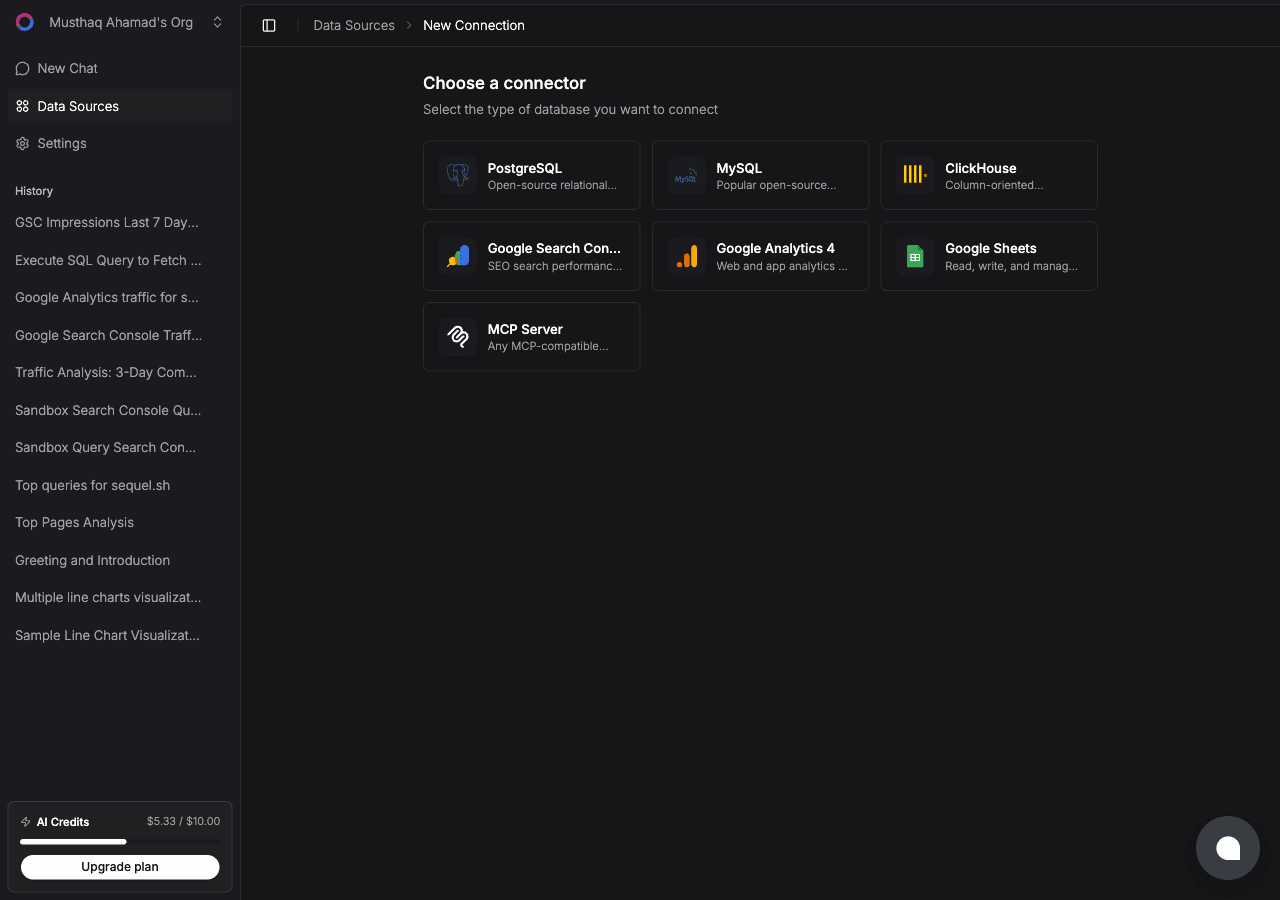
Click New Connection and choose Google Search Console.
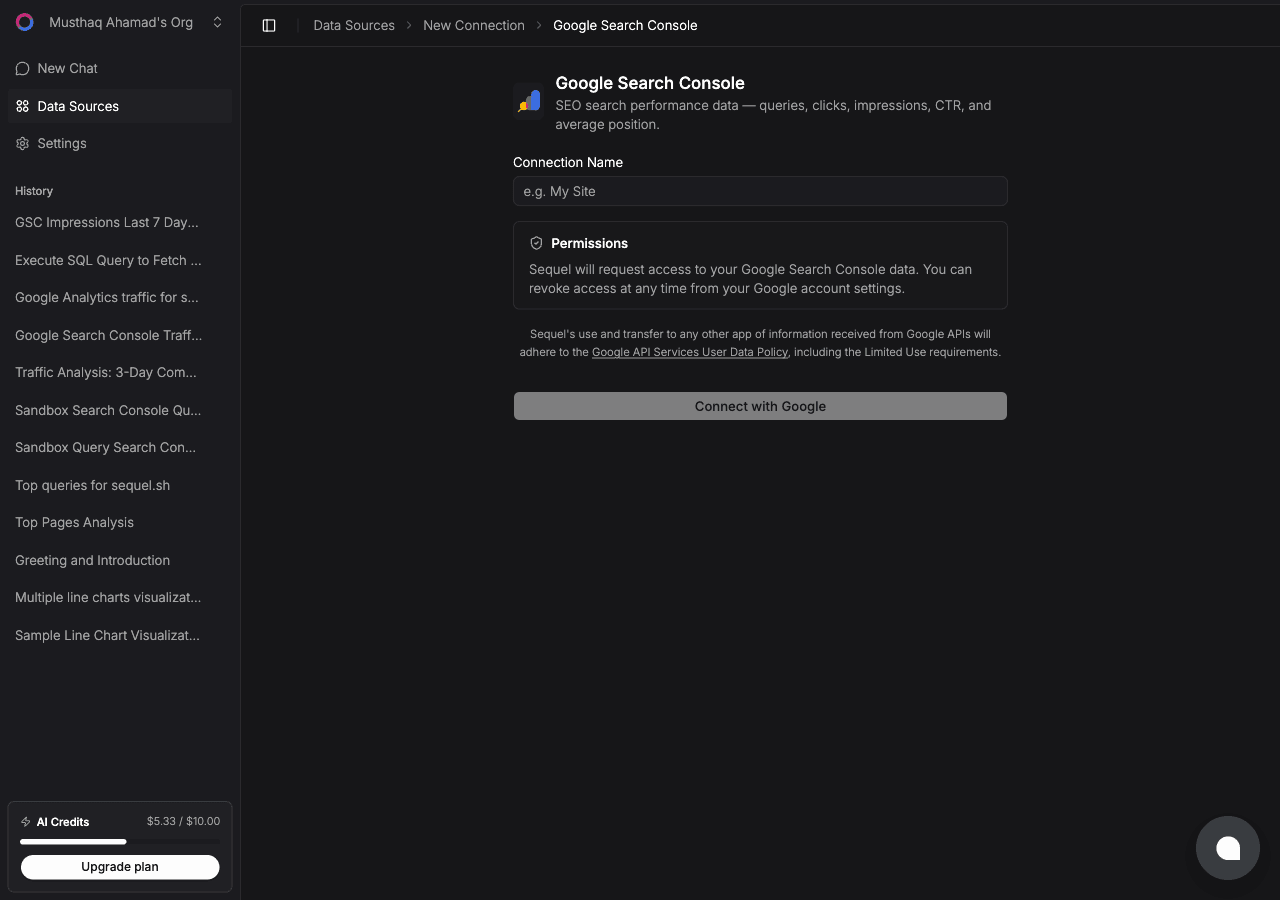
| Step | What happens |
|---|---|
| Name the connection | For example example.com GSC |
| Connect with Google | Google's consent screen asks for read access |
| Pick a property | Choose the verified domain or URL-prefix property |
| Confirm | Sequel verifies access and the connection goes live |
Step 2: Add Sequel to Grok Bot
Grok Bot has no MCP config file and no settings form to fill in. You add a server by asking the bot.
Open a chat with your bot and send this:
Add a custom MCP server called sequel at https://api.sequel.sh/mcp
Say custom server explicitly. Leave those words out and the bot searches the plugin marketplace instead of registering your endpoint.
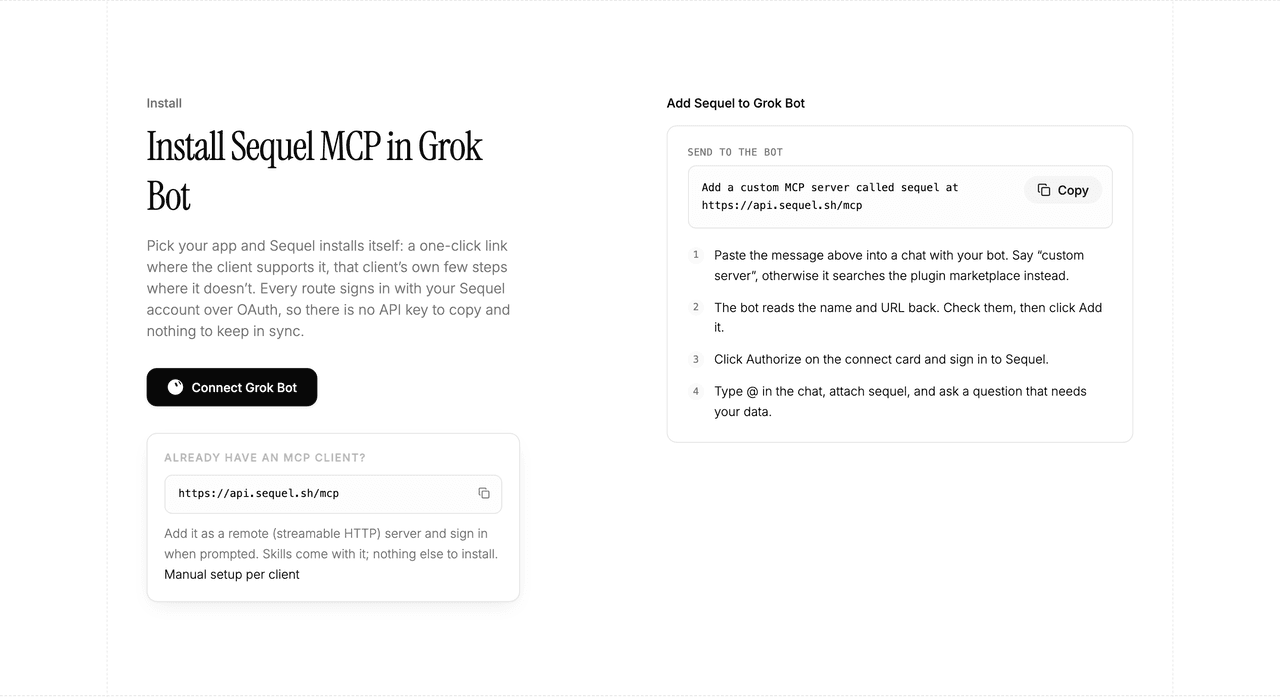
The bot reads the name and URL back to you. Check both, confirm, and it posts a connect card in the chat. Click Authorize, sign in to Sequel, and approve access. The OAuth token stays on the connector side, so there is no API key to copy and nothing to keep in sync.
To confirm it registered, open Settings → Plugins → Yours. Every server on your account is listed there, including the ones you added by chat.
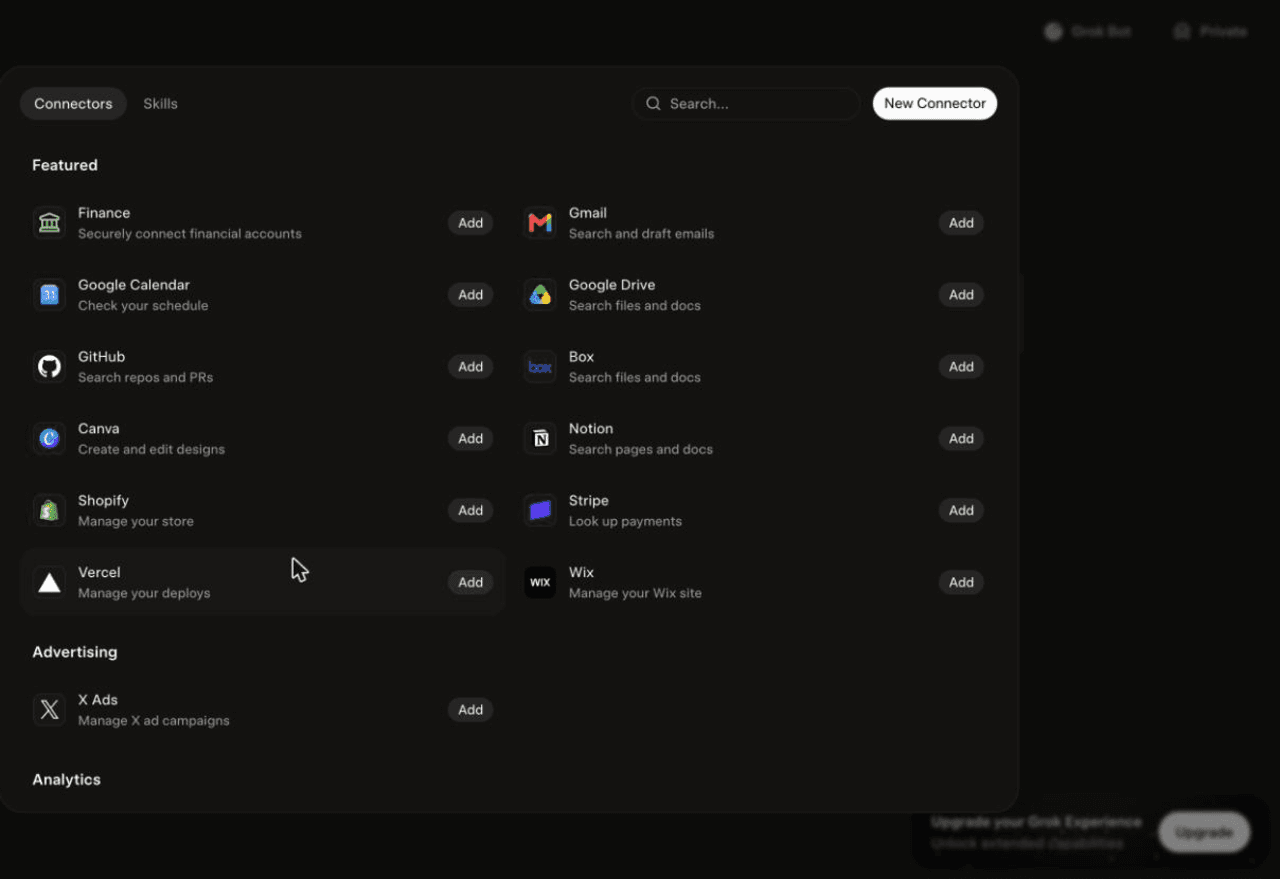
Then attach it to a task: type @ in the chat and pick sequel.
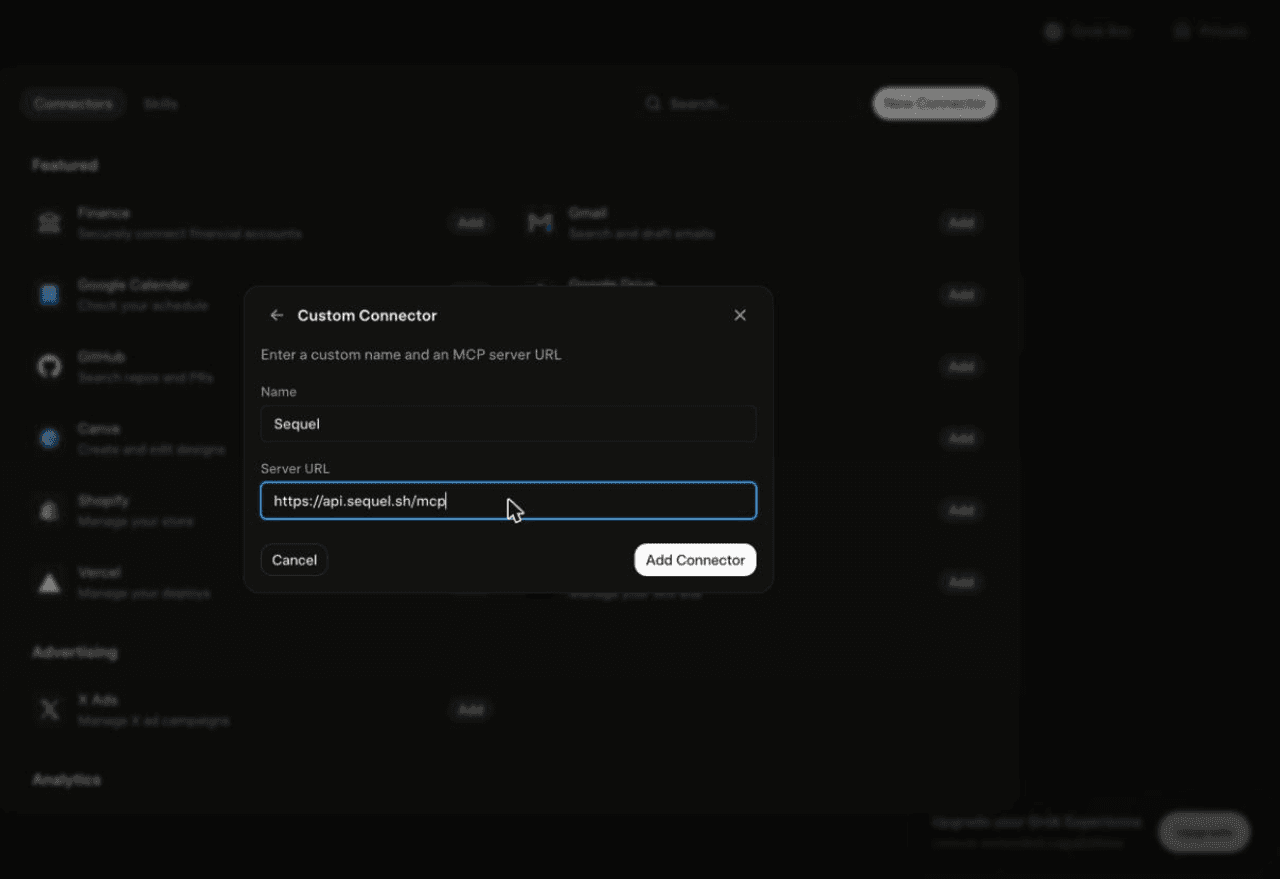
Using Grok chat rather than a bot? The steps do not carry over. On grok.com, open Plugins → New Connector → Custom, set the name to
Sequeland the Server URL tohttps://api.sequel.sh/mcp, click Add Connector, and sign in.
Step 3: Ask Grok Bot About Your Search Console Data
Attach @sequel and ask:
Which queries lost the most clicks in the last 28 days compared to the previous 28?
List pages ranking between position 8 and 15 with more than 500 impressions last month.
Show clicks, impressions, CTR, and average position by country for the last 28 days.
What You Can Do Now
- Striking-distance work: find the pages one or two positions away from page one and prioritise them.
- Traffic drop investigations: ask what changed, by query and by page, instead of eyeballing a line chart.
- Cannibalisation checks: "Which queries have more than one of our pages ranking?" is one message.
- Scheduled SEO digests: the bot works unattended, so a weekly movers-and-losers report runs itself.
- Cross-source joins: pair GSC clicks with GA4 sessions or revenue from your database to connect rankings to money.
Troubleshooting
| Symptom | Likely fix |
|---|---|
| The bot searched the marketplace instead of adding the server | Resend the message with the words "custom server" in it. |
| The server is not listed under Settings → Plugins → Yours | The registration did not complete. Resend the message and confirm the name and URL when the bot reads them back. |
| The bot answers without touching your data | You did not attach it. Type @ in the chat and pick sequel before asking. |
| The property picker is empty | The signed-in Google account has no access to a verified property. Reconnect with the right account. |
| The last two days are missing | Expected. Search Console data lags. Shift your window back a few days. |
| Query totals do not match the GSC UI | The UI caps rows and applies its own filters. Ask for explicit row limits and filters instead. |