
GA4's interface makes simple questions slow: four menus and a date picker before you see a number. Grok Bot is xAI's bot builder, an agent that keeps context and reaches your tools through plugins. Connect GA4 through Sequel and a traffic question becomes a sentence, with the answer coming back as a table you can keep asking about.
TL;DR
| What you're connecting | A GA4 property to Grok Bot |
| Setup time | About 4 minutes |
| Setup method | One chat message. Grok Bot has no MCP config file |
| Auth | Google OAuth, read-only. Nothing to copy |
| Access needed | Viewer on the GA4 property |
| Not supported | Universal Analytics properties |
| Availability | Account-wide, including scheduled and background runs |
What You'll Accomplish
Once this is wired up, you can ask your bot:
- "Which landing pages lost the most sessions month over month?"
- "What's the conversion rate for mobile versus desktop over the last 30 days?"
- "Which acquisition source brought the most new users this quarter, and did they convert?"
Prerequisites
- A Sequel account: sign up free at sequel.sh
- A GA4 property with at least Viewer access
- A Grok account with a bot you can send messages to
Step 1: Connect Google Analytics to Sequel
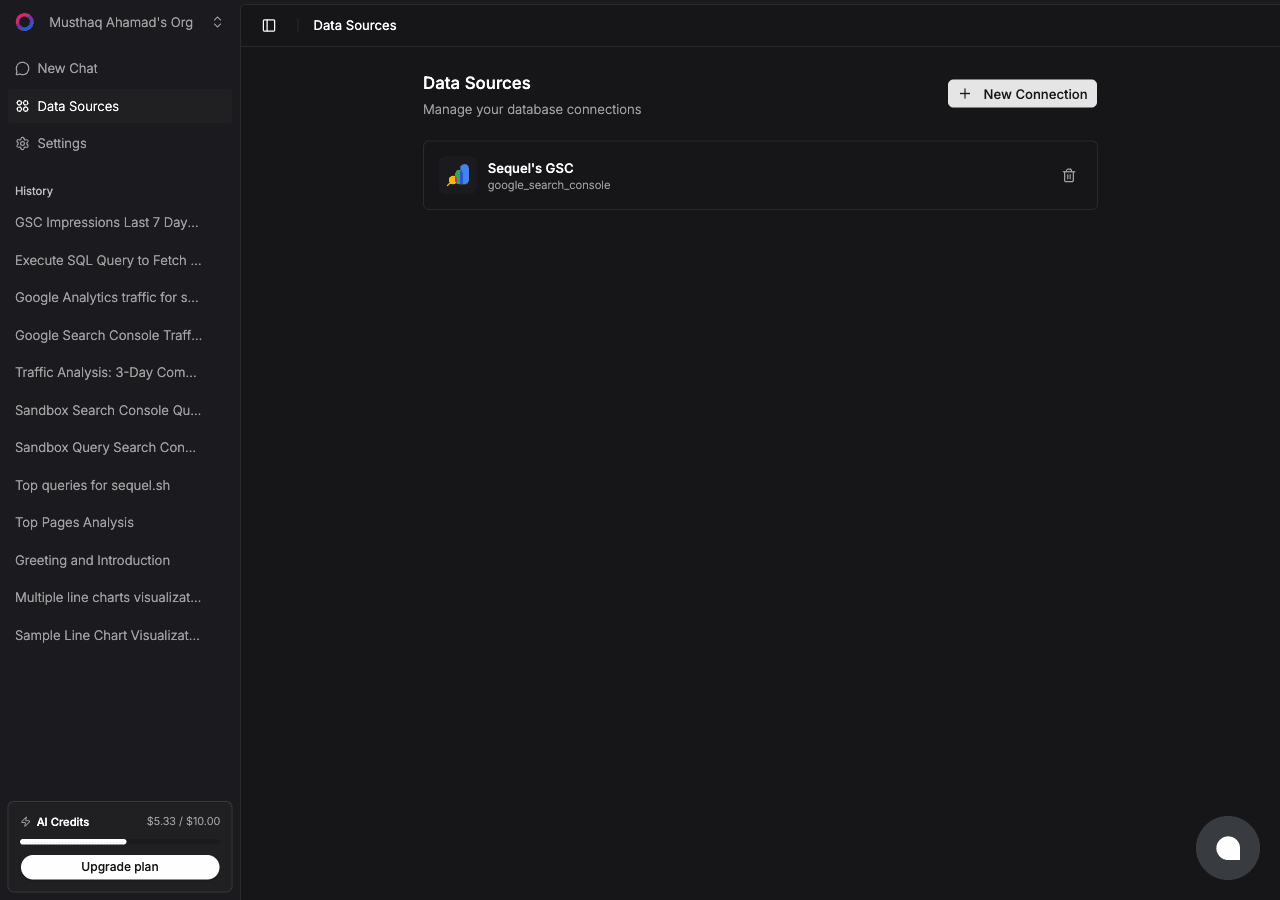
Sign in to sequel.sh and open Data Sources.
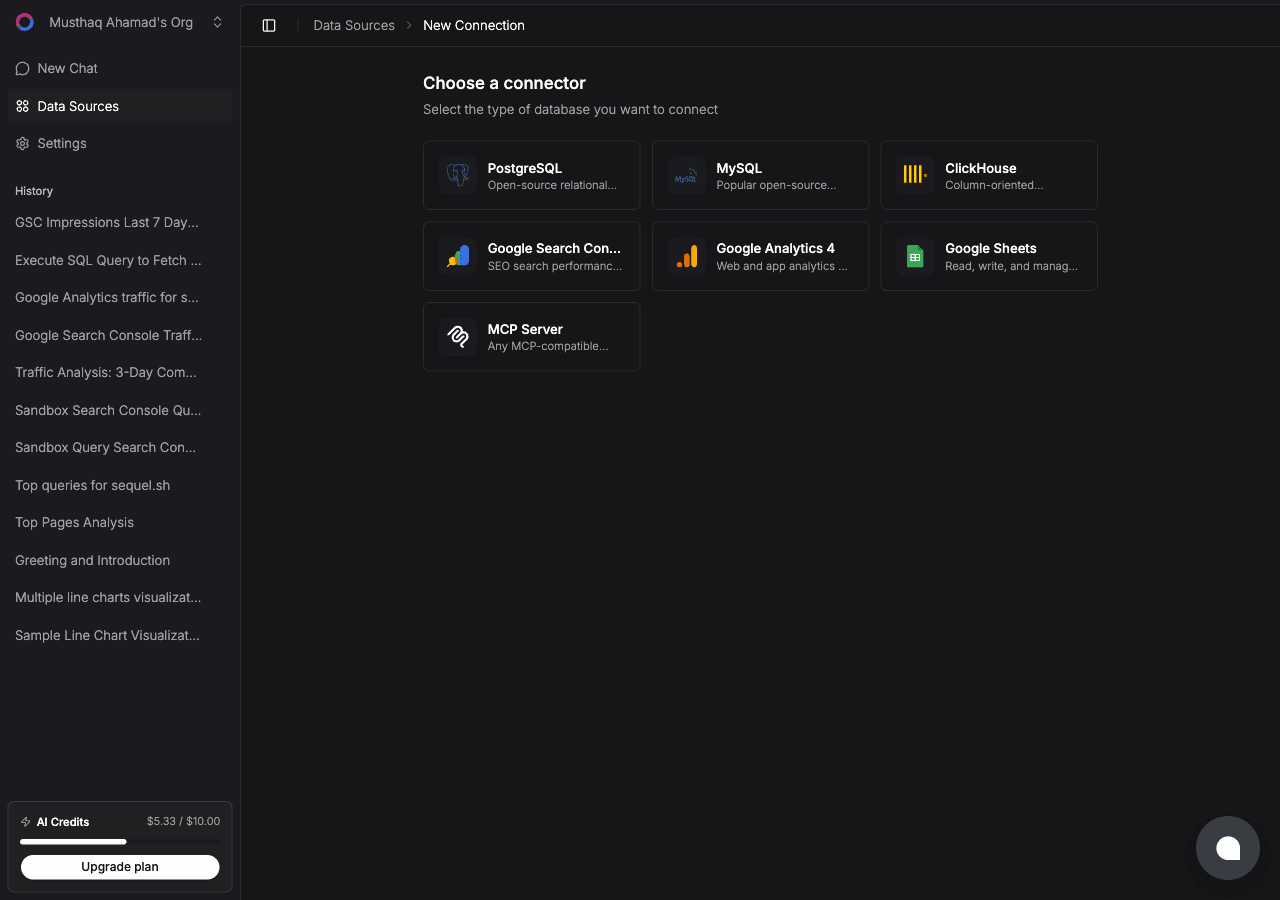
Click New Connection and choose Google Analytics 4.
| Step | What happens |
|---|---|
| Name the connection | For example Marketing Site GA4 |
| Connect with Google | Google's consent screen asks for read access to Analytics |
| Pick a property | Choose the GA4 property this connection should query |
| Confirm | Sequel verifies access and the connection goes live |
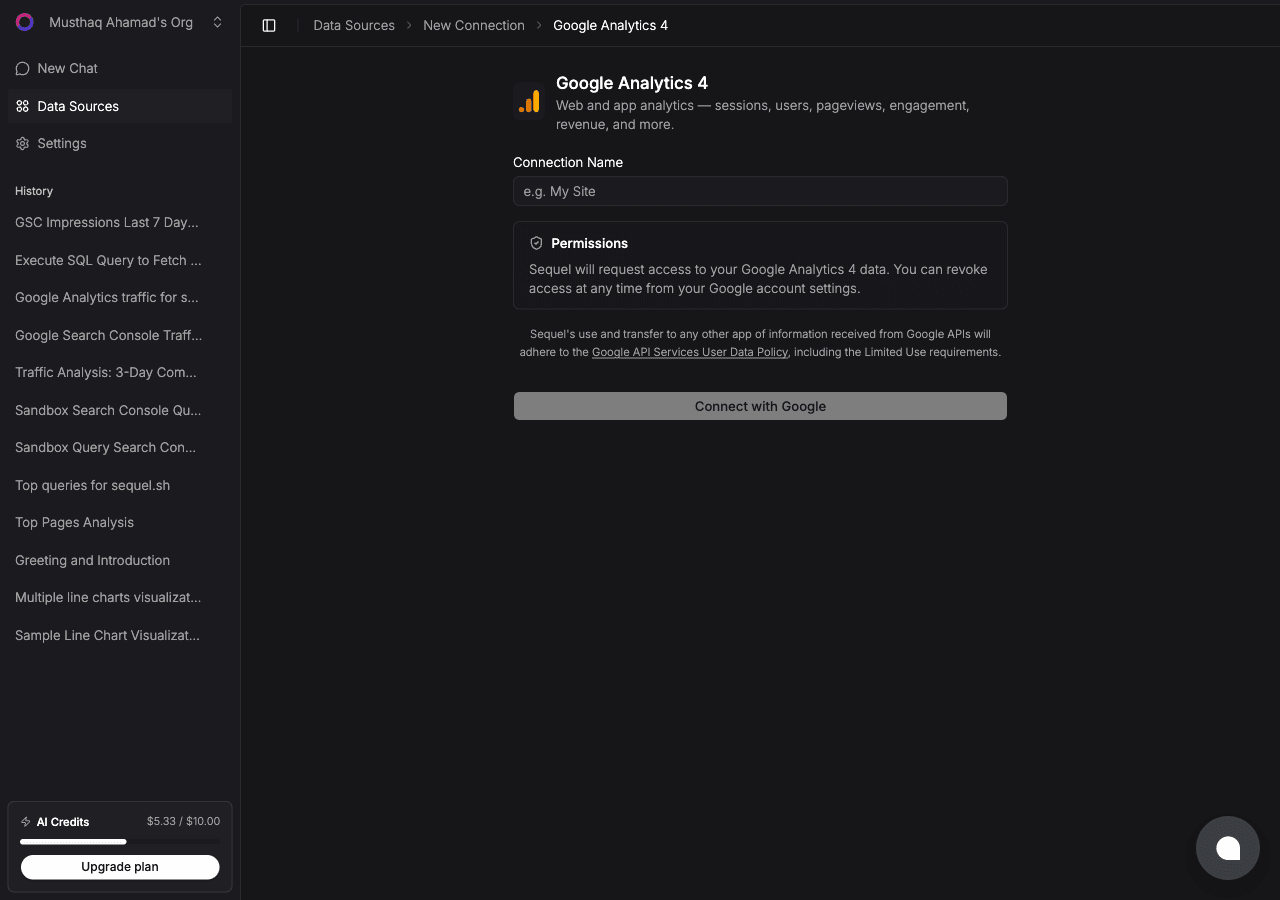
There is no API key and no service account. The OAuth grant is the whole setup.
Step 2: Add Sequel to Grok Bot
Grok Bot has no MCP config file and no settings form to fill in. You add a server by asking the bot.
Open a chat with your bot and send this:
Add a custom MCP server called sequel at https://api.sequel.sh/mcp
Say custom server explicitly. Leave those words out and the bot searches the plugin marketplace instead of registering your endpoint.
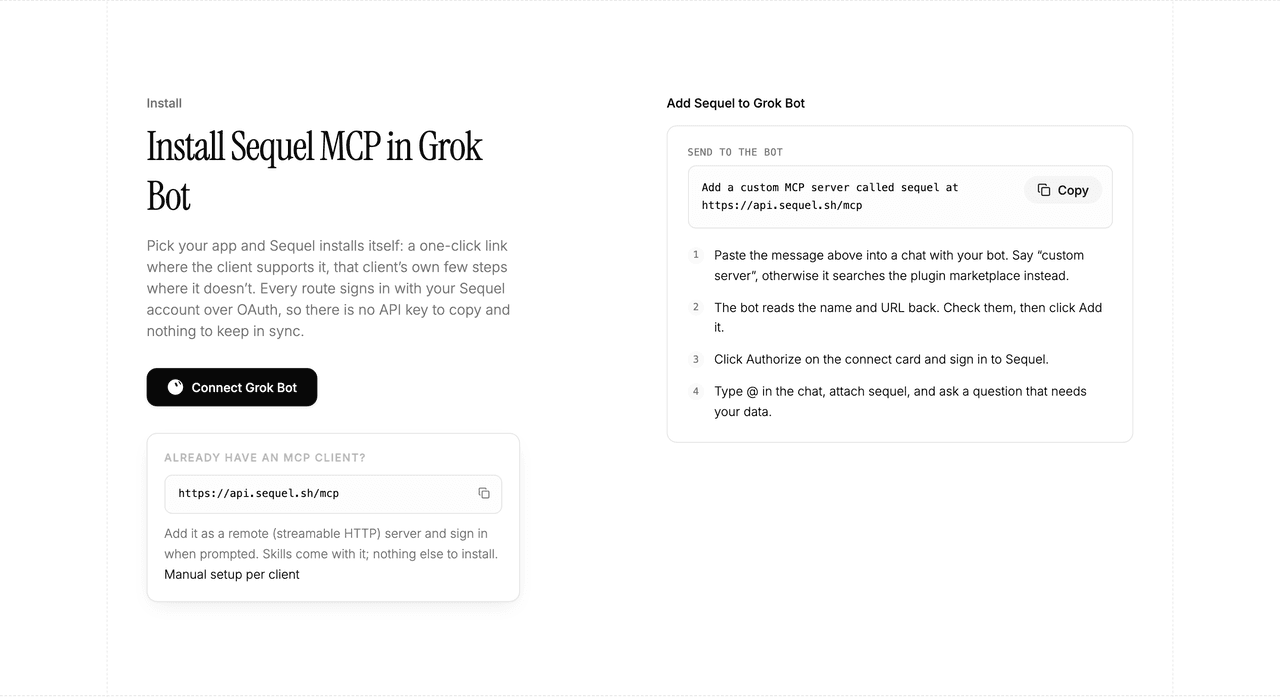
The bot reads the name and URL back to you. Check both, confirm, and it posts a connect card in the chat. Click Authorize, sign in to Sequel, and approve access. The OAuth token stays on the connector side, so there is no API key to copy and nothing to keep in sync.
To confirm it registered, open Settings → Plugins → Yours. Every server on your account is listed there, including the ones you added by chat.
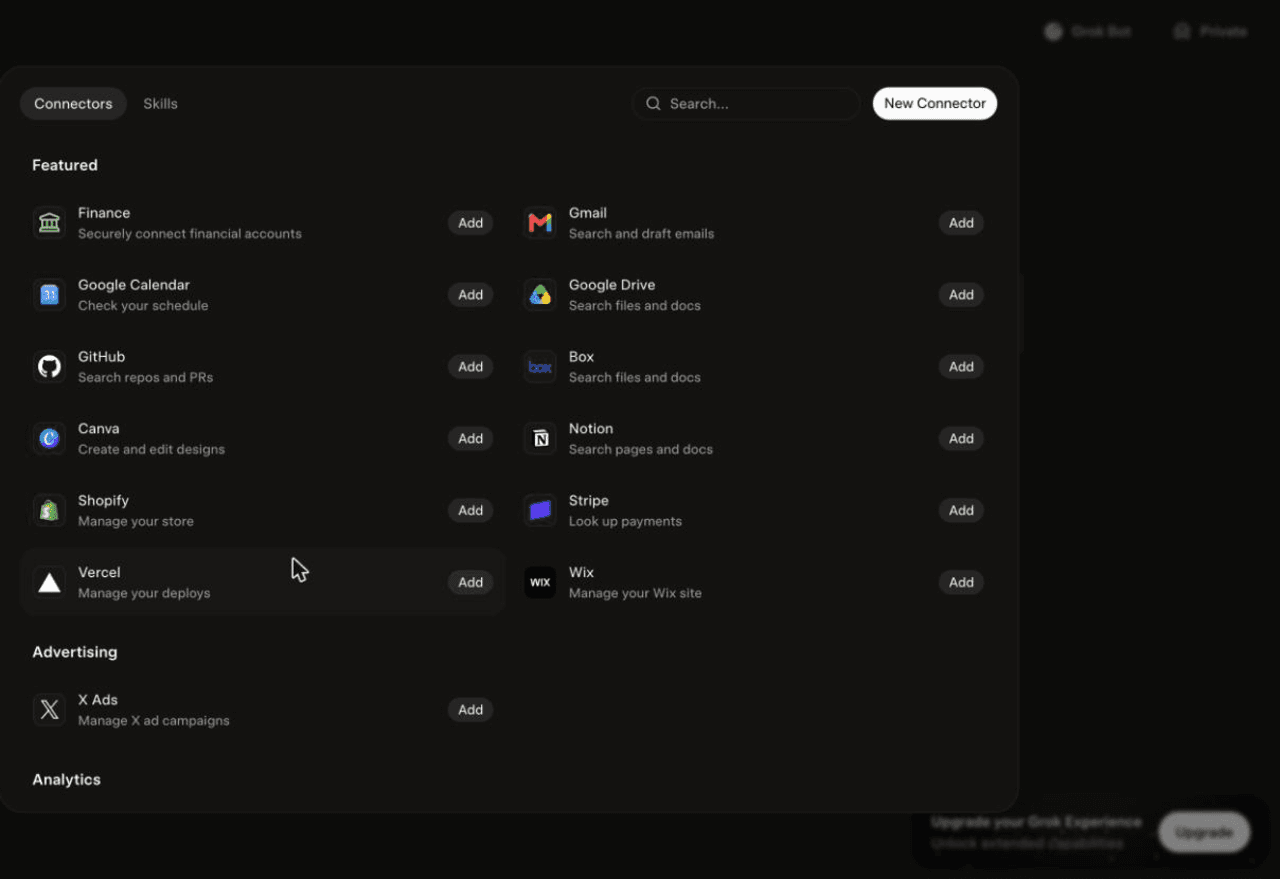
Then attach it to a task: type @ in the chat and pick sequel.
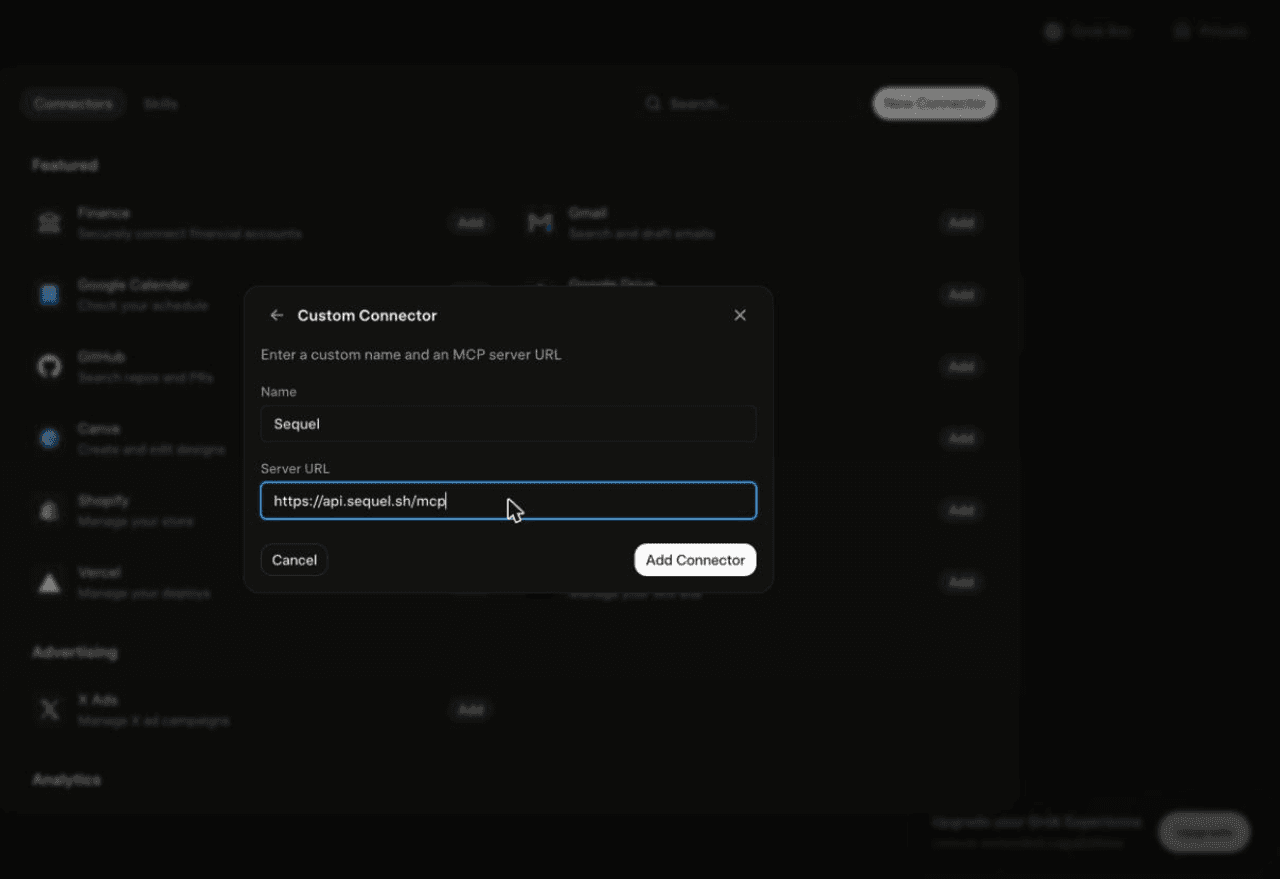
Using Grok chat rather than a bot? The steps do not carry over. On grok.com, open Plugins → New Connector → Custom, set the name to
Sequeland the Server URL tohttps://api.sequel.sh/mcp, click Add Connector, and sign in.
Step 3: Ask Grok Bot About Your GA4 Data
Attach @sequel and ask:
Which landing pages lost the most sessions this month compared to last month?
Show sessions, engagement rate, and conversions by channel for the last 28 days.
Compare mobile and desktop conversion rate over the last 90 days, by week.
What You Can Do Now
- Traffic triage in one message: "Did traffic drop, and where?" without opening four GA4 reports.
- Weekly marketing digests: the bot runs unattended, so the Monday summary writes itself.
- Channel performance: compare acquisition sources on sessions, engagement, and conversion in one table.
- Landing page decay: find pages trending down over several weeks before they fall off a cliff.
- Cross-source joins: pair GA4 sessions with signups from your database to see which channels actually convert.
Troubleshooting
| Symptom | Likely fix |
|---|---|
| The bot searched the marketplace instead of adding the server | Resend the message with the words "custom server" in it. |
| The server is not listed under Settings → Plugins → Yours | The registration did not complete. Resend the message and confirm the name and URL when the bot reads them back. |
| The bot answers without touching your data | You did not attach it. Type @ in the chat and pick sequel before asking. |
| The property picker is empty | The signed-in Google account has no GA4 access. Reconnect with an account that has at least Viewer. |
| Recent days look low | GA4 is still processing. Use windows that end two or three days back. |
| Numbers differ from the GA4 UI | Sampling and thresholding apply to some queries. Widen the date range or reduce the number of dimensions. |