
Amplitude's behavioural reports are excellent and slow to assemble, which is why most teams rebuild the same funnel every quarter. Grok Bot is xAI's bot builder, an agent that keeps context and reaches your tools through plugins. Connect Amplitude through Sequel and the bot runs segmentation, funnel, and retention queries from a sentence.
TL;DR
| What you're connecting | An Amplitude project to Grok Bot |
| Setup time | About 5 minutes |
| Setup method | One chat message. Grok Bot has no MCP config file |
| Auth to Amplitude | API Key and Secret Key as HTTP Basic |
| Auth to the bot | OAuth to Sequel. No key in the chat |
| Also needed | The project's region, US or EU |
| Access level | Read-only |
What You'll Accomplish
Once this is wired up, you can ask your bot:
- "What's the 7-day retention for users who signed up last month?"
- "Show the signup to first paid action funnel over the past 30 days."
- "Which onboarding step has the biggest drop-off, and has it moved?"
Prerequisites
- A Sequel account: sign up free at sequel.sh
- An Amplitude project you can read
- Your project's API Key and Secret Key from Settings → Projects → General
- The project's region: US or EU
- A Grok account with a bot you can send messages to
Step 1: Connect Amplitude to Sequel
In Amplitude, open Settings → Projects → [your project] → General and copy both the API Key and Secret Key.
Then sign in to sequel.sh, open Data Sources, click New Connection, and choose Amplitude.
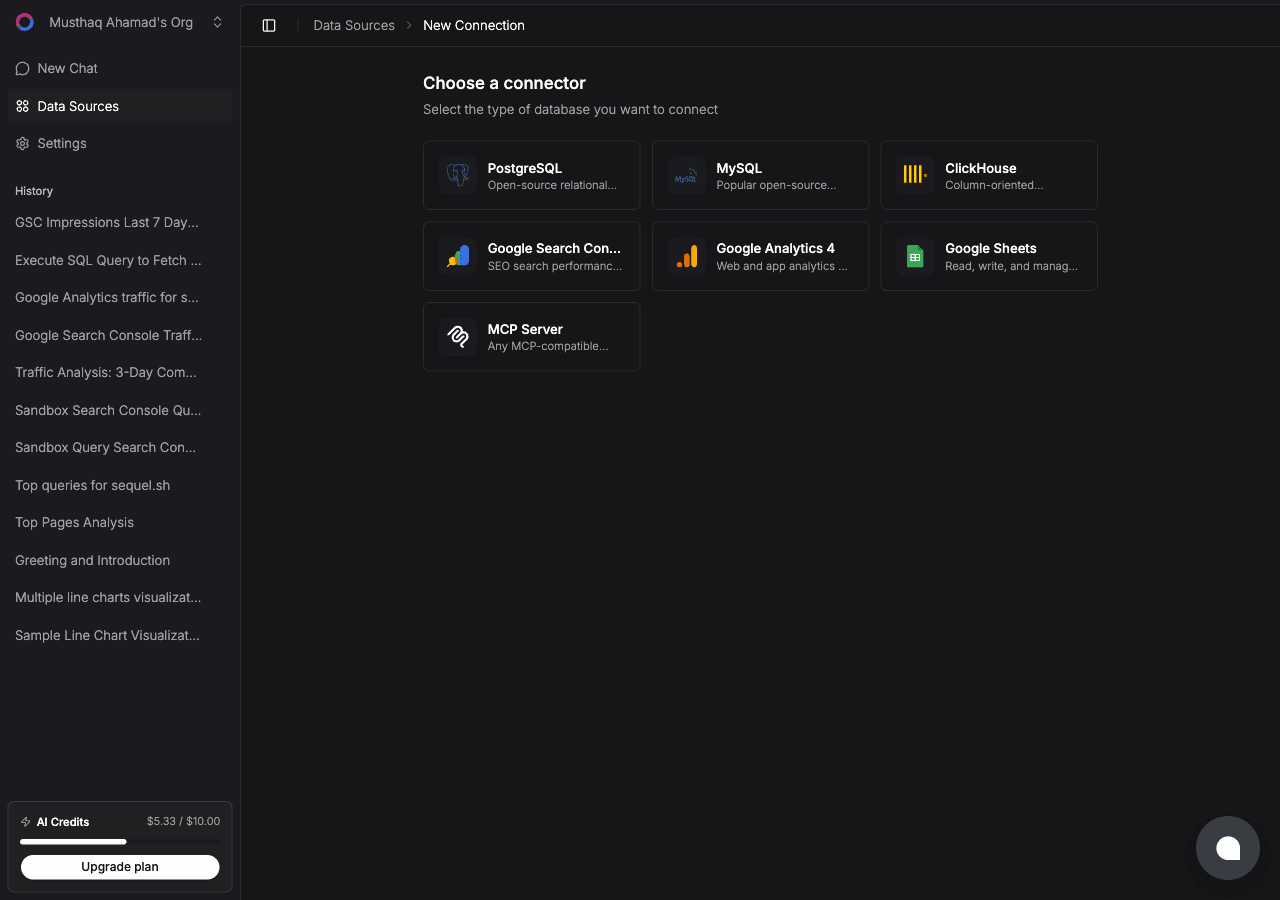
| Field | What to enter |
|---|---|
| Connection Name | A memorable label, for example Mobile App Amplitude |
| API Key | From the project's General settings |
| Secret Key | From the same page. The two are easy to swap, so check |
| Region | US for amplitude.com, EU for analytics.eu.amplitude.com |
Click Test. Sequel validates the keys against the Taxonomy API and the connection goes live.
What you get, all read-only:
| Tool | What it returns |
|---|---|
| Events catalog | Every event in the project, with last-seen timestamps |
| Event properties | Property list and value samples for any event |
| Event segmentation | Counts, uniques, sums, averages, grouped or filtered |
| Funnel reports | Conversion and drop-off across any step sequence |
| Retention reports | N-day, weekly, and monthly retention by cohort |
| Saved charts | Re-pull an existing chart by ID and re-segment it |
Step 2: Add Sequel to Grok Bot
Grok Bot has no MCP config file and no settings form to fill in. You add a server by asking the bot.
Open a chat with your bot and send this:
Add a custom MCP server called sequel at https://api.sequel.sh/mcp
Say custom server explicitly. Leave those words out and the bot searches the plugin marketplace instead of registering your endpoint.
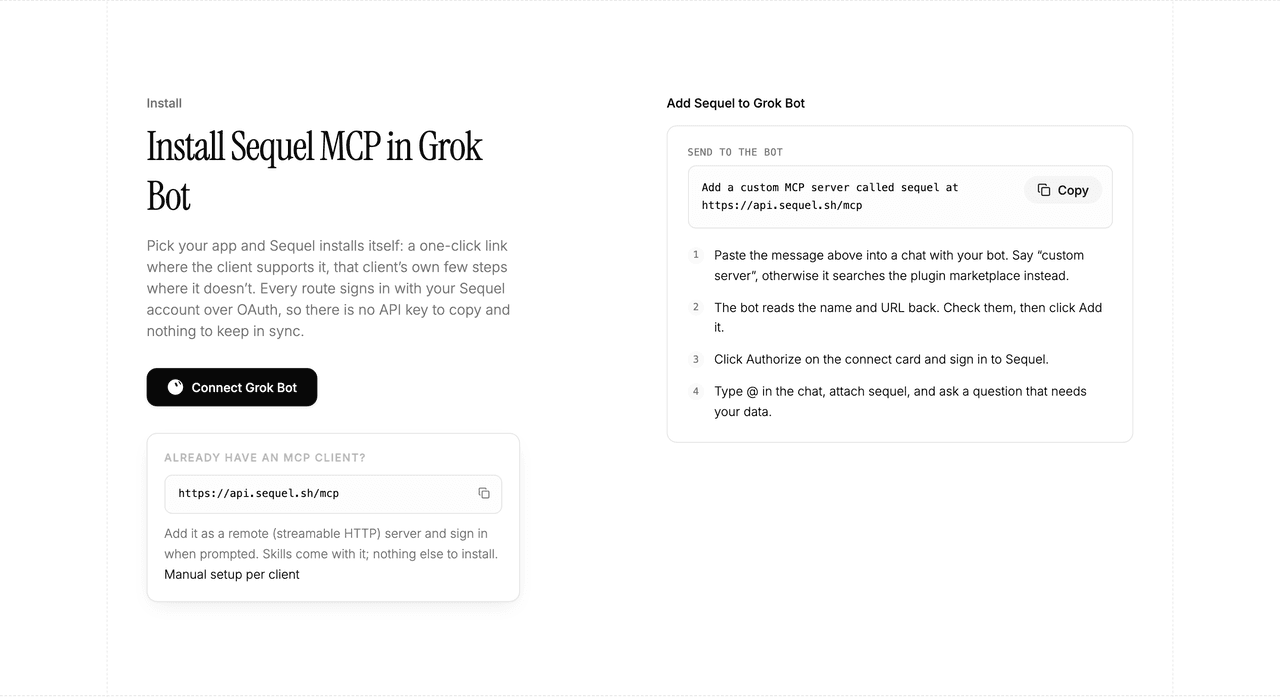
The bot reads the name and URL back to you. Check both, confirm, and it posts a connect card in the chat. Click Authorize, sign in to Sequel, and approve access. The OAuth token stays on the connector side, so there is no API key to copy and nothing to keep in sync.
To confirm it registered, open Settings → Plugins → Yours. Every server on your account is listed there, including the ones you added by chat.
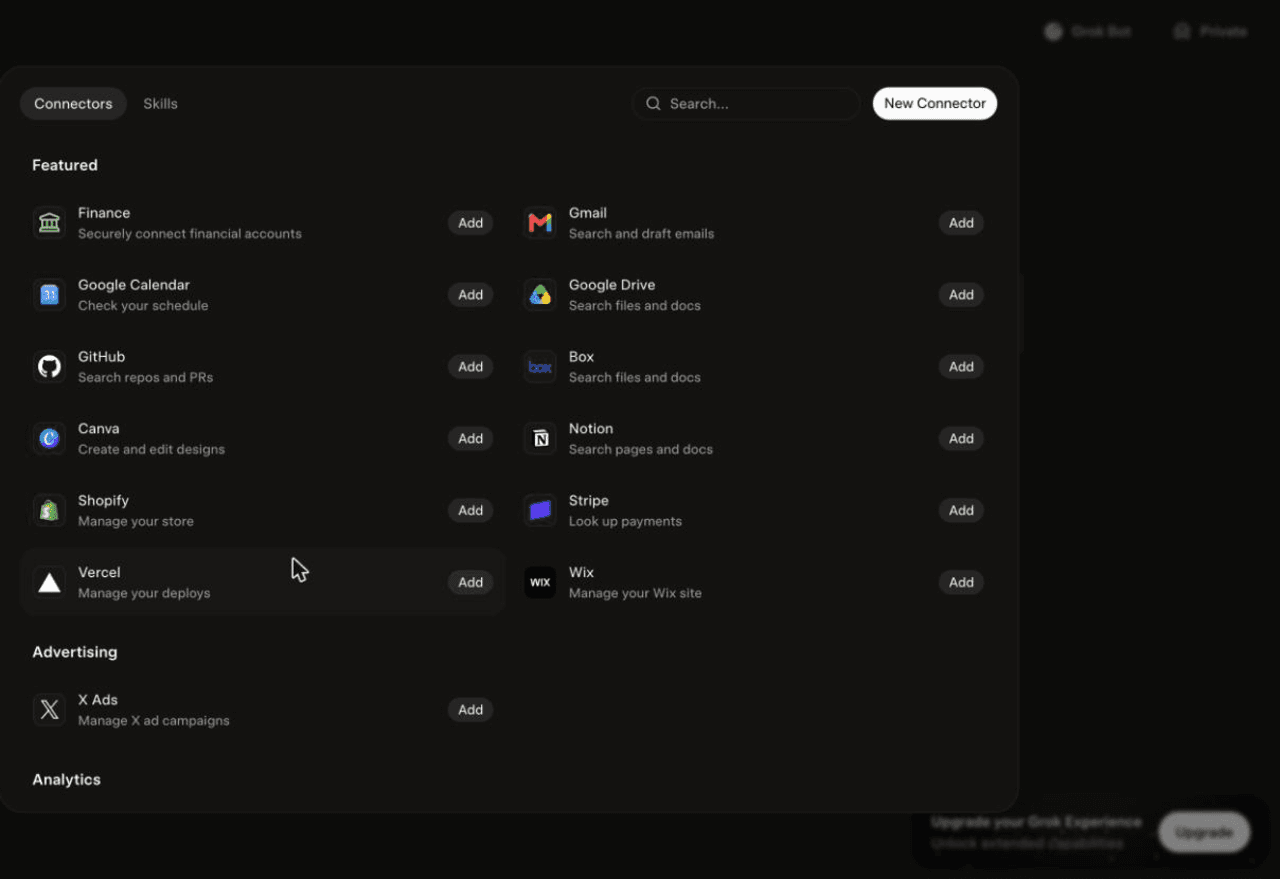
Then attach it to a task: type @ in the chat and pick sequel.
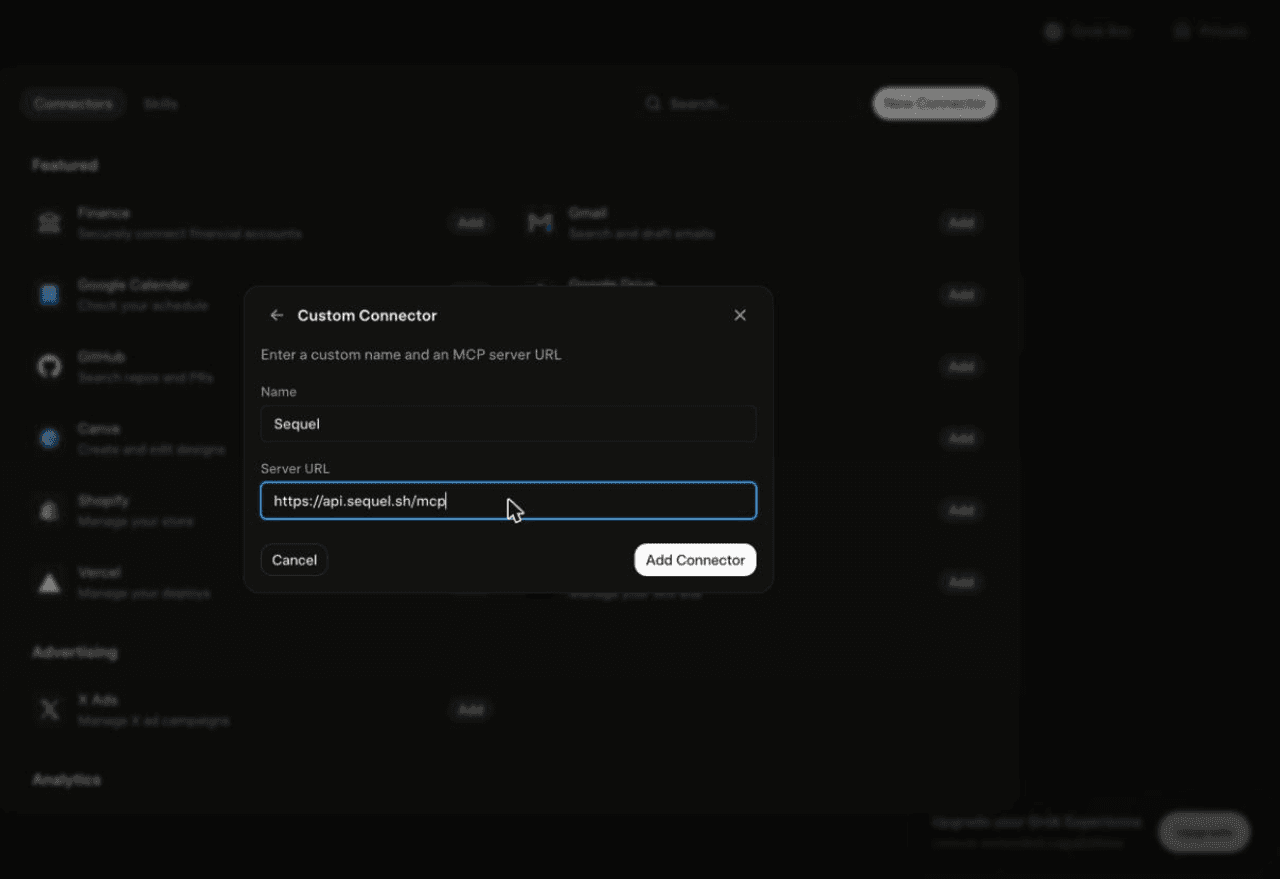
Using Grok chat rather than a bot? The steps do not carry over. On grok.com, open Plugins → New Connector → Custom, set the name to
Sequeland the Server URL tohttps://api.sequel.sh/mcp, click Add Connector, and sign in.
Step 3: Ask Grok Bot About Your Amplitude Data
Attach @sequel and ask:
What's the 7-day retention for users who signed up last month, by acquisition channel?
Show the signup to first paid action funnel for the past 30 days and name the biggest drop-off.
How many users triggered Subscription Started last week, broken down by plan?
What You Can Do Now
- Retention questions in one message: cohort, window, and breakdown described in a sentence.
- Scheduled product digests: the bot runs unattended, so weekly activation and retention arrive on their own.
- Onboarding diagnosis: find the step that loses the most users and whether it got worse.
- Chart re-cuts: "that saved chart, but split by plan" without rebuilding it.
- Cross-source joins: compare Amplitude activation against MRR from Stripe by signup month.
Troubleshooting
| Symptom | Likely fix |
|---|---|
| The bot searched the marketplace instead of adding the server | Resend the message with the words "custom server" in it. |
| The server is not listed under Settings → Plugins → Yours | The registration did not complete. Resend the message and confirm the name and URL when the bot reads them back. |
| The bot answers without touching your data | You did not attach it. Type @ in the chat and pick sequel before asking. |
| Test fails with a 401 | API Key and Secret Key are swapped or wrong. Re-copy both from the project's General settings. |
| Connects but returns empty results | Switch the region between US and EU to match where the project was created. |
| A report has no data | No events fired in the range. Widen it, or list events first to confirm the exact name. |