
Mixpanel is built around picking a report type and filling in drop-downs, which is fine until you need five variations of the same question. Grok Bot is xAI's bot builder, an agent that keeps context and reaches your tools through plugins. Connect Mixpanel through Sequel and you describe the report instead of assembling it.
TL;DR
| What you're connecting | A Mixpanel project to Grok Bot |
| Setup time | About 6 minutes |
| Setup method | One chat message. Grok Bot has no MCP config file |
| Auth to Mixpanel | Service account username and secret, read access |
| Auth to the bot | OAuth to Sequel. No key in the chat |
| Also needed | Numeric project ID and region (us or eu) |
| Access level | Read-only query and export |
What You'll Accomplish
Once this is wired up, you can ask your bot:
- "How many users completed Subscription Started last week, by plan?"
- "Show the signup to activation funnel conversion for the past 30 days."
- "Compare DAU for iOS and Android over the last 60 days."
Prerequisites
- A Sequel account: sign up free at sequel.sh
- A Mixpanel service account with project-level read access
- Your numeric project ID and the project's region
- A Grok account with a bot you can send messages to
Step 1: Connect Mixpanel to Sequel
In Mixpanel, go to Organization Settings → Service Accounts and create an account with project-level read access. Copy the username and the secret, which is shown only once.
Then sign in to sequel.sh, open Data Sources, click New Connection, and choose Mixpanel.
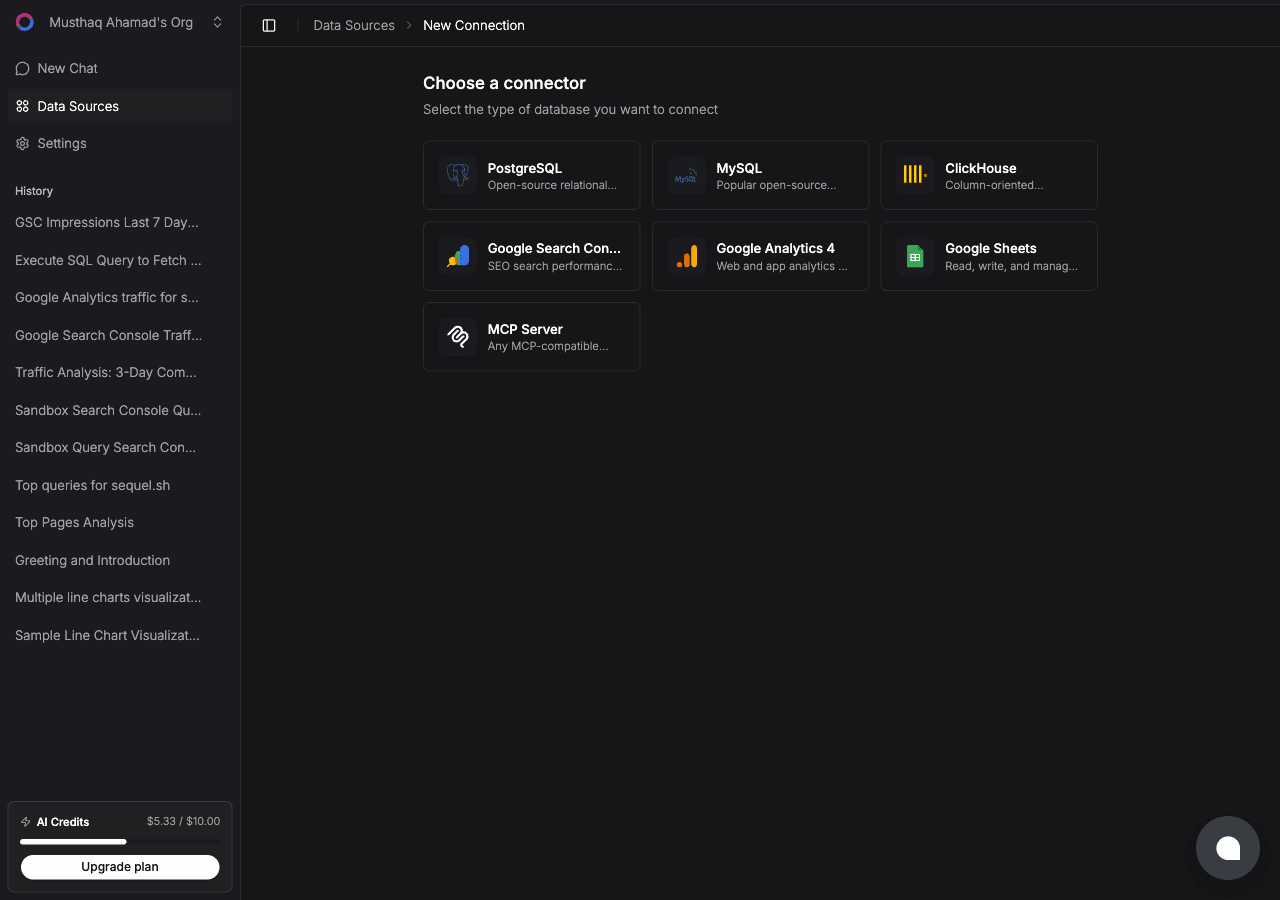
| Field | What to enter |
|---|---|
| Service Account username | Looks like my-sa.abc123.mp-service-account |
| Service Account secret | The secret shown at creation |
| Project ID | The digits after /project/ in any Mixpanel URL |
| Region | us for mixpanel.com, eu for eu.mixpanel.com |
Sequel uses the username and secret as HTTP Basic auth and pings the project to confirm.
What you get, all read-only:
| Tool | What it returns |
|---|---|
| Events | Event names tracked in the project |
| Event properties | Properties on a given event |
| Segmentation | Counts, uniques, sums, averages, grouped by any property |
| Funnels | Saved funnels, or conversion over any custom step sequence |
| Raw export | Row-level events bounded by date range and event name |
Step 2: Add Sequel to Grok Bot
Grok Bot has no MCP config file and no settings form to fill in. You add a server by asking the bot.
Open a chat with your bot and send this:
Add a custom MCP server called sequel at https://api.sequel.sh/mcp
Say custom server explicitly. Leave those words out and the bot searches the plugin marketplace instead of registering your endpoint.
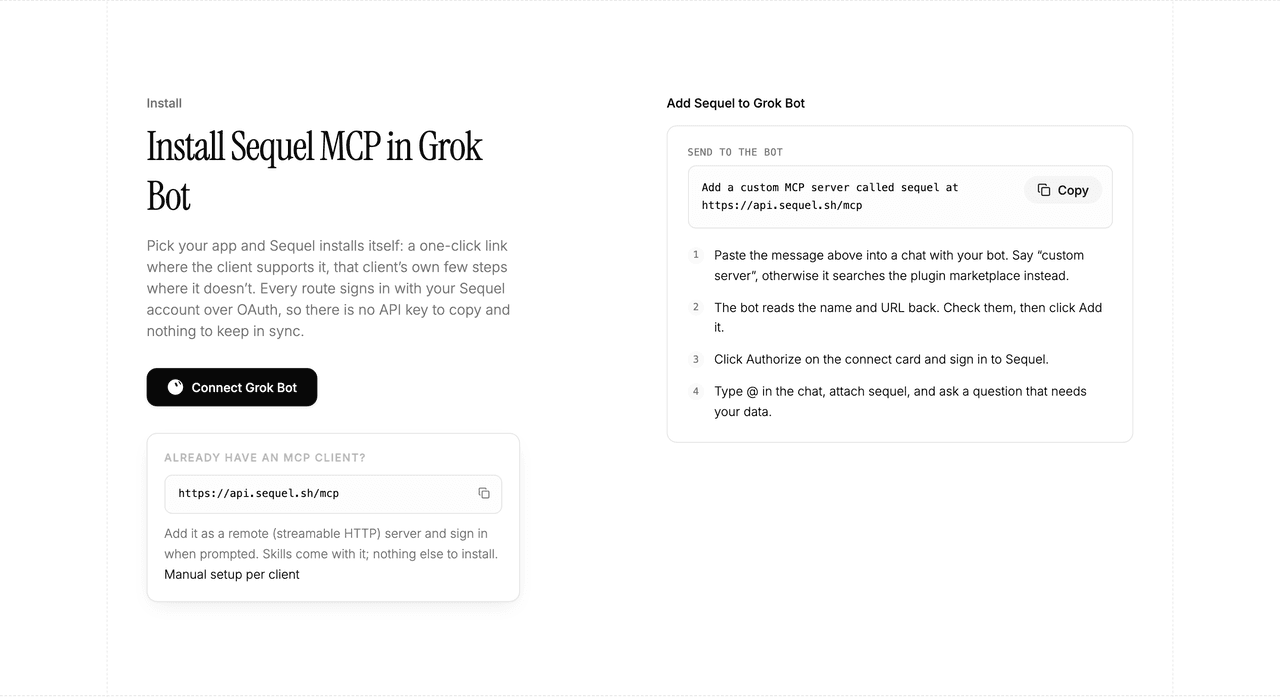
The bot reads the name and URL back to you. Check both, confirm, and it posts a connect card in the chat. Click Authorize, sign in to Sequel, and approve access. The OAuth token stays on the connector side, so there is no API key to copy and nothing to keep in sync.
To confirm it registered, open Settings → Plugins → Yours. Every server on your account is listed there, including the ones you added by chat.
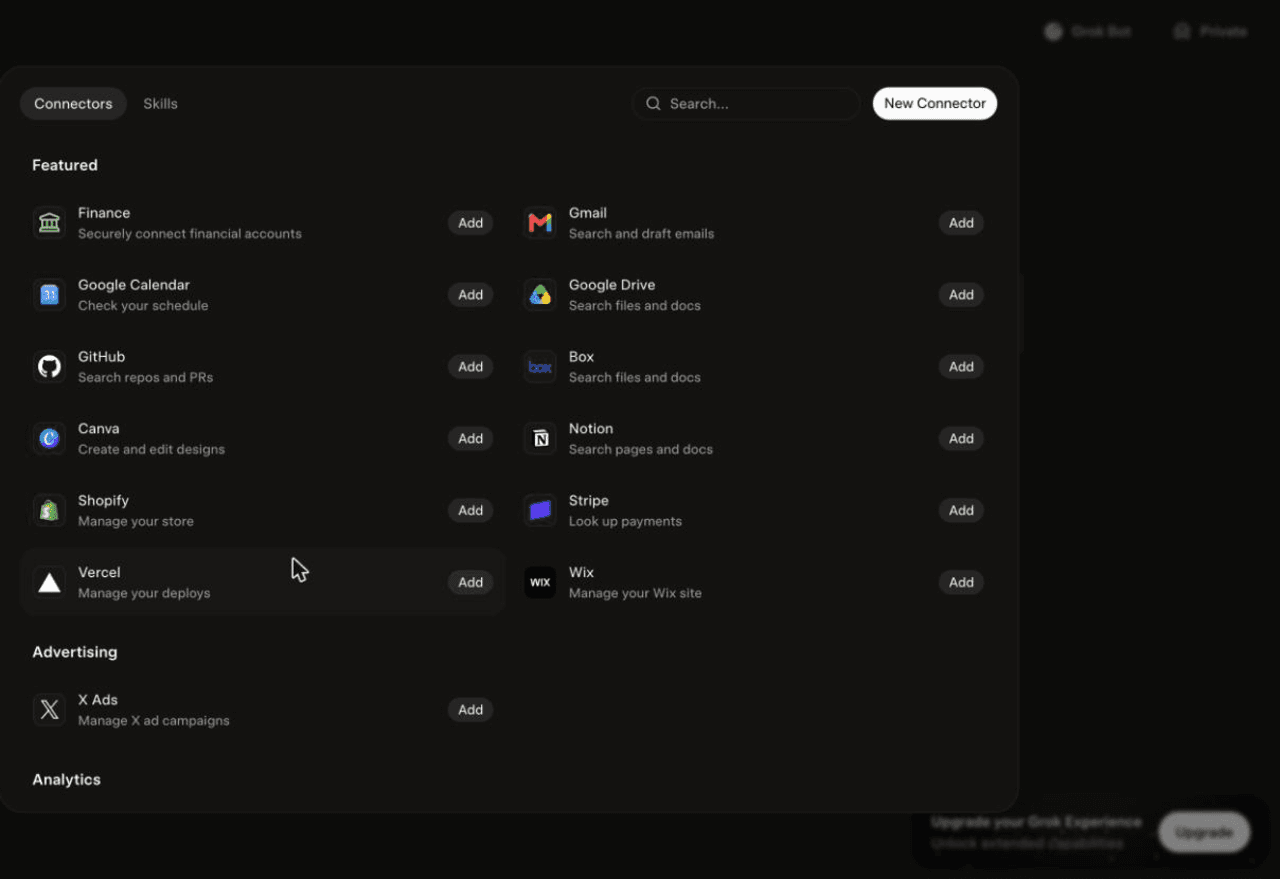
Then attach it to a task: type @ in the chat and pick sequel.
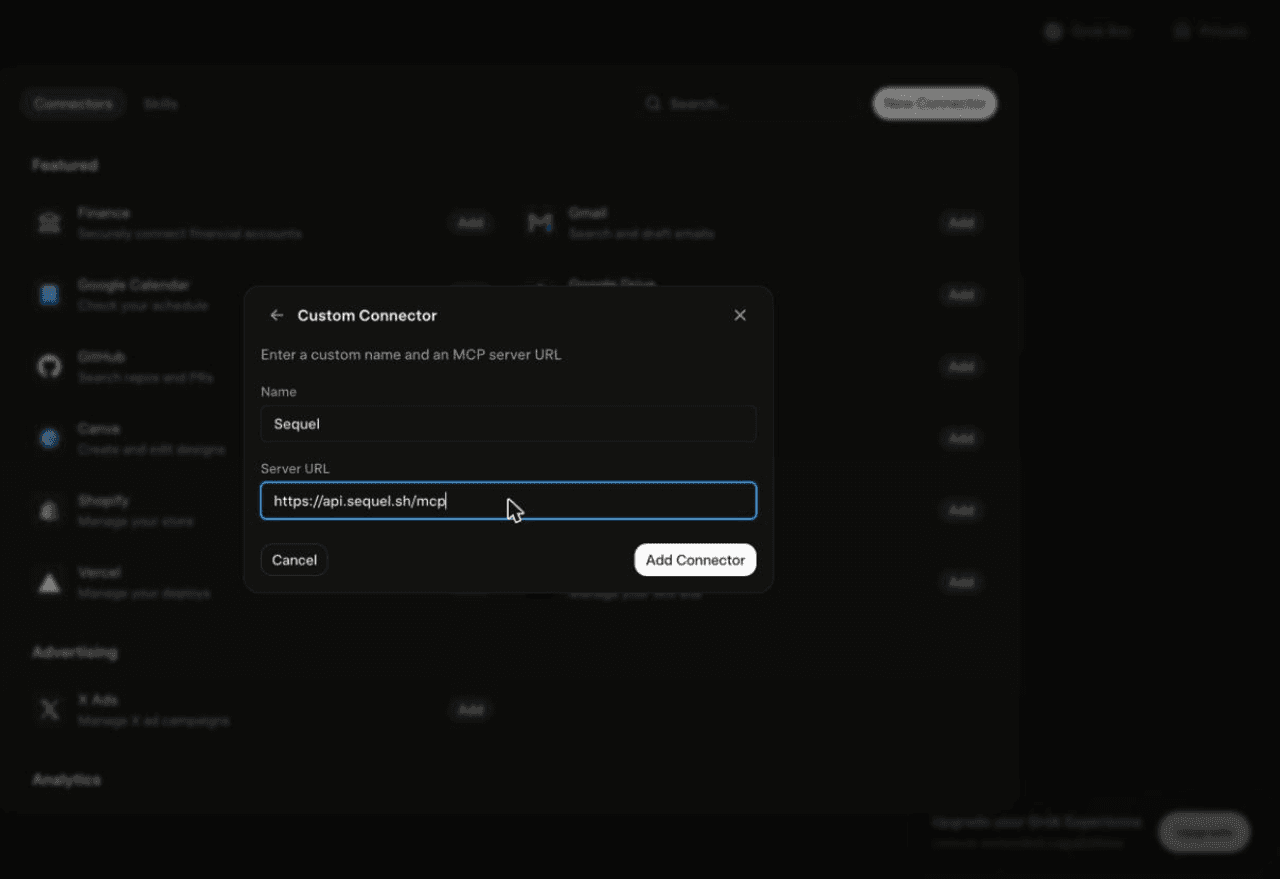
Using Grok chat rather than a bot? The steps do not carry over. On grok.com, open Plugins → New Connector → Custom, set the name to
Sequeland the Server URL tohttps://api.sequel.sh/mcp, click Add Connector, and sign in.
Step 3: Ask Grok Bot About Your Mixpanel Data
Attach @sequel and ask:
How many users completed Subscription Started last week, broken down by plan?
Show the signup to activation funnel conversion for the past 30 days, by acquisition source.
Compare daily active users on iOS and Android over the last 60 days.
What You Can Do Now
- Report variations on demand: ask the same question five ways without rebuilding a chart.
- Scheduled product digests: the bot works unattended, so weekly activation numbers land on their own.
- Drop-off hunting: "Which funnel step loses the most users, and has that changed?" in one message.
- Event discovery: "What events do we track, and which have gone quiet?" catches tracking regressions.
- Cross-source joins: with Stripe connected, compare activation in Mixpanel against revenue that actually landed.
Troubleshooting
| Symptom | Likely fix |
|---|---|
| The bot searched the marketplace instead of adding the server | Resend the message with the words "custom server" in it. |
| The server is not listed under Settings → Plugins → Yours | The registration did not complete. Resend the message and confirm the name and URL when the bot reads them back. |
| The bot answers without touching your data | You did not attach it. Type @ in the chat and pick sequel before asking. |
| 401 Unauthorized on connect | Re-check the service account username and secret. If the secret is lost, create a new service account. |
| Connects but returns no data | Confirm the project ID and region match. A US project queried against EU returns empty results. |
| A report comes back empty | Loosen filters and confirm events exist in the range. Dates use the project timezone. |