
GA4 is where all your traffic and behavior data lives. Claude Code is Anthropic's AI CLI. Connect them through Sequel's MCP server and you can ask questions about your traffic, users, and conversions directly from your terminal. No exporting reports, no clicking through the GA4 interface.
What You'll Accomplish
After this setup, you'll be able to run Claude Code and ask:
- "How many sessions did we have last week, compared to the week before?"
- "Which pages have the highest bounce rate this month?"
- "What are the top 5 traffic sources by new users today?"
Claude Code will use Sequel's MCP server to query the Google Analytics 4 API and return real answers in your terminal.
Prerequisites
- A Sequel account: Sign up free at sequel.sh
- A Google Analytics 4 property with at least Viewer access
- Claude Code installed: run
npm install -g @anthropic-ai/claude-codeif needed
Step 1: Connect Google Analytics 4 to Sequel
Sign in to sequel.sh and click Data Sources in the left sidebar.
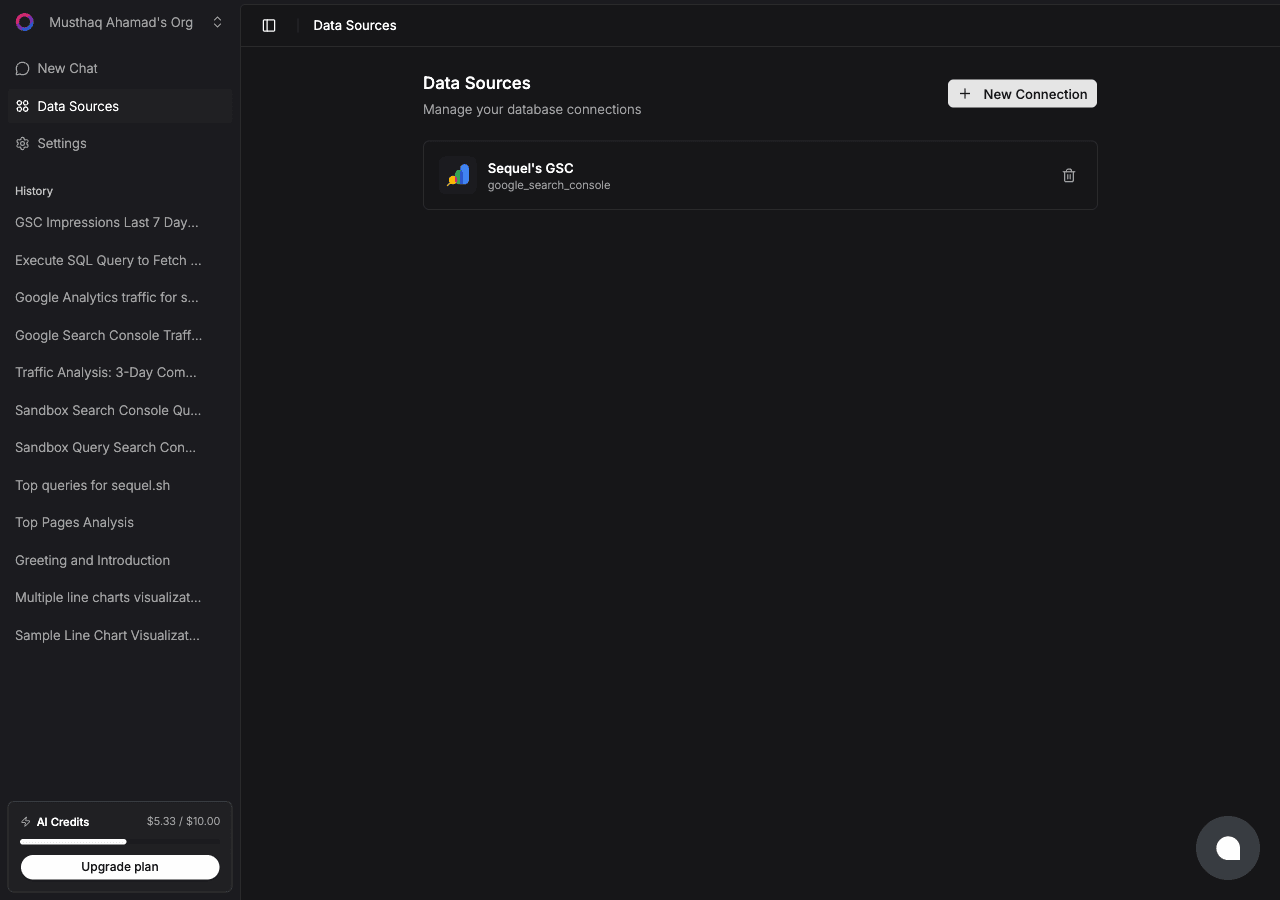
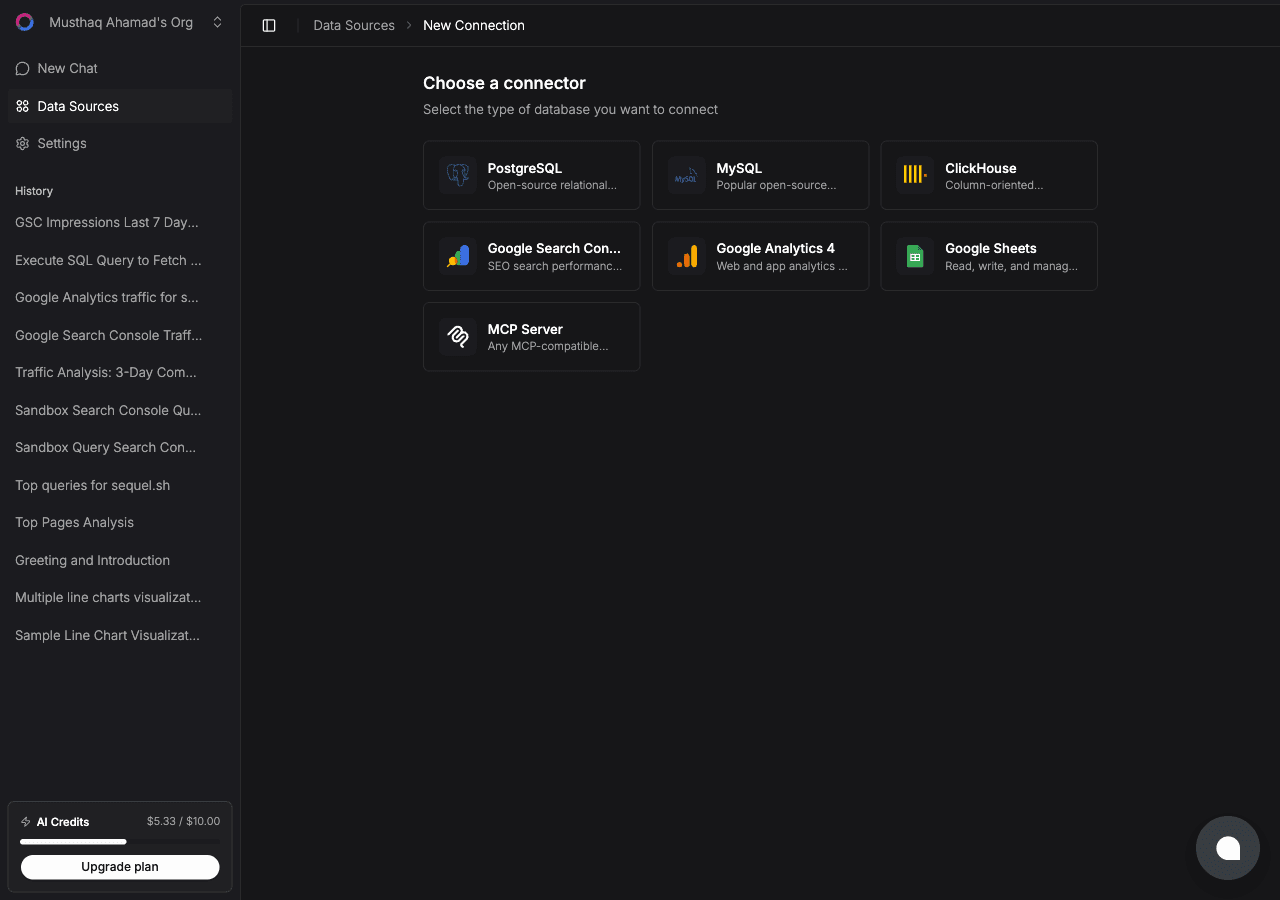
Click New Connection. On the "Choose a connector" page, select Google Analytics 4.
Enter a Connection Name, a label to identify this property, e.g. sequel.sh Analytics.
Then click Connect with Google.
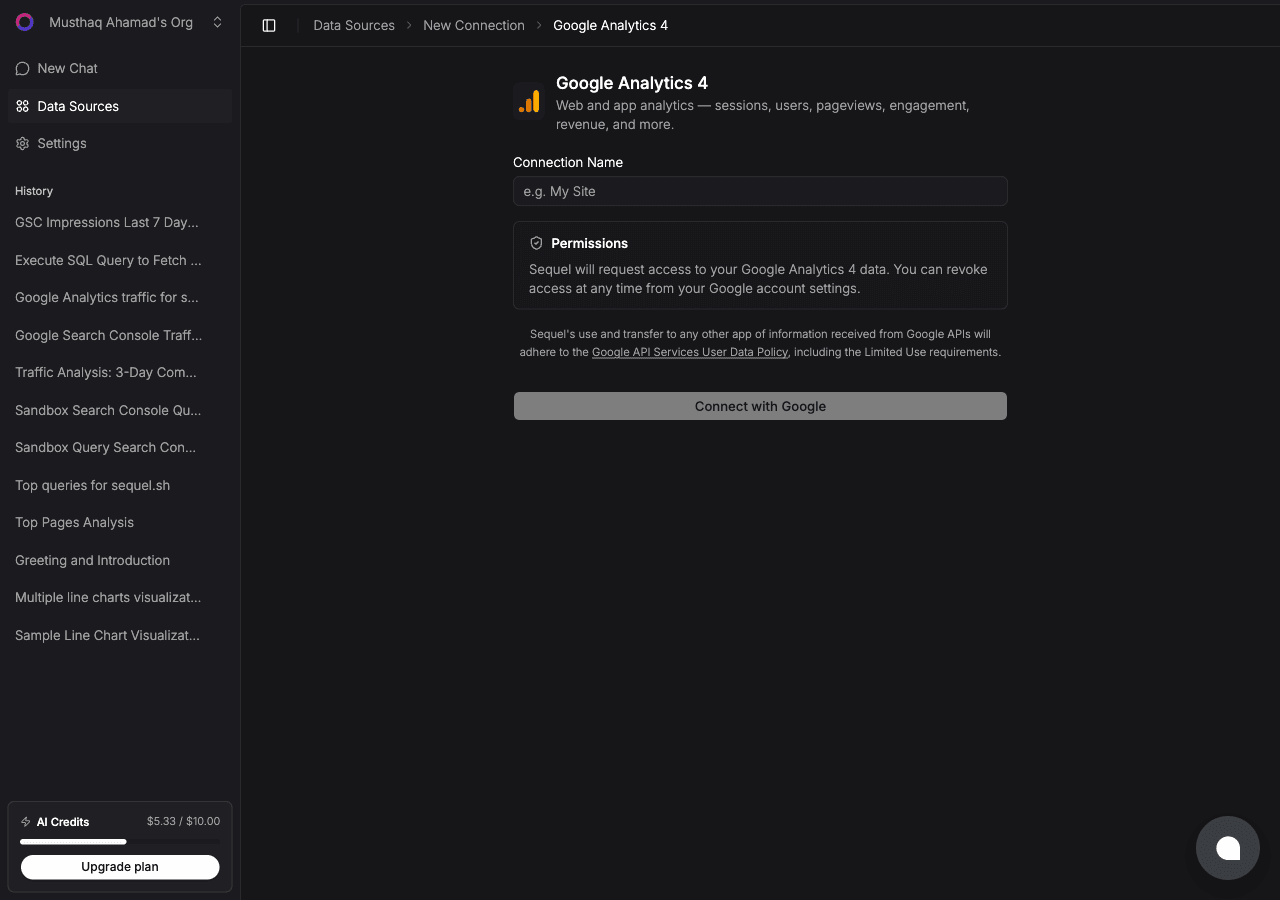
A Google OAuth window will open. Sign in with the Google account that has access to your GA4 property and grant Sequel the requested permissions. You'll be redirected back to Sequel with the connection saved.
Step 2: Get Your Sequel API Key
Click Settings in the left sidebar, then select API Keys from the settings navigation.
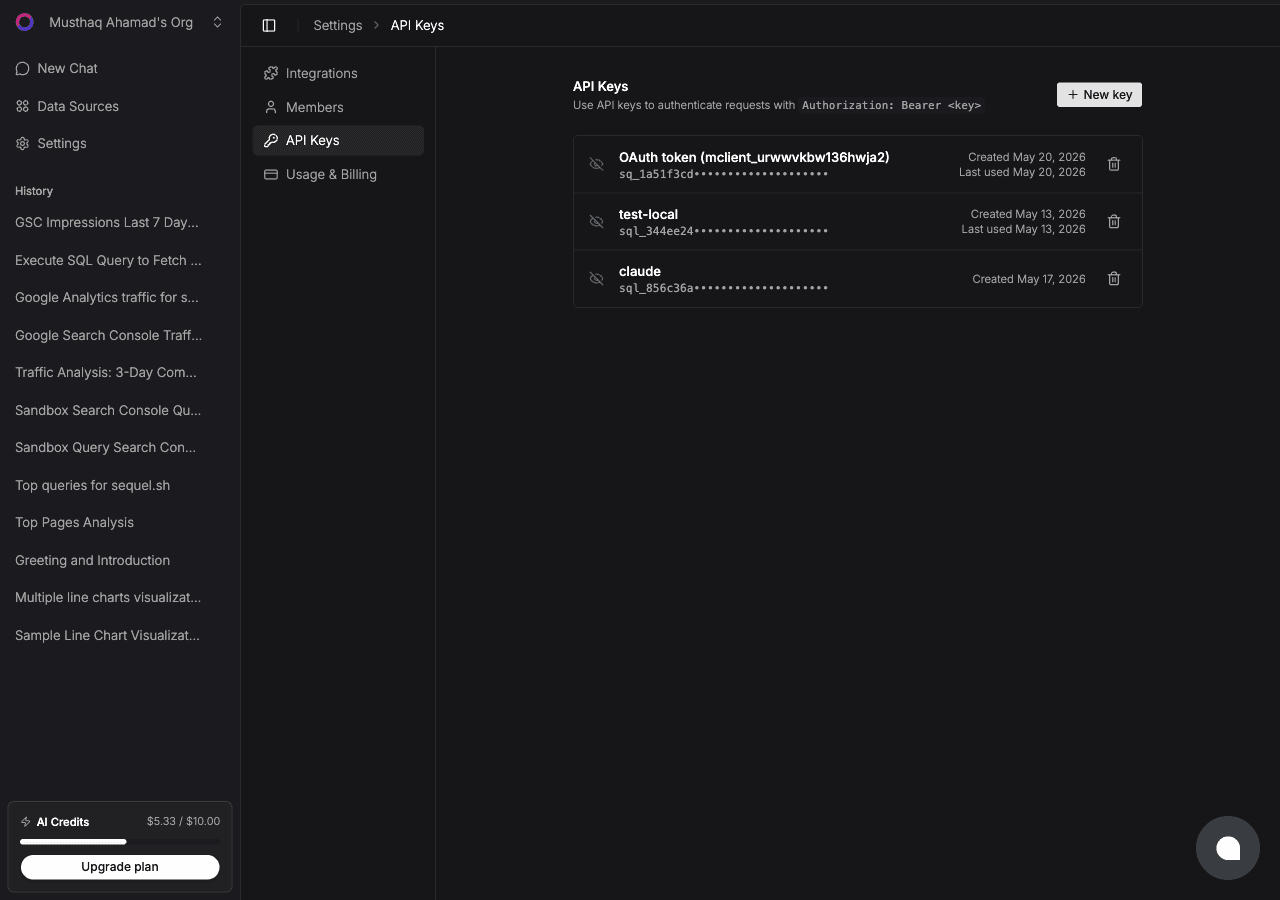
Click New key, name it claude-code-ga, and copy the key (starts with sql_).
Step 3: Configure Claude Code to Use Sequel MCP
In your terminal:
claude mcp add --transport http sequel https://api.sequel.sh/mcp \
  --header "Authorization: Bearer sql_your_api_key"
Replace sql_your_api_key with the key from Step 2. Add --scope user before --transport to install it globally for every project. Verify with:
claude mcp listStep 4: Query Your Google Analytics Data
Start a Claude Code session:
How many users visited the site last week?
What were the top 10 landing pages by sessions this month?
Show me the traffic breakdown by country for the past 30 days.
Claude Code will call Sequel's MCP tools, query the GA4 API, and return results in your terminal.
What You Can Do Now
- Weekly performance checks: ask "How does this week's traffic compare to last week?" without opening the GA4 dashboard
- Content analysis: ask "Which blog posts drove the most engaged sessions this month?"
- Campaign reporting: ask "What's the conversion rate for users who came from paid search?"
- Device and geo breakdown: ask "What percentage of our users are on mobile?"
- Anomaly detection: ask "Was there anything unusual about traffic in the past 48 hours?"