
Instagram Insights is built for checking one post on your phone, not for answering questions across a year of content. Claude Desktop is a comfortable place to do analysis, and Sequel's MCP server gives it direct read access to your Instagram account. Ask a question, get a table.
What You'll Accomplish
Once connected, you can ask Claude:
- "Which three posts drove the most profile visits per person reached this year?"
- "Plot my monthly reach and split it into followers versus non-followers."
- "Pull the comments on my five best reels and group them into themes."
Prerequisites
- A Sequel account: Sign up free at sequel.sh
- An Instagram Professional account: Business or Creator. Personal accounts are not supported by the API
- Claude Desktop: installed and signed in
- Node.js: needed so
npxcan fetchmcp-remote
Step 1: Connect Instagram to Sequel
Sign in to sequel.sh and click Data Sources in the left sidebar.
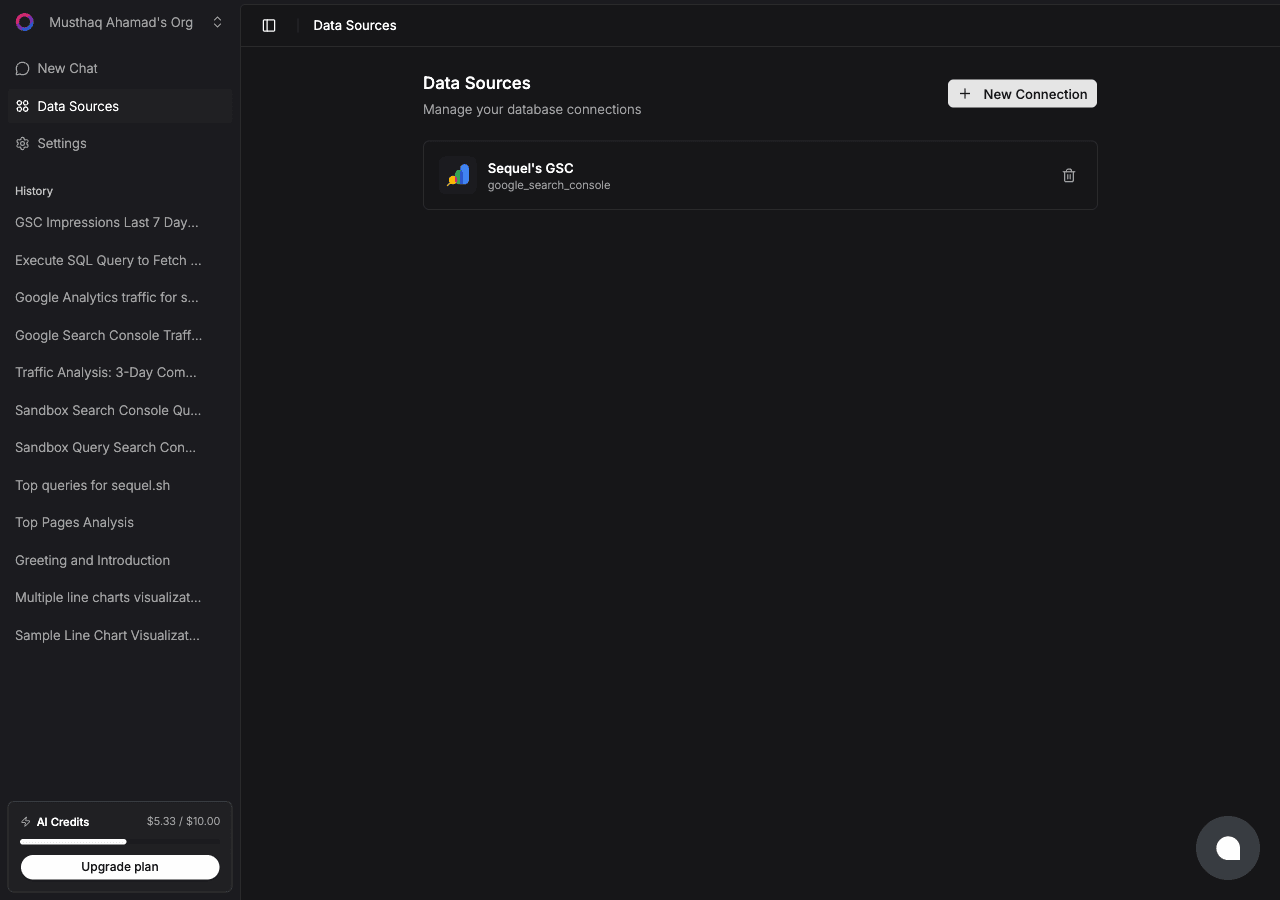
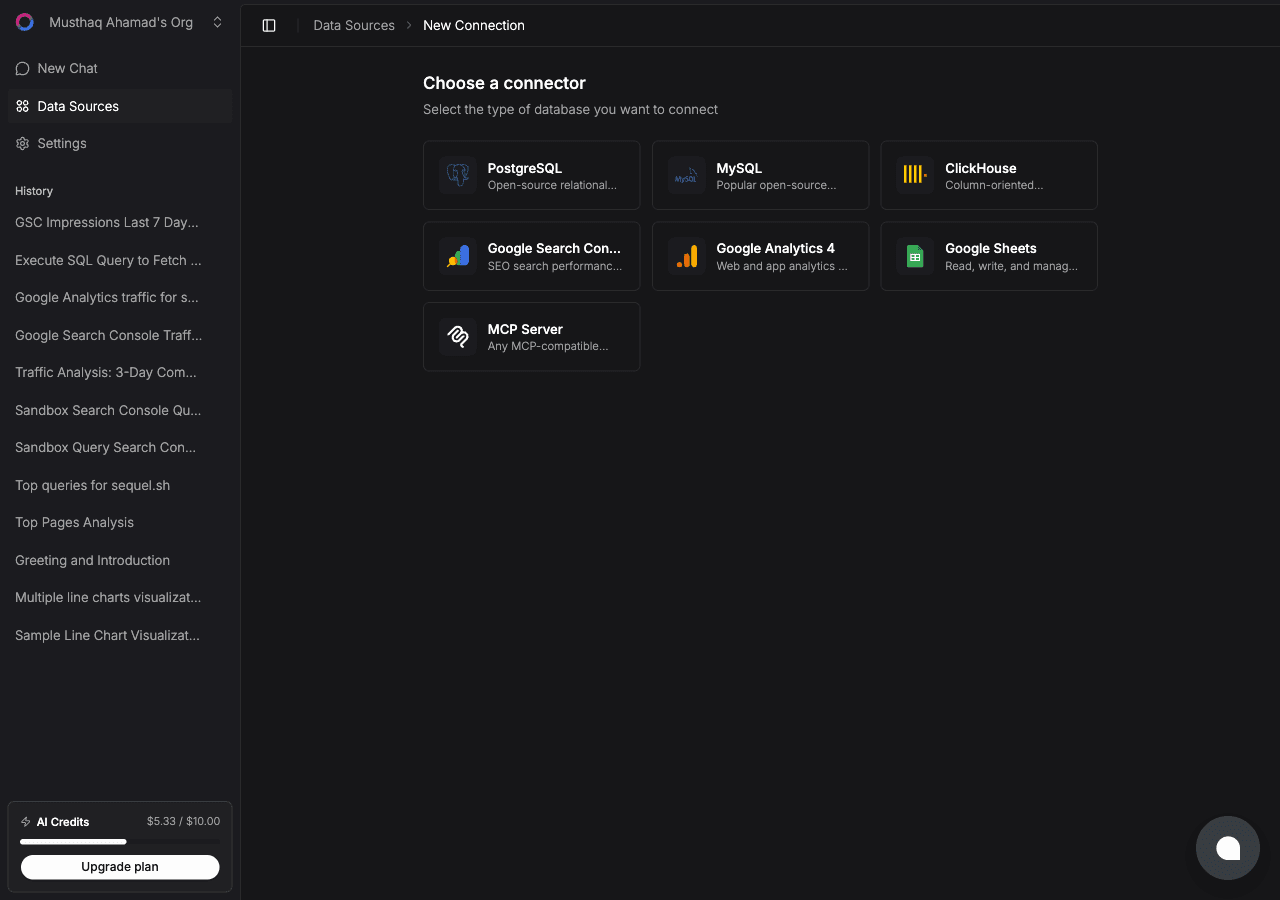
Click New Connection. On the "Choose a connector" page, select Instagram.
Enter a Connection Name, then click Connect with Instagram. An Instagram authorization window opens. Sign in with the account you want to analyze and approve the requested permissions.
Sequel asks for three read-only scopes: basic profile and media, insights, and comments. You'll be redirected back with the connection saved and named after the handle it resolved, so connecting several accounts stays readable.
Step 2: Add Sequel to Claude Desktop
Open your Claude Desktop config file:
open ~/Library/Application\ Support/Claude/claude_desktop_config.jsonAdd Sequel to the mcpServers block:
{
  "mcpServers": {
    "sequel": {
      "command": "npx",
      "args": [
        "mcp-remote",
        "https://api.sequel.sh/mcp"
      ]
    }
  }
}
Save the file and restart Claude Desktop completely. Quitting the window is not enough on macOS, use Cmd+Q. On first use Claude Desktop opens a browser so you can authorize with Sequel.
You'll know it worked when Sequel's tools show up in the tools menu in the bottom right of the composer.
What Instagram data Sequel exposes
| Area | Available | Not available |
|---|---|---|
| Profile | Followers, follows, media count, bio, account type | Email, phone, private profile fields |
| Posts and reels | Reach, views, likes, comments, saves, shares, reel watch time | Per-slide carousel breakdowns |
| Account | Reach, accounts engaged, profile views, website clicks, follows and unfollows | Anything older than roughly two years |
| Audience | Followers, reached and engaged audiences by age, gender, country, city | Individual follower identities |
| Comments | Text, timestamp, like count, commenter handle | Hidden or age-gated comments |
| Not covered | Ads and spend, hashtag search, competitor accounts |
Step 3: Query Your Instagram Data
List my reels from the last six months with reach, average watch time in seconds, and shares per thousand reached.Compare my carousels against my reels on median engagement per reach, and tell me which format is better for my account size.Show my monthly follows and unfollows for the last six months as a table, with a net column.What You Can Do Now
- Build the monthly report in one prompt: "Give me last month versus the month before on reach, accounts engaged, net follower change and top three posts." The thing that normally takes an hour of screenshotting.
- Separate reach from resonance: "Which posts had above-median reach but below-median engagement per reach?" Those are posts Instagram pushed that your audience did not care about, which is the most useful content signal you can get.
- Read your comments at scale: "Pull every comment from the last 20 posts and list the recurring questions." Comment text is a free source of audience research most teams never read in bulk.
- Find the audience mismatch: "Compare my follower demographics to my engaged audience demographics by country and age." When the people who follow you are not the people who engage, your content and your bio are speaking to different audiences.
- Sanity check your posting rhythm: "How many posts did I publish per month, and how did median reach per post move with it?" Useful for testing whether posting more is actually buying you anything.
Social numbers get more useful next to everything else. The same connection covers Google Analytics in Claude Desktop and Search Console in Claude Desktop. For context, read what MCP is, what an AI data analyst does, how AI agents handle marketing analytics, and why your follower count hides unfollows.