
Instagram's own Insights tab shows you one post at a time and throws away anything older than a couple of years. ChatGPT is already where a lot of marketing work happens. Connecting the two through Sequel's MCP server means you can ask questions across your whole account history, in plain English, and get tables back instead of screenshots.
What You'll Accomplish
Once connected, you can ask ChatGPT:
- "Which of my posts last quarter earned the most saves and shares per person reached?"
- "How many accounts followed me versus unfollowed me in the last 30 days?"
- "What share of my reach last month came from people who don't already follow me?"
Prerequisites
- A Sequel account: Sign up free at sequel.sh
- An Instagram Professional account: Business or Creator. Personal accounts are not supported by the API
- A ChatGPT Plus, Team, or Enterprise account: required for custom MCP apps
Step 1: Connect Instagram to Sequel
Sign in to sequel.sh and click Data Sources in the left sidebar.
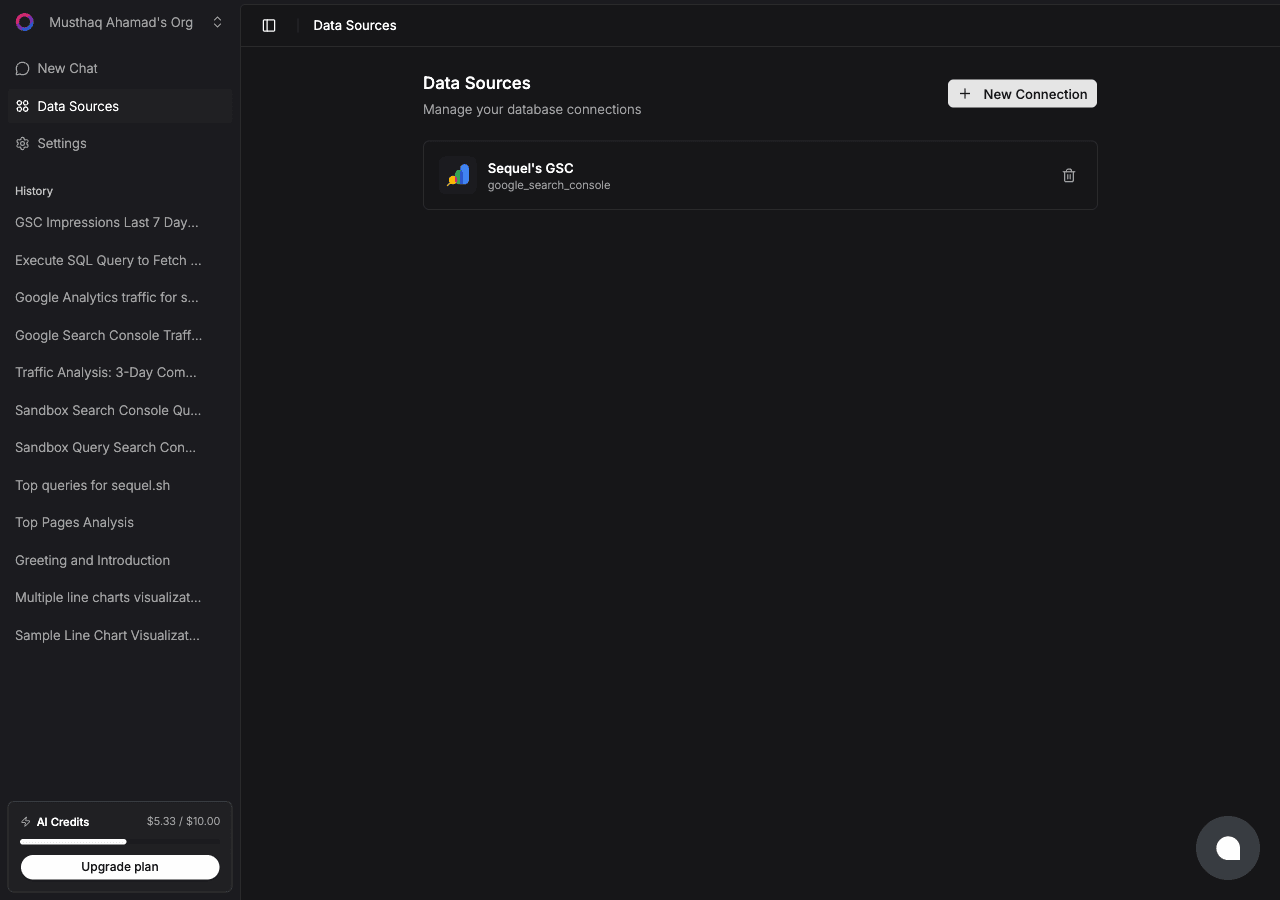
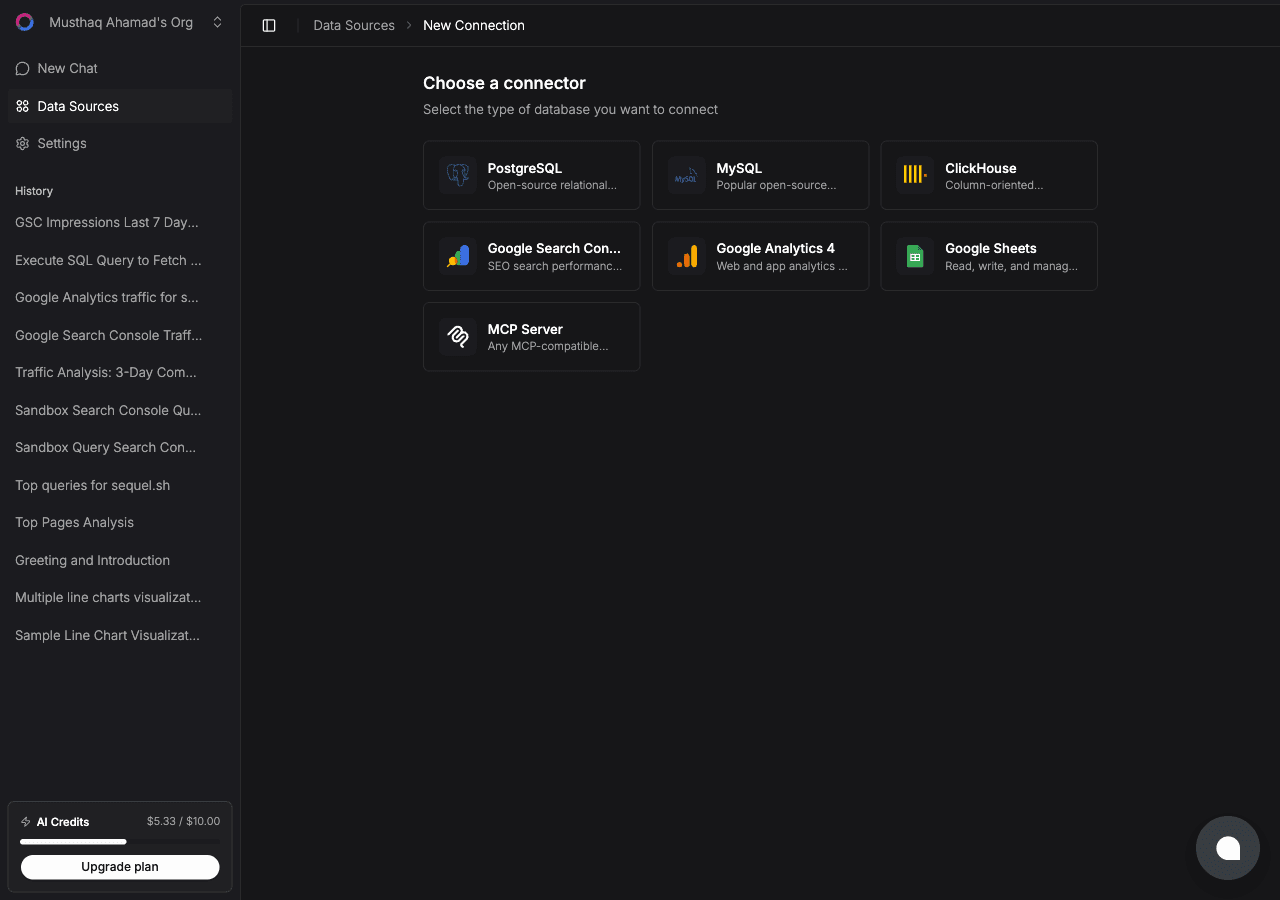
Click New Connection. On the "Choose a connector" page, select Instagram.
Enter a Connection Name, then click Connect with Instagram. An Instagram authorization window opens. Sign in with the account you want to analyze and approve the requested permissions.
Sequel asks for three read-only scopes: basic profile and media, insights, and comments. It cannot post, reply, delete, or change anything on your account. You'll be redirected back to Sequel with the connection saved, named after the handle it resolved.
Step 2: Add Sequel to ChatGPT
First, enable Developer Mode. Open ChatGPT and go to Settings -> Apps. Click Advanced Settings and toggle Developer Mode on.
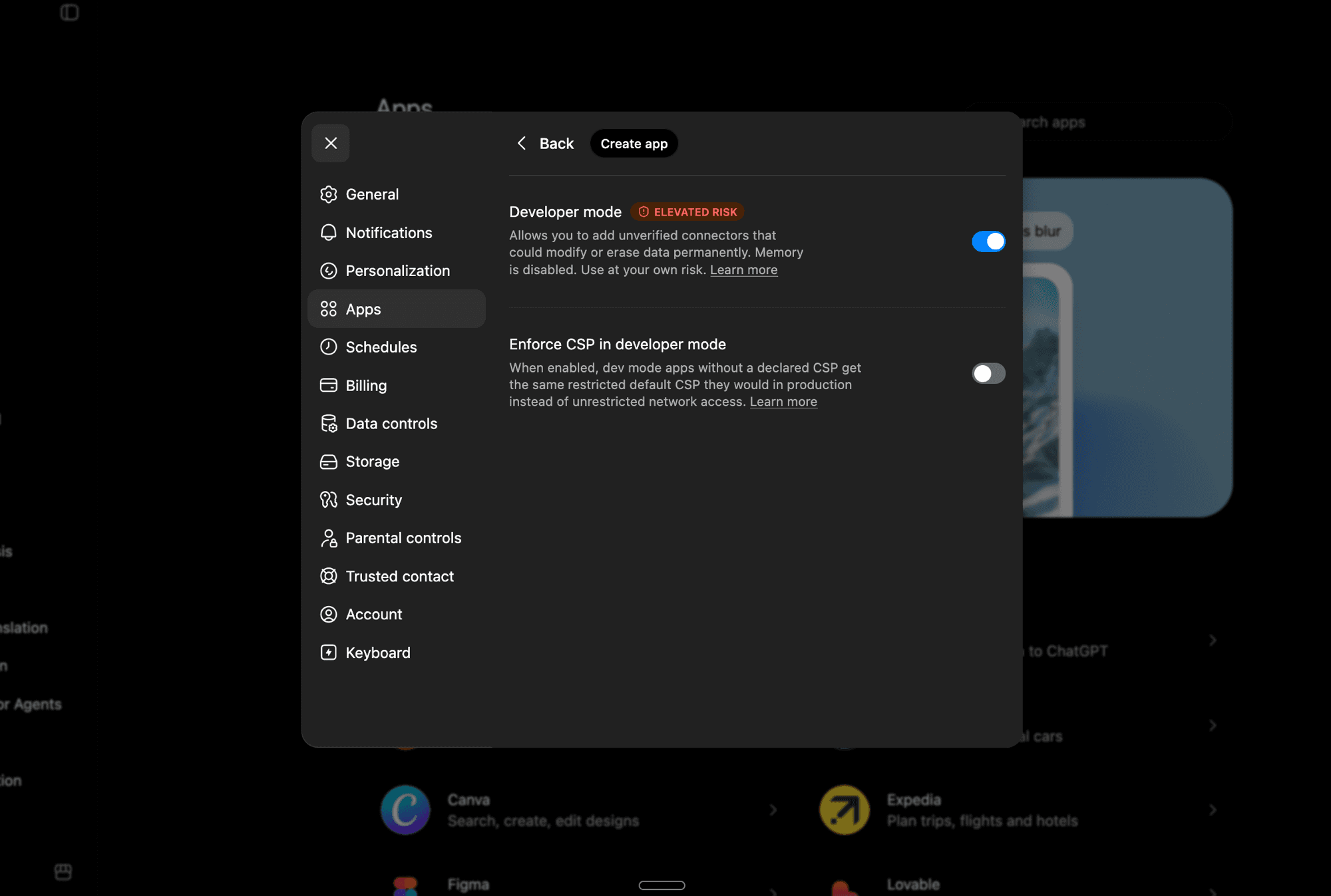
Developer Mode lets you add unverified MCP apps. Note that it disables ChatGPT's Memory feature while active.
Now go back to Settings -> Apps and click Create App. Fill in the details:
- Name:
Sequel - Description:
Sequel AI Data Analytics(optional) - MCP Server URL:
https://api.sequel.sh/mcp - Authentication: OAuth
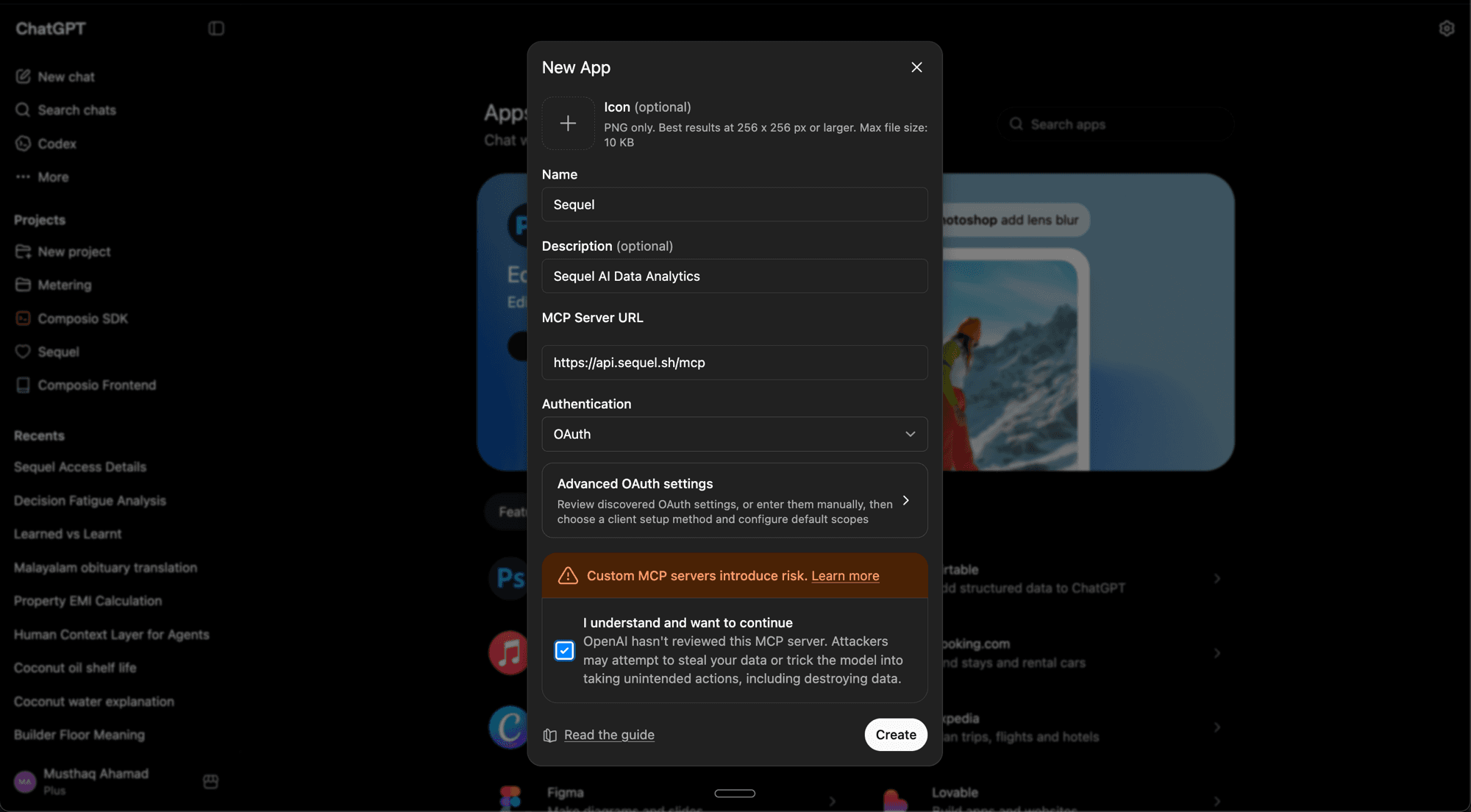
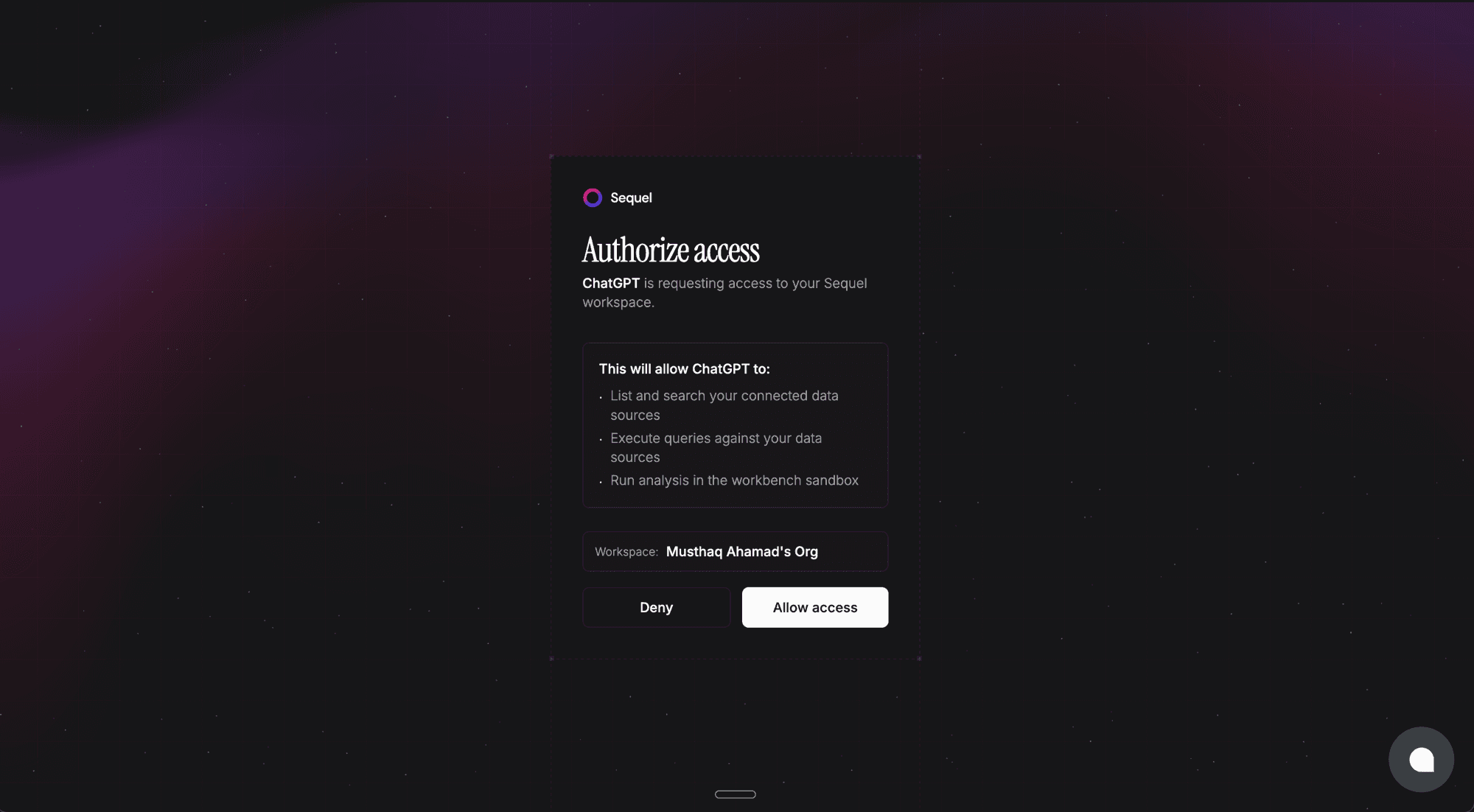
Check "I understand and want to continue" and click Create. Sequel's authorization page opens. Review the permissions and click Allow access.
Sequel now shows up in your Apps list.
What Instagram data Sequel exposes
| Area | Available | Not available |
|---|---|---|
| Profile | Followers, follows, media count, bio, account type | Email, phone, private profile fields |
| Posts and reels | Reach, views, likes, comments, saves, shares, reel watch time | Per-slide carousel breakdowns |
| Account | Reach, accounts engaged, profile views, website clicks, follows and unfollows | Anything older than roughly two years |
| Audience | Followers, reached and engaged audiences by age, gender, country, city | Individual follower identities |
| Comments | Text, timestamp, like count, commenter handle | Hidden or age-gated comments |
| Not covered | Ads and spend, hashtag search, competitor accounts |
Step 3: Query Your Instagram Data
Rank my posts from the last 90 days by engagement per person reached, and show reach, saves and shares for each.How many accounts followed and unfollowed me in the last 30 days? Give me the net change.Break my followers down by country, then compare that to the countries that actually engaged with my content last month.What You Can Do Now
- Find your real best post: "Show my top 10 posts by saves per reach, not by likes." Likes scale with how far a post travelled, so ranking by likes just rediscovers whatever Instagram pushed hardest.
- Catch follower churn early: "Compare follows and unfollows per month for the last six months." Instagram's follower graph shows gross gains, so an account can look like it is growing while it is net shrinking.
- Settle the format argument with data: "Compare reels, carousels and single images on median reach and on engagement per reach." Reels usually buy reach while carousels usually win engagement, but the crossover depends on your account size.
- Audit your reels honestly: "What is the average watch time on each of my reels, in seconds, next to its reach?" Watch time is the signal Instagram weights most heavily for video distribution.
- Check who you are actually reaching: "What percentage of last month's reach was non-followers, by month, for the last six months?" This is the cleanest available read on whether your content is still being recommended.
Instagram rarely answers a question on its own. The same Sequel connection also covers Google Analytics in ChatGPT and Search Console in ChatGPT, so you can follow a post through to sessions and search demand in one thread. For background, see what MCP is, what an AI data analyst does, and using ChatGPT for data analysis. If you are comparing options, we keep a roundup of the best marketing AI agents in 2026.