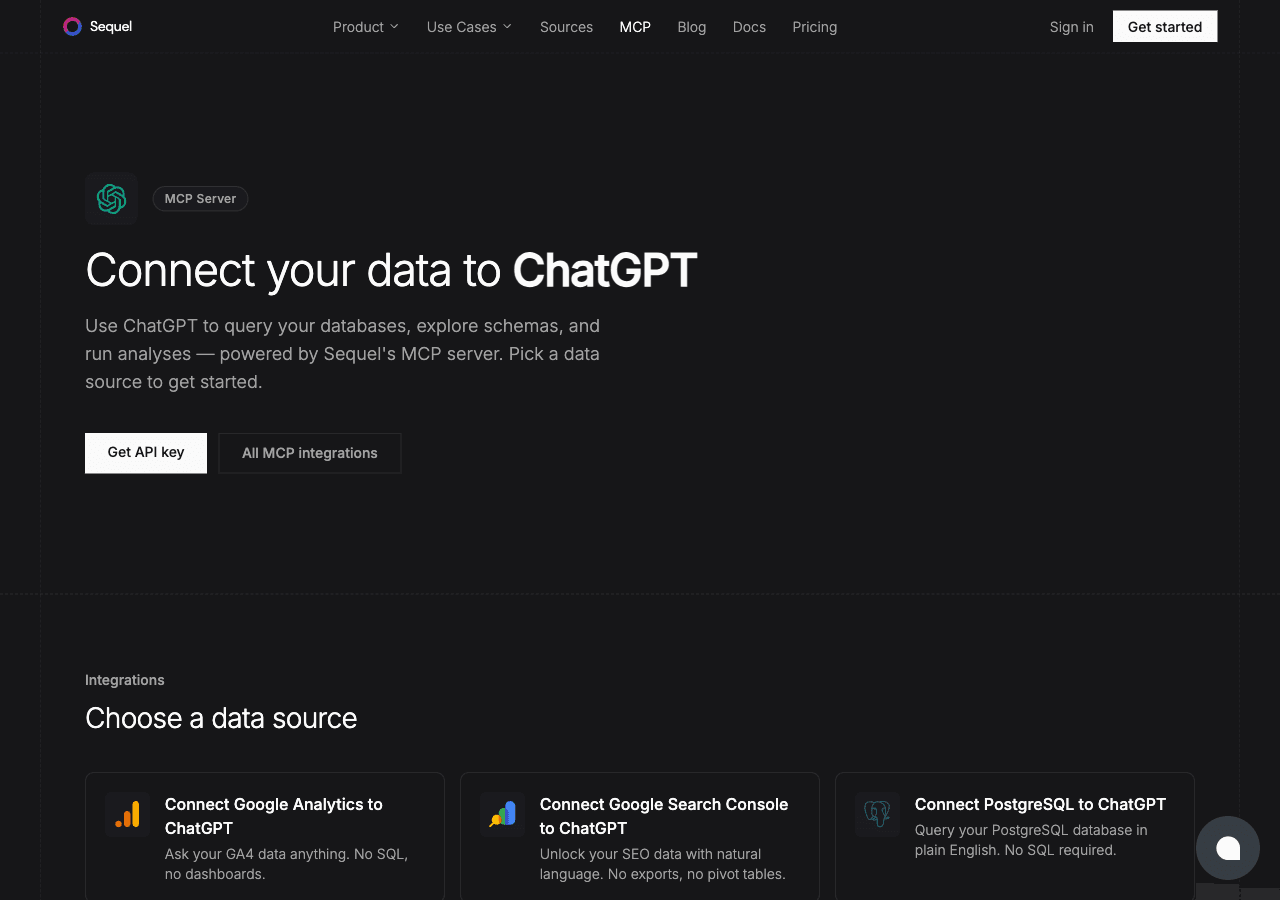
MySQL is one of the most popular databases for web applications, and ChatGPT is one of the most widely used AI tools. Connecting them through Sequel's MCP server gives ChatGPT live access to your MySQL data. You just type your question and get an answer.
What You'll Accomplish
Once connected, you can ask ChatGPT:
"How many customers do we have in the United States?"
"What were our top-selling products last month?"
"Are there any pending orders that haven't shipped yet?"
A ChatGPT Plus, Team, or Enterprise account: required for custom MCP apps
Step 1: Connect Your MySQL Database to Sequel
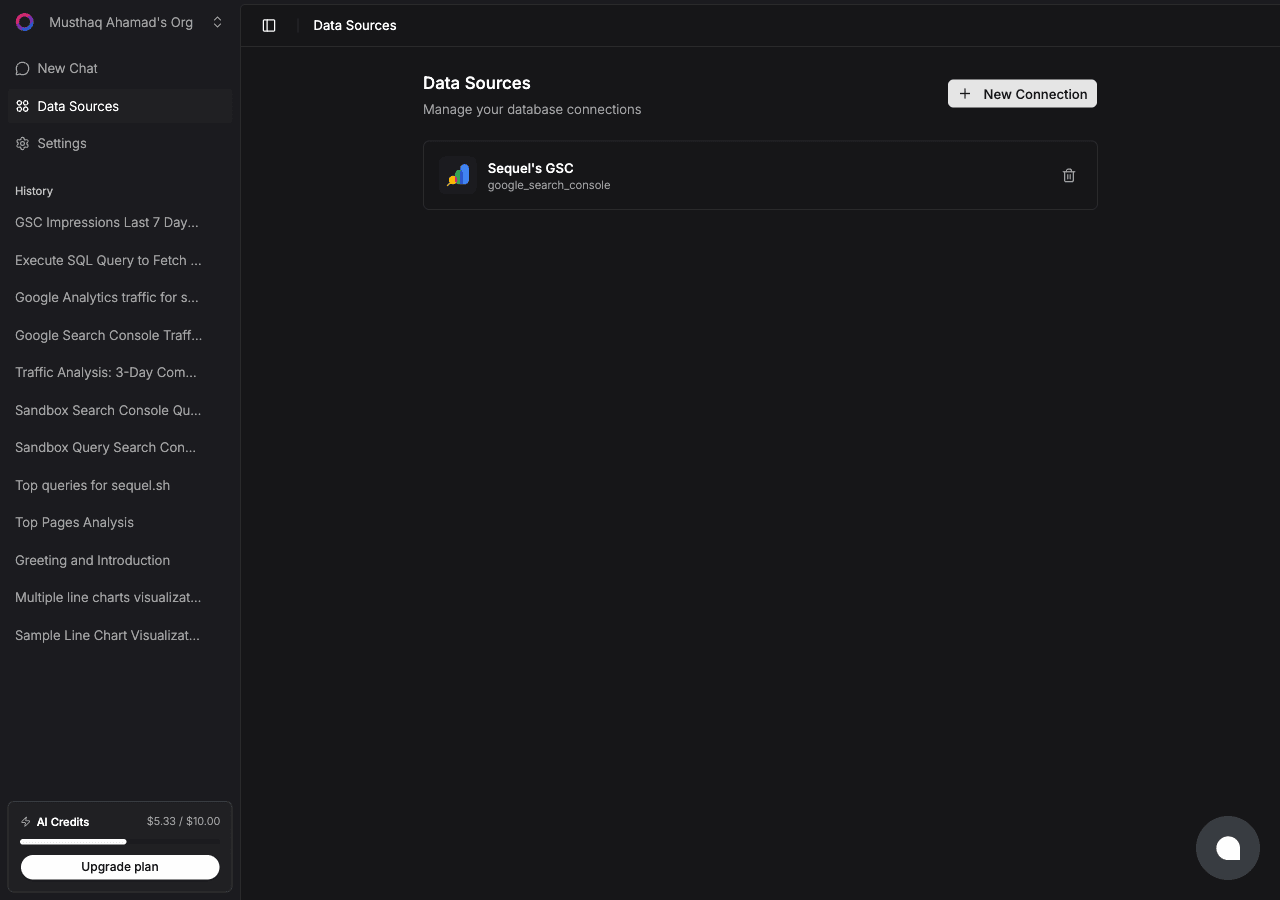
Sign in to sequel.sh and click Data Sources in the left sidebar.
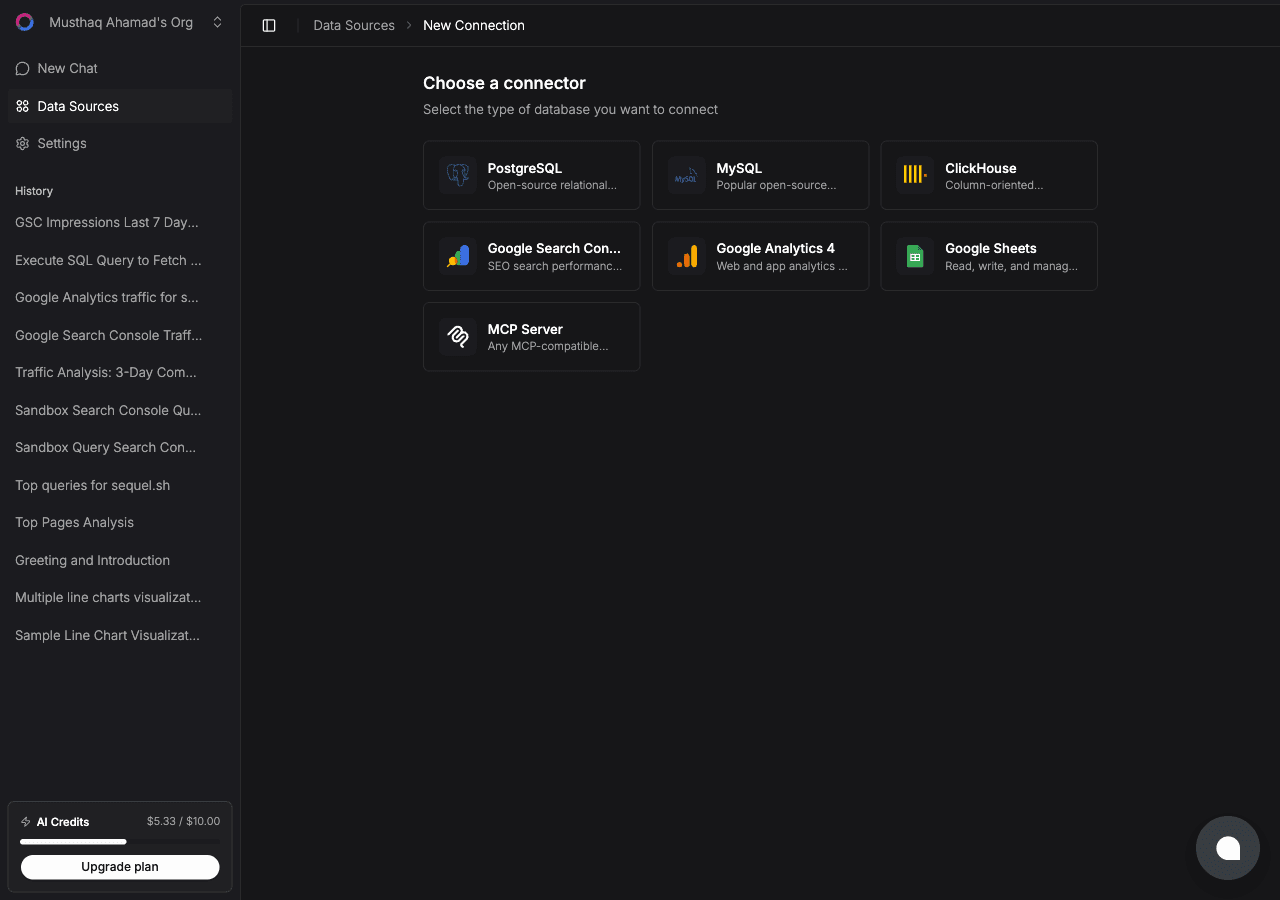
Click New Connection. On the "Choose a connector" page, select MySQL.
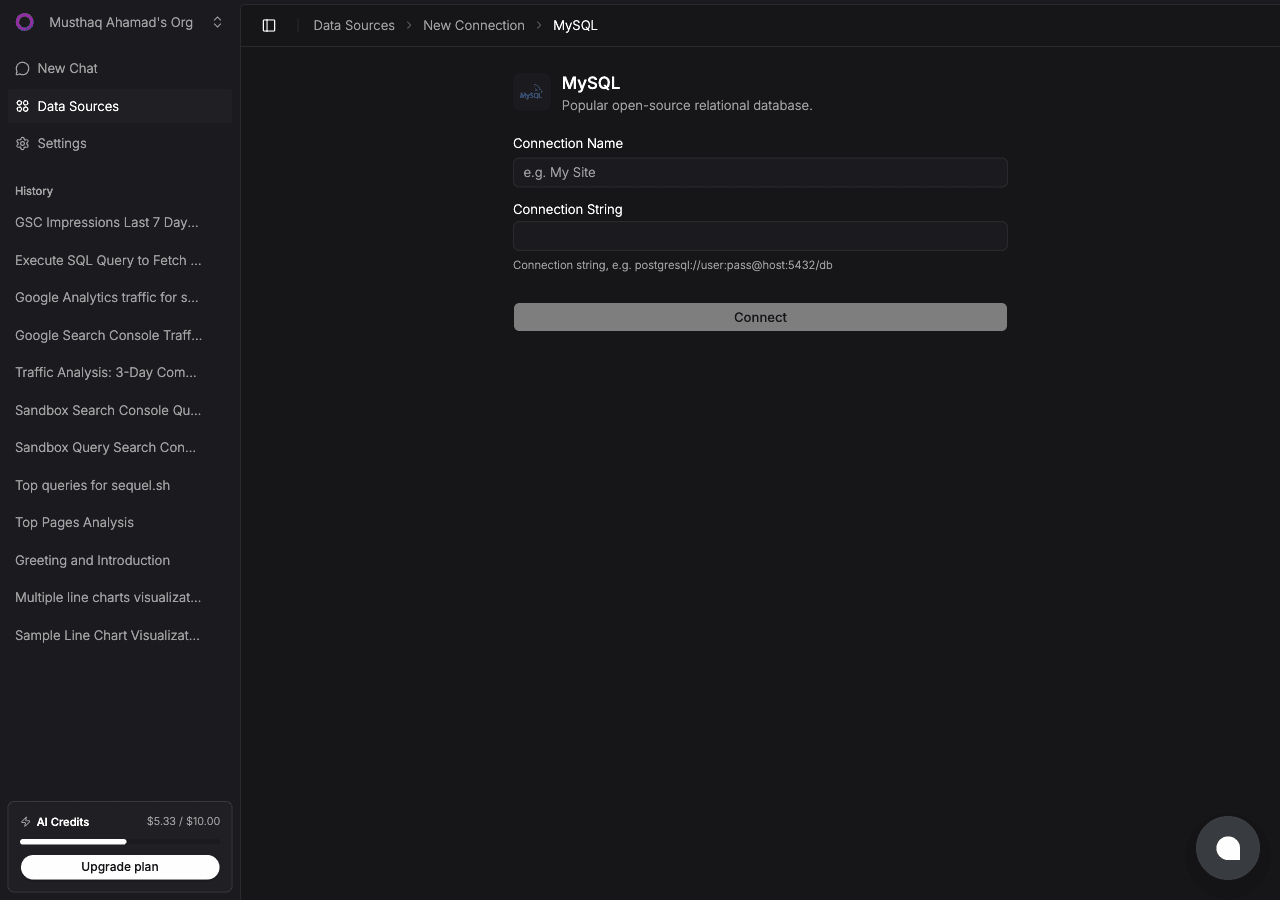
Fill in two fields:
Connection Name: a memorable label, e.g. MySQL Production
Connection String: your full MySQL connection string:
mysql://username:password@host:3306/database_name
Click Connect to verify and save.
Recommended: Create a read-only user before connecting:
CREATE USER 'sequel_reader'@'%' IDENTIFIED BY 'secure_password';GRANT SELECT ON your_database.* TO 'sequel_reader'@'%';FLUSH PRIVILEGES;
Step 2: Add Sequel to ChatGPT
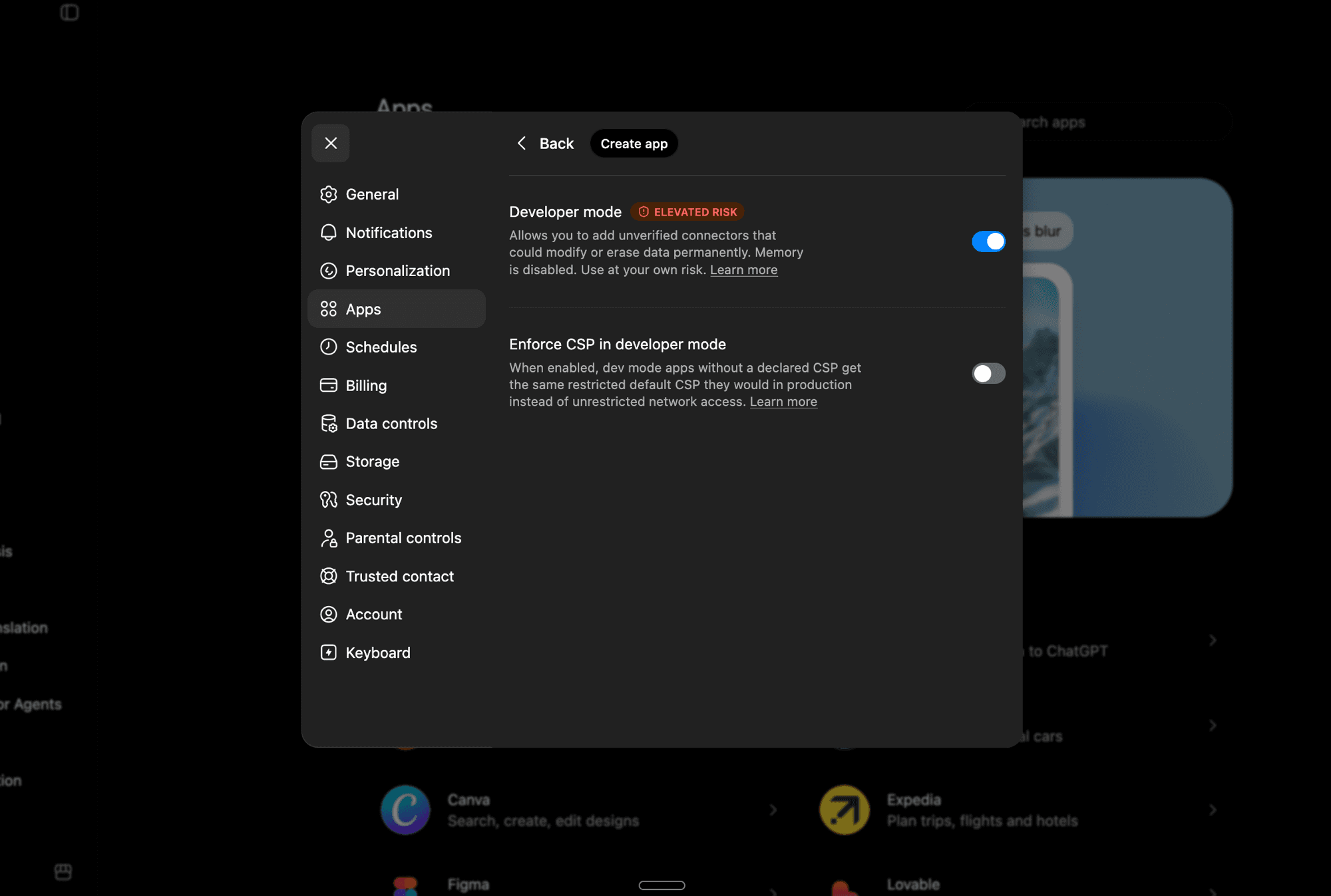
First, enable Developer Mode. Open ChatGPT and go to Settings -> Apps. Click Advanced Settings and toggle Developer Mode on.
Developer Mode lets you add unverified MCP apps. Note that it disables ChatGPT's Memory feature while active.
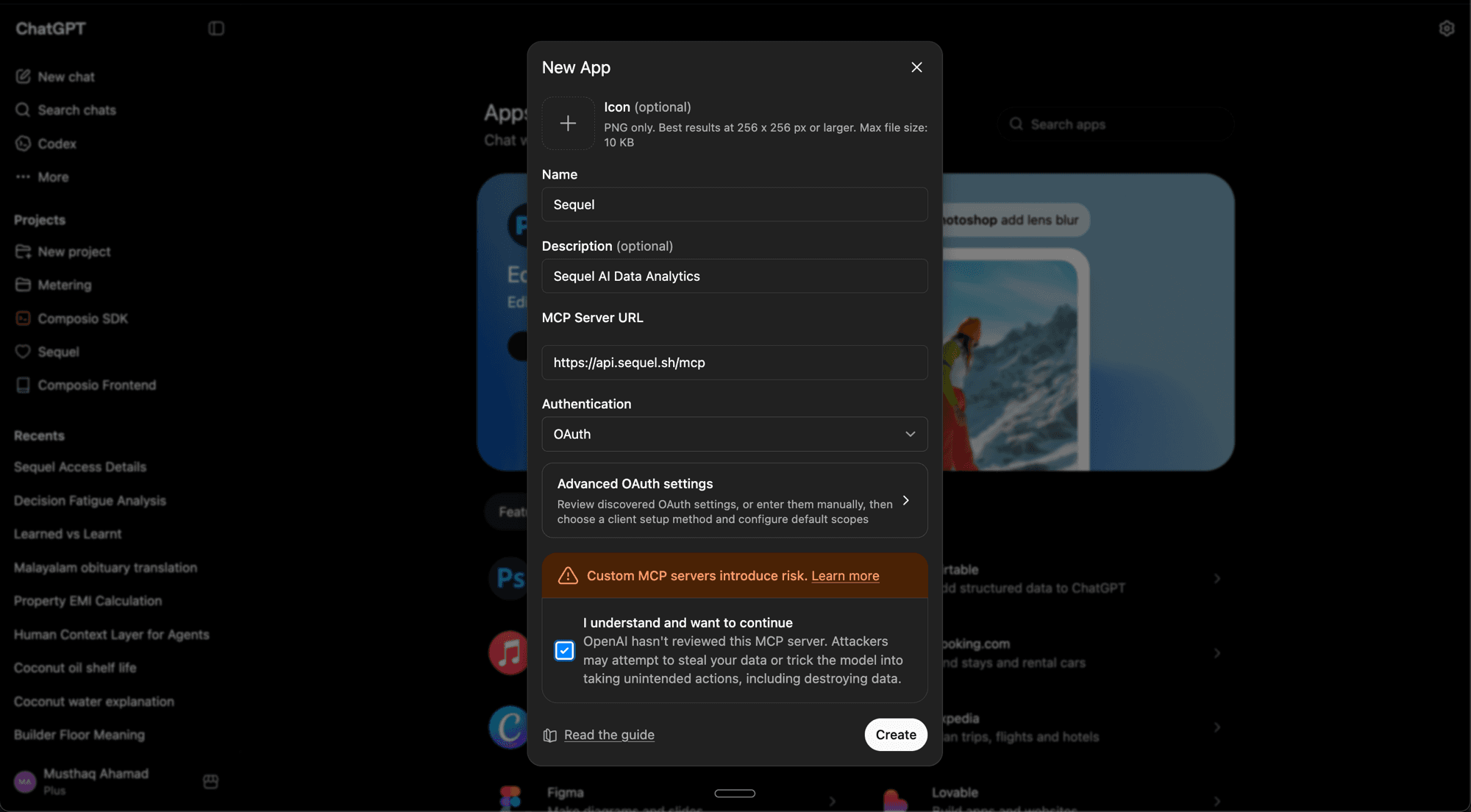
Now go back to Settings -> Apps and click Create App. Fill in the details:
Name:Sequel
Description:Sequel AI Data Analytics (optional)
MCP Server URL:https://api.sequel.sh/mcp
Authentication: OAuth
Check "I understand and want to continue", then click Create.
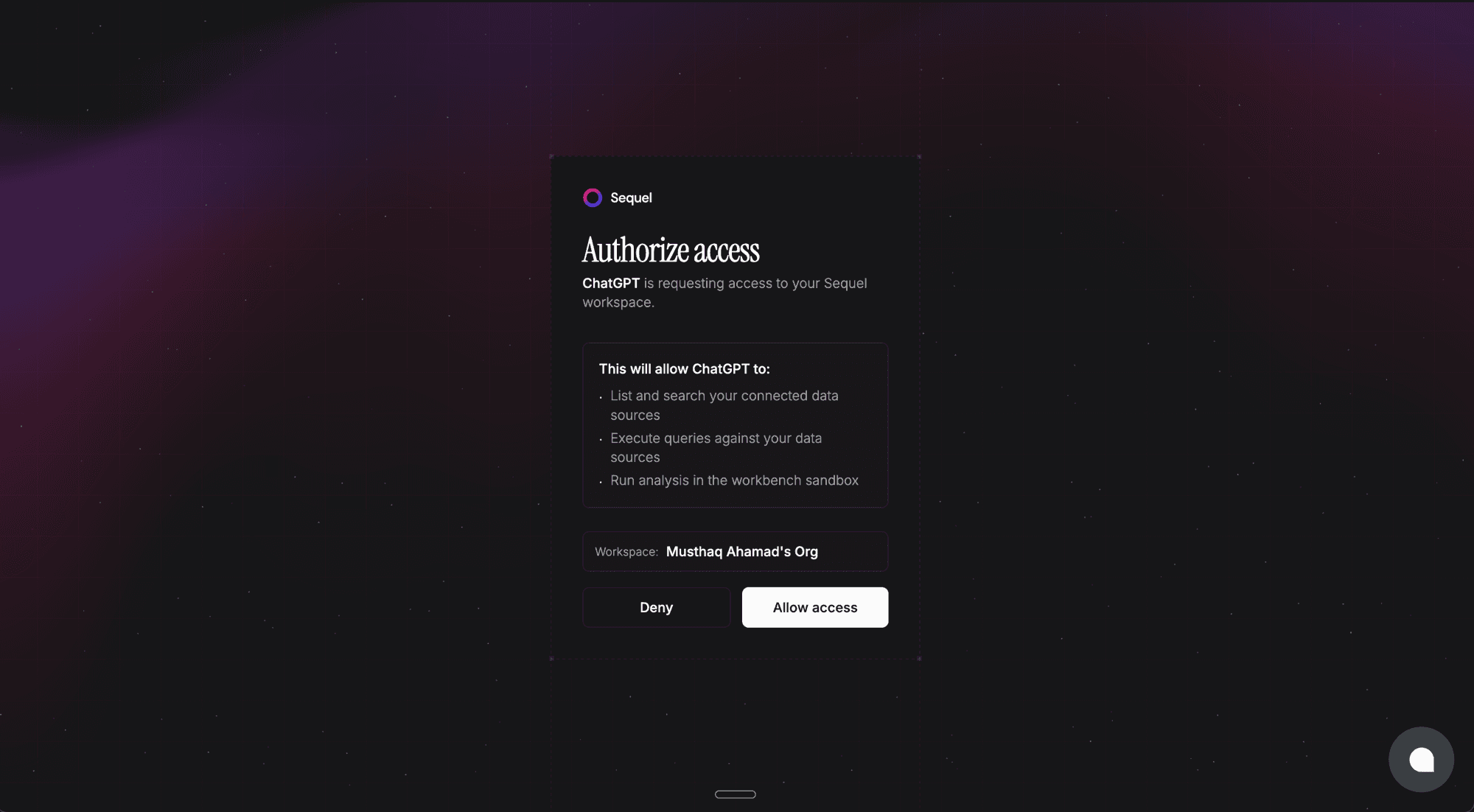
Sequel's authorization page will open in your browser. Review the permissions and click Allow access.
Once authorized, Sequel will appear in your Apps list and you're ready to query.
Step 3: Query Your MySQL Database
Using my MySQL database, how many users signed up this week?
What's the average order value for customers in California?
Show me all products that have been out of stock for more than 7 days.
What You Can Do Now
Sales and marketing analysis: ask "Which email campaign drove the most sign-ups this month?"
Support and operations: answer customer questions by querying order or account status directly
Product insights: ask "What features are most-used by paying customers?"
Data validation: ask "Are there any records missing a required field?" before exports or migrations
Try Sequel
Build your company brain.
Sequel connects the systems your company runs on and learns how your team defines every metric, so any AI agent can answer from it. Free for up to 3 seats, no credit card required.
Does this integration require a paid ChatGPT plan?
Yes. Custom apps in ChatGPT require a Plus, Team, or Enterprise account. Free accounts don't support custom MCP apps.
Do I need Developer Mode enabled in ChatGPT?
Yes. Developer Mode is required to add unverified MCP apps. Enable it in Settings -> Apps -> Advanced Settings. Note that turning on Developer Mode disables ChatGPT's Memory feature while it's active.
How does authentication work? Do I need a Sequel API key?
No API key needed. Sequel uses OAuth, so ChatGPT will open a login flow when you create the app. You sign in to your Sequel account and authorize the connection. No manual token copying required.
How is this different from uploading a CSV export to ChatGPT?
Uploading a CSV gives ChatGPT a static snapshot. The Sequel MCP integration queries your live MySQL database, so you always get current data. No export step, no stale numbers.
Can ChatGPT modify data in my MySQL database?
If you use a read-only MySQL user (recommended), database modifications are blocked at the database level regardless of what ChatGPT requests.
Does this work with AWS RDS for MySQL or PlanetScale?
Yes. Any MySQL-compatible host works, including AWS RDS, PlanetScale, Railway, DigitalOcean Managed MySQL, and others.