
HubSpot reports are good at the views someone built last quarter and awkward for the question you have today. Grok Bot is xAI's bot builder, an agent that keeps context and reaches your tools through plugins. Connect HubSpot through Sequel and your pipeline becomes something you can interrogate in a sentence.
TL;DR
| What you're connecting | A HubSpot portal to Grok Bot |
| Setup time | About 4 minutes |
| Setup method | One chat message. Grok Bot has no MCP config file |
| Auth to HubSpot | OAuth. Nothing to copy or rotate |
| Scopes requested | Read-only contacts, companies, deals, tickets, and schemas |
| Custom properties | Supported automatically |
| Access level | Read-only |
What You'll Accomplish
Once this is wired up, you can ask your bot:
- "Which deals in the Negotiation stage have had no activity for 14 days?"
- "What's our win rate by deal source for the last two quarters?"
- "Which companies have an open ticket and a renewal in the next 60 days?"
Prerequisites
- A Sequel account: sign up free at sequel.sh
- A HubSpot portal with access to the CRM data you want to query
- A Grok account with a bot you can send messages to
Step 1: Connect HubSpot to Sequel
Sign in to sequel.sh, open Data Sources, click New Connection, and choose HubSpot.
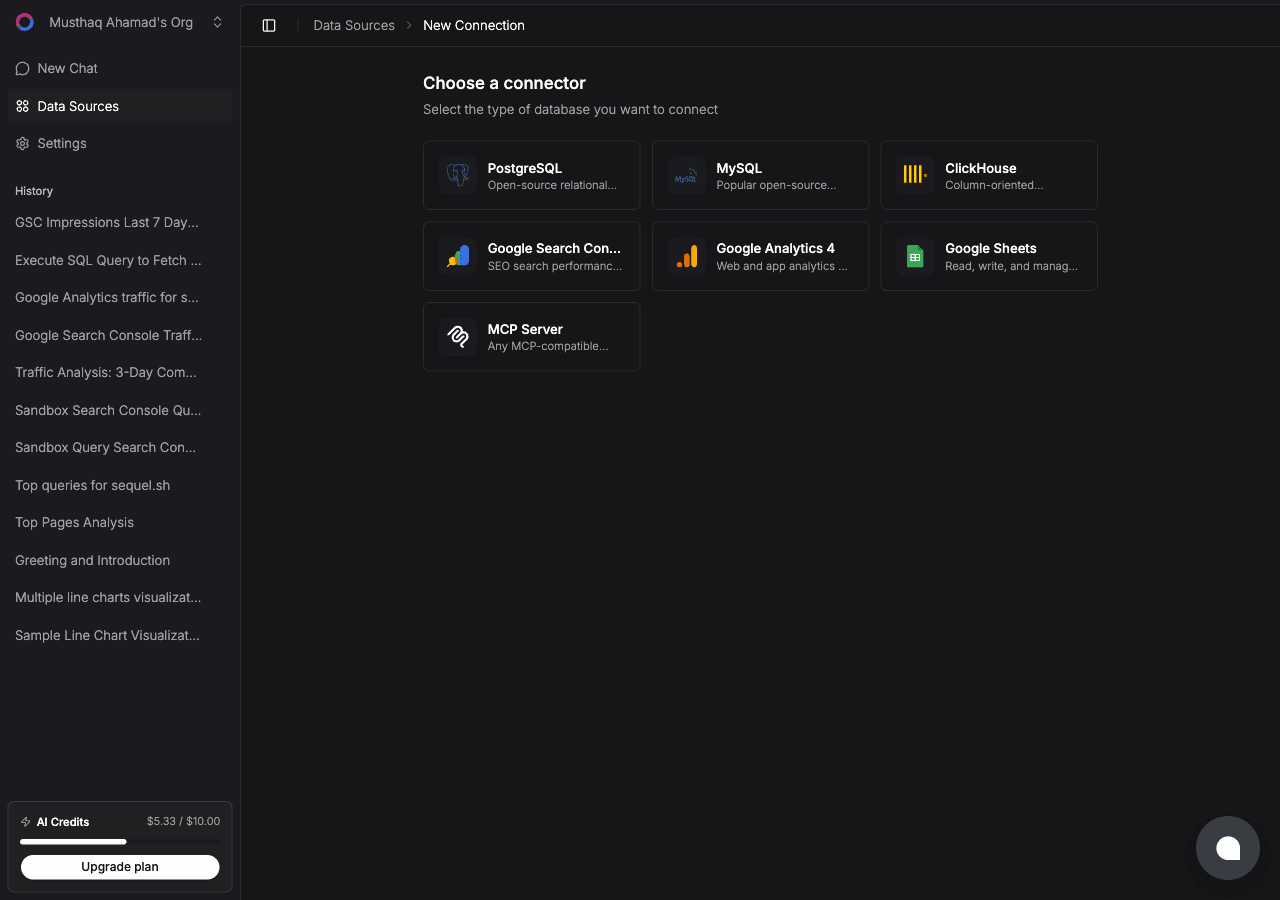
| Step | What happens |
|---|---|
| Name the connection | For example Sales HubSpot |
| Connect with HubSpot | You are redirected to HubSpot's OAuth screen |
| Pick a portal | Choose the portal and confirm the read-only CRM scopes |
| Confirm | Sequel verifies the token against your hub and goes live |
Sequel requests crm.objects.{contacts,companies,deals,tickets}.read and crm.schemas.{contacts,companies,deals,tickets}.read. No write scopes are requested at all.
Step 2: Add Sequel to Grok Bot
Grok Bot has no MCP config file and no settings form to fill in. You add a server by asking the bot.
Open a chat with your bot and send this:
Add a custom MCP server called sequel at https://api.sequel.sh/mcp
Say custom server explicitly. Leave those words out and the bot searches the plugin marketplace instead of registering your endpoint.
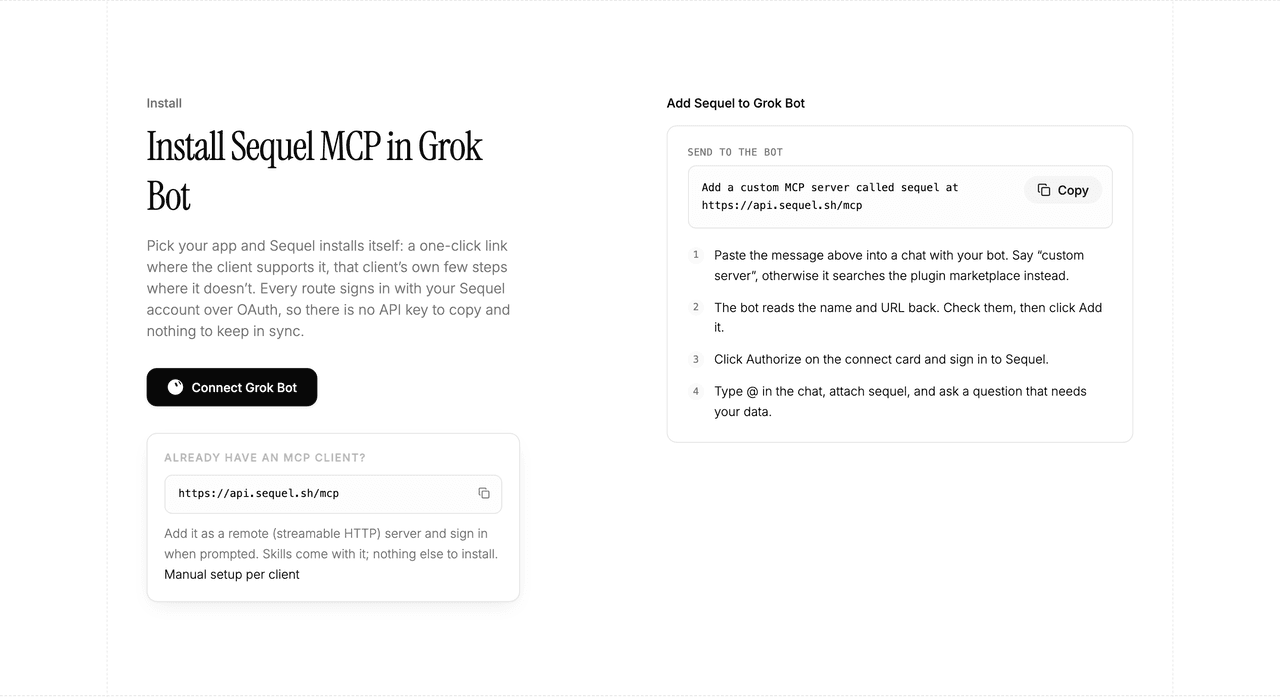
The bot reads the name and URL back to you. Check both, confirm, and it posts a connect card in the chat. Click Authorize, sign in to Sequel, and approve access. The OAuth token stays on the connector side, so there is no API key to copy and nothing to keep in sync.
To confirm it registered, open Settings → Plugins → Yours. Every server on your account is listed there, including the ones you added by chat.
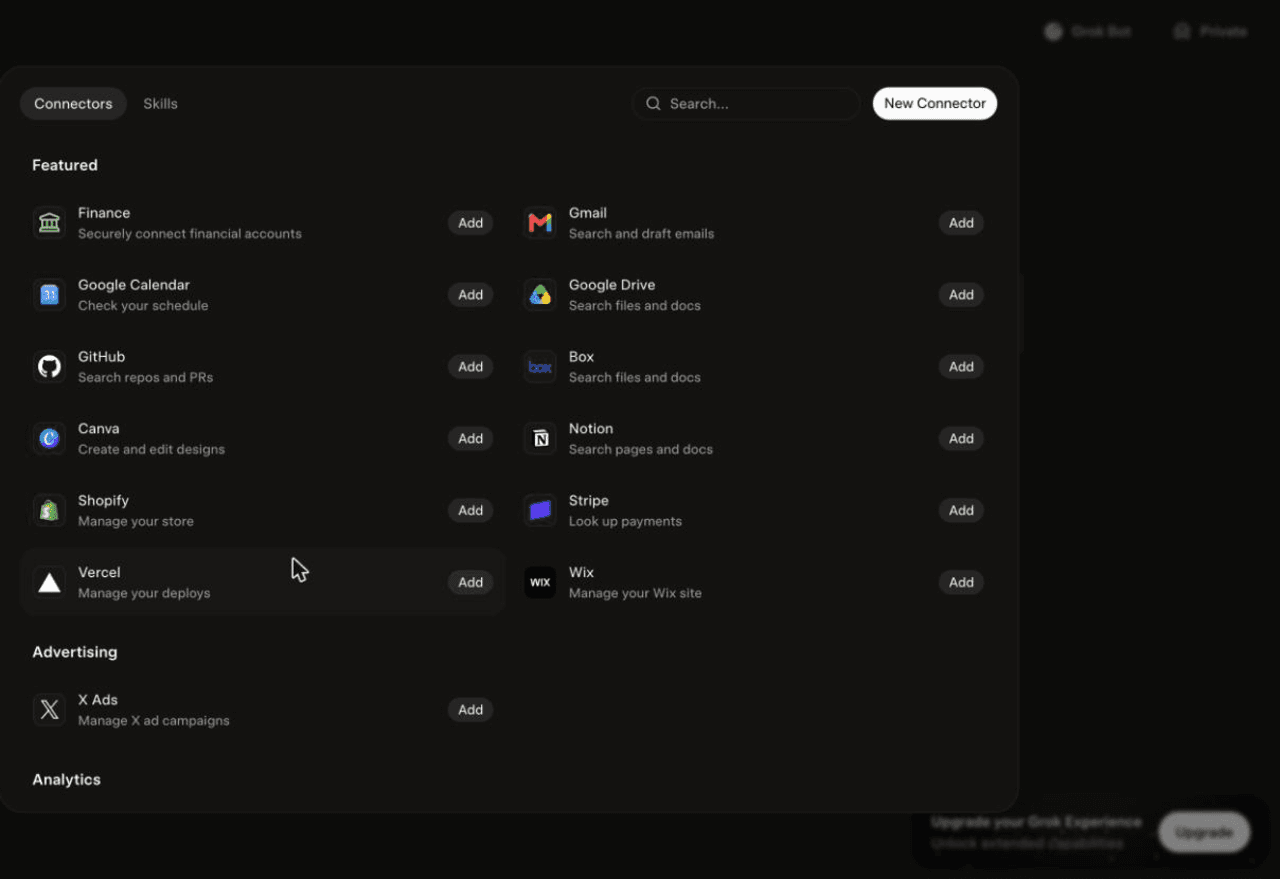
Then attach it to a task: type @ in the chat and pick sequel.
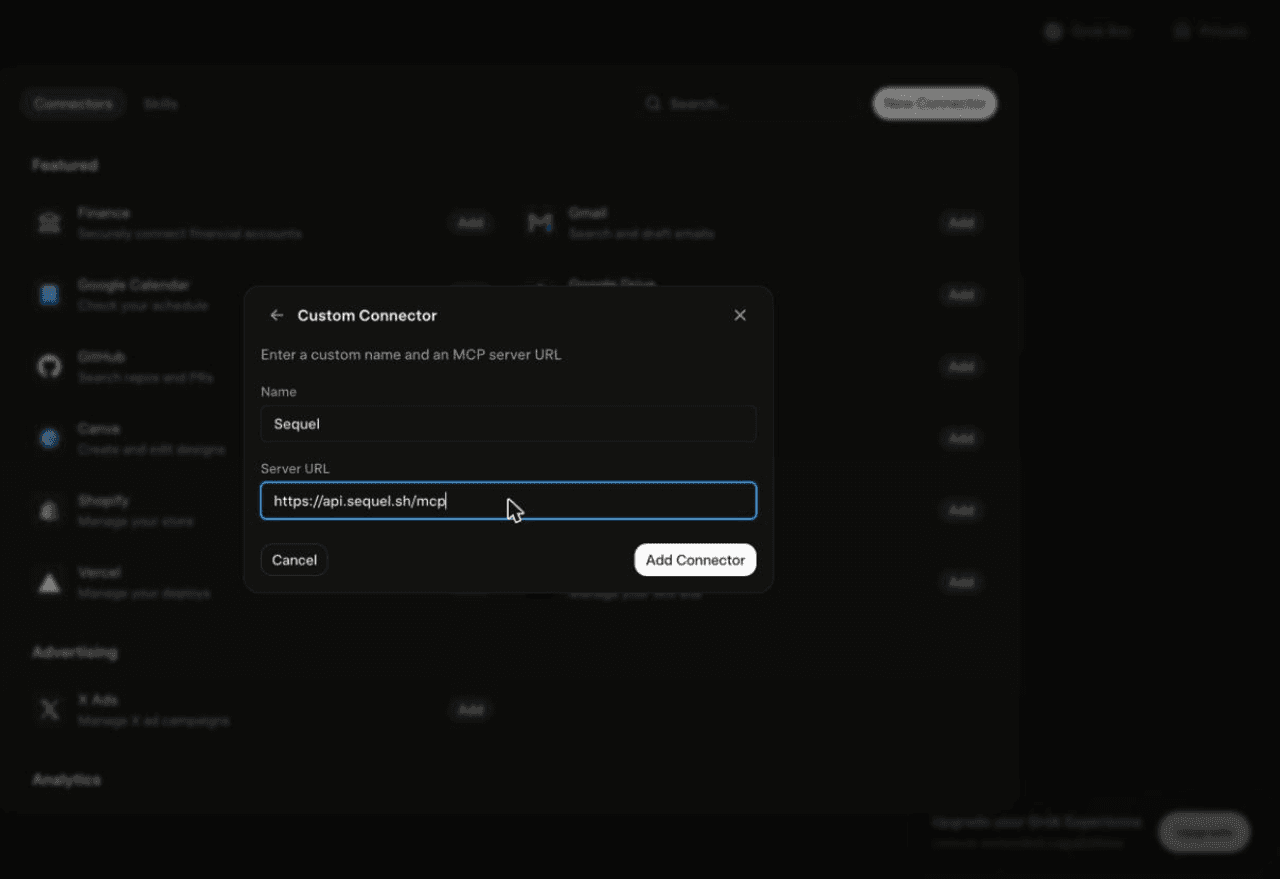
Using Grok chat rather than a bot? The steps do not carry over. On grok.com, open Plugins → New Connector → Custom, set the name to
Sequeland the Server URL tohttps://api.sequel.sh/mcp, click Add Connector, and sign in.
Step 3: Ask Grok Bot About Your HubSpot Data
Attach @sequel and ask:
Which deals in Negotiation have had no activity in the last 14 days, and what is their combined value?
What's our win rate by deal source for the last two quarters?
List companies with an open support ticket and a renewal date in the next 60 days.
What You Can Do Now
- Pipeline hygiene on a schedule: the bot runs unattended, so stale-deal lists arrive every Monday.
- Win and loss analysis: by source, by owner, by segment, without building a report.
- Renewal risk: combine ticket volume with renewal dates to flag accounts worth a call.
- Custom property questions: ask about ACV or Onboarding Status by name, no mapping step.
- Cross-source joins: match HubSpot accounts against product usage or Stripe revenue to find expansion candidates.
Troubleshooting
| Symptom | Likely fix |
|---|---|
| The bot searched the marketplace instead of adding the server | Resend the message with the words "custom server" in it. |
| The server is not listed under Settings → Plugins → Yours | The registration did not complete. Resend the message and confirm the name and URL when the bot reads them back. |
| The bot answers without touching your data | You did not attach it. Type @ in the chat and pick sequel before asking. |
| The wrong portal is connected | Repeat the OAuth flow and pick the right portal. Each portal is a separate data source. |
| A custom property is missing | Refresh the schema from the connection settings after adding properties in HubSpot. |
| A write request fails | Expected. Sequel requests no write scopes on your CRM. |