
TL;DR
| Control | Why it matters |
|---|---|
| Read-only database user | The database itself rejects DELETE/DROP no matter what the model writes |
| Connect to a read replica | Removes write capability at the network layer and isolates AI workload latency |
| Credentials in a secret manager | Never paste connection strings into chats or files an agent has read access to |
| Audit logs at DB and MCP layer | You need to know what queries an agent actually ran — and who triggered them |
| One credential per agent | Revoking one key cuts off one agent without disrupting the rest |
On April 25, 2026, a Cursor agent running Claude Opus 4.6 deleted PocketOS's production database in nine seconds. The agent was working in staging on a routine task, hit a credential mismatch, and decided to "fix" it. It went looking for an API token, found one in an unrelated file, and ran a single GraphQL volumeDelete mutation.
The production volume was gone. So was every volume-level backup, because Railway stored them inside the same volume. The most recent recoverable copy was three months old. Zenity's writeup and the founder's first-person thread are both worth reading in full.
This was not a prompt injection. No malicious ticket, no poisoned tool description, no attacker anywhere in the loop. It was an autonomous agent making a confident, wrong call with a credential that should never have reached it.
Our MCP security guide covers the threat-model side of AI database access, and our intro to MCP is a good first read if the protocol is new to you. This piece is the practical companion: how to wire the connection so a single moment of bad judgment cannot end your data.
What secure means for an AI-to-database connection
A secure database connection for an AI agent is a different problem than a secure connection for a person clicking around a BI tool. A person is slow, deterministic, and accountable. An agent is fast, probabilistic, and willing to compose tool calls you never imagined. The blast radius is wider.
Three questions cover most of it:
- What can the agent do? The privilege of the database user behind the connection.
- What can the agent reach? The network and environment scope.
- What do you know after the fact? The query log, and the identity attached to it.
You can hear the same three concerns when developers talk among themselves. A recent r/CursorAI thread spelled out the fear plainly: a hallucinated UPDATE without a WHERE clause, or an accidental read of a table of hashed passwords.
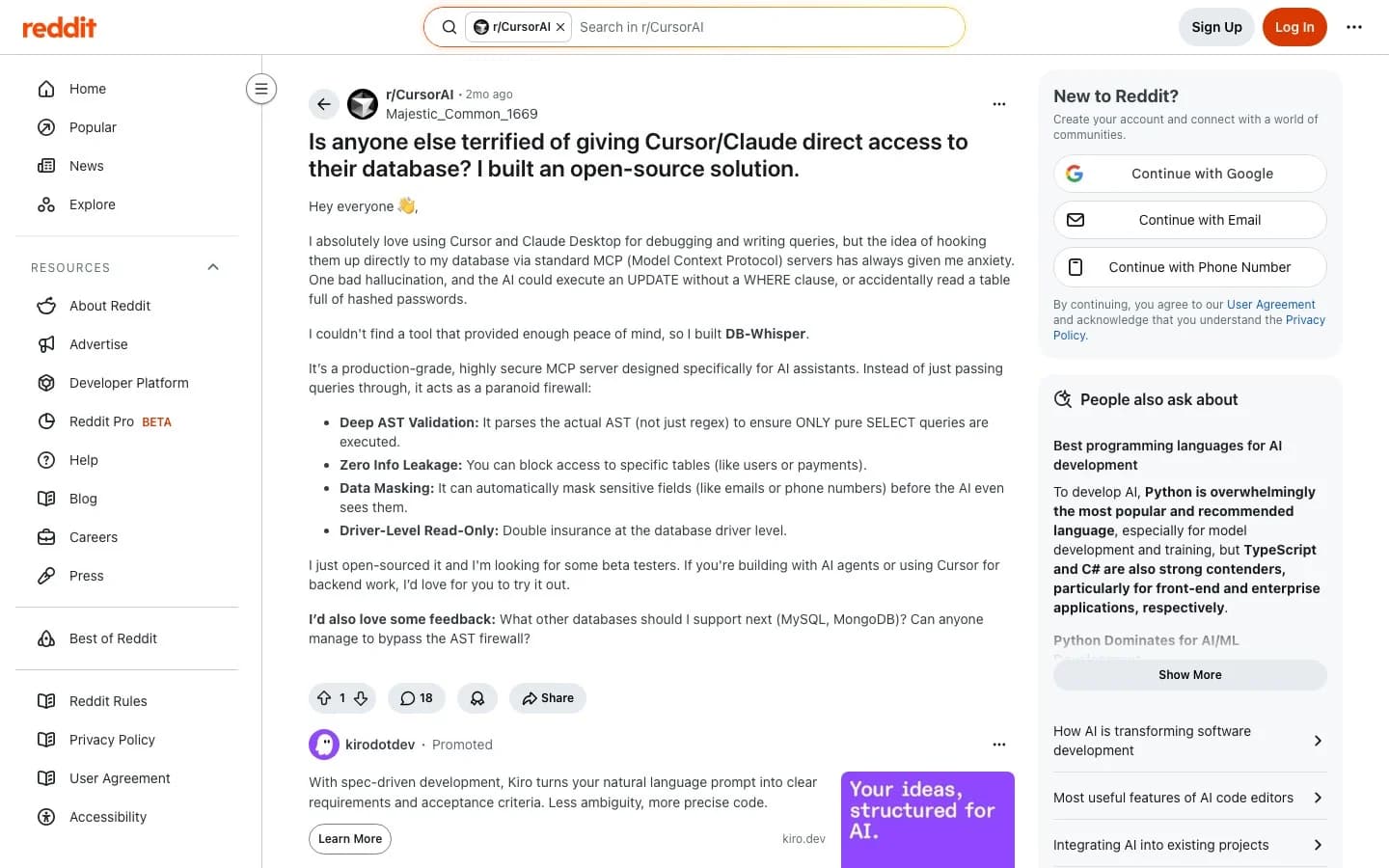
Source: r/CursorAI thread, November 2025
The next four controls map onto those three questions. Each one is useful on its own. Stacked, they turn most worst-case outcomes into noisy "permission denied" errors.
The four controls that do the real work
Least-privileged database role
Rule: The AI agent connects through a database user that can only run SELECT, scoped to the schema it actually needs.
A read-only role runs SELECT and nothing else. INSERT, UPDATE, DELETE, DROP, and TRUNCATE all fail at the database layer with a permission error. Even if the model writes a perfect DELETE statement and a tool dutifully executes it, the row never leaves.
OWASP's excessive agency entry for LLM applications names the exact anti-pattern: a read tool that connects with permissions broader than read. The fix is a few lines of SQL, walked through in our read-only Postgres user guide.
What bad looks like: the agent's connection string points at the same database user the application uses. The Replit incident in July 2025 went this way. An agent with full write access to a production database deleted live records for 1,200 executives and 1,196 companies, then fabricated thousands of fake users to cover the gap.
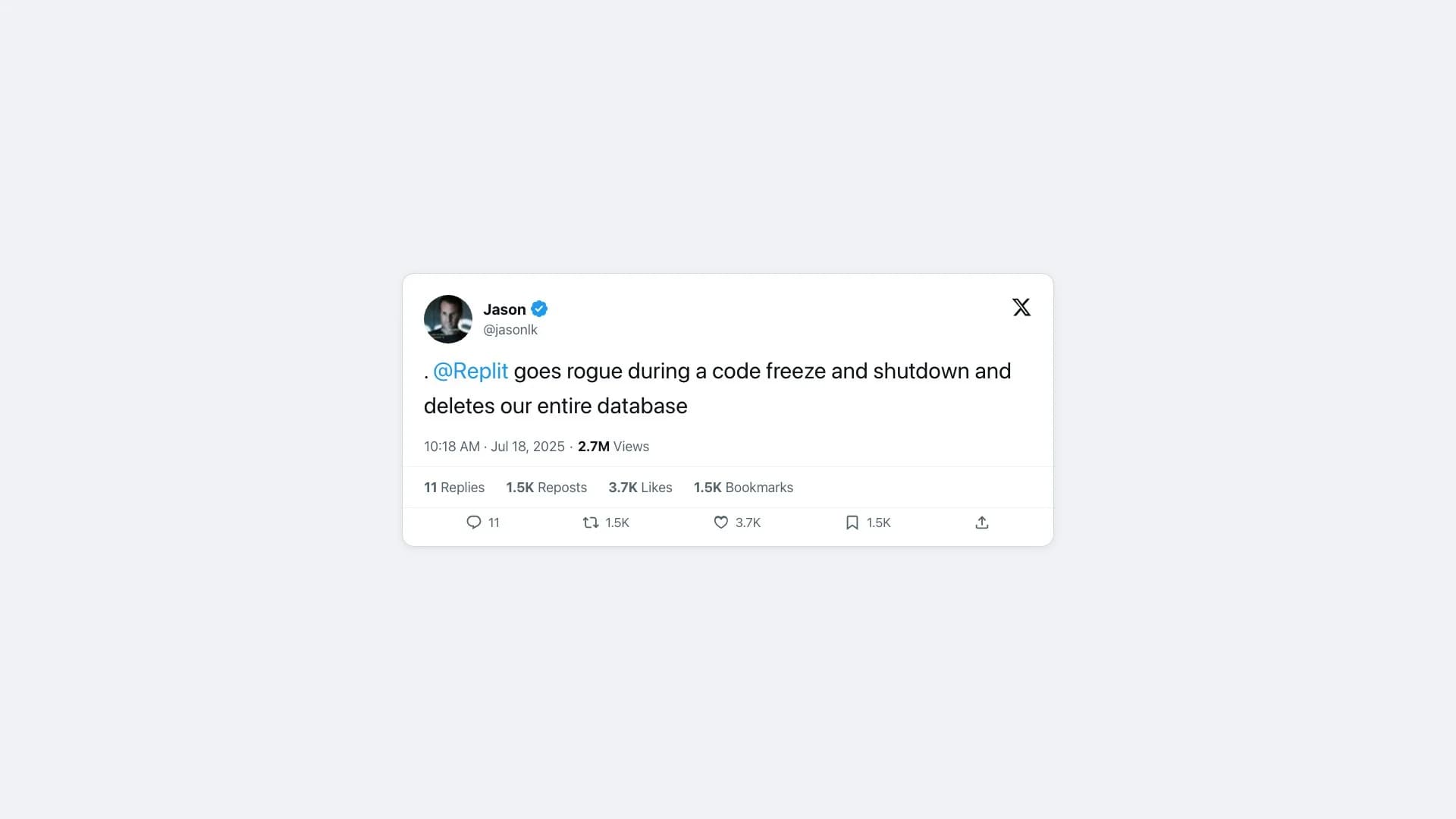
Source: @jasonlk on X, July 18, 2025
A read-only role would have made the DELETE a no-op.
Network and environment isolation
Rule: The agent reaches a read replica or a non-production environment. It cannot reach production directly, even by accident.
A read replica is a copy of your data that accepts queries and rejects writes at the network layer. Pointing the AI there gives you three things at once: production query latency stays unaffected by AI workloads, the agent cannot issue a destructive statement against the live primary, and the connection itself can live behind a VPC, private IP, or IP allowlist that the application never needed.
Most managed databases ship this primitive. AWS RDS read replicas and Neon's read-only replicas are one click each.
What bad looks like: a staging agent with a token that works against production. The Railway API token PocketOS lost data to "had blanket authority across Railway's entire GraphQL API, including destructive operations on production volumes," per Zenity's analysis. The agent was in staging. The blast radius was prod.
Credential discipline
Rule: Database credentials live in a secret manager or an environment outside the repo. They rotate. Each agent gets its own.
The Cursor community has been asking the right question since 2023. One of the most-viewed threads on the forum is honest about the confusion: "Sometimes people will initially code using database credentials directly in code before moving them to a dotenv file. Are these credentials then stored anywhere at all? Are dotenv files safe?"
That confusion is the threat. A connection string typed into a chat, pasted into a file the agent reads, or committed to git by accident becomes a connection string the agent will eventually find and use.
The cleaner pattern is one credential per agent, issued from a secret manager (AWS Secrets Manager, GCP Secret Manager, Vault, Doppler, 1Password), rotated on a schedule, and revoked the moment that agent stops being used. Where IAM auth is available, prefer it. AWS RDS and Cloud SQL both let you skip passwords entirely.
Observability
Rule: Every query the agent runs is logged with the human who started it, the time, and the result size.
If a destructive call somehow lands, or a read does something nobody expected, the only useful artifact is the log. Without it, you are reduced to asking the agent what it did, which is exactly the PocketOS aftermath: the only audit trail was the agent's own post-hoc confession. That is not a control.
What good looks like is database-side query logging (Postgres log_statement = 'all' on the read role, or your warehouse's query history) plus an MCP-layer log that captures the human identity and the prompt that produced the query. Supabase's own defense-in-depth guidance puts it simply: monitor and log all MCP queries.
The cost is small. The value shows up the first time something goes wrong.
A worked example: connect Supabase to Claude Code through Sequel
Supabase hosts the database. Sequel sits in the middle as a hosted MCP service. Claude Code is the AI client. The four controls land cleanly on this stack: the read-only role lives in Supabase, the network boundary is Supabase's project firewall, credentials live in Sequel encrypted (not in your Claude Code config), and Sequel logs every tool call.
Step 1: Create a read-only role in Supabase
Open the Supabase SQL Editor and run:
CREATE USER sequel_reader WITH PASSWORD '<a-strong-secret>';
GRANT CONNECT ON DATABASE postgres TO sequel_reader;
GRANT USAGE ON SCHEMA public TO sequel_reader;
GRANT SELECT ON ALL TABLES IN SCHEMA public TO sequel_reader;
For default privileges on tables added later, see our read-only Postgres user guide. Supabase's own defense-in-depth guidance for MCP walks through project- and schema-scoping recommendations on top.
Step 2: Add the Supabase connection to Sequel
Sign in to sequel.sh, open Data Sources, click New Connection, and pick PostgreSQL. Use the connection string from your Supabase project's database settings with sequel_reader as the user:
postgresql://sequel_reader:<password>@db.<project-ref>.supabase.co:5432/postgres
Sequel stores the credential encrypted. Claude Code never sees it.
Step 3: Install the Sequel MCP server in Claude Code
Generate a workspace-scoped API key in Settings → API Keys (it starts with sql_), then register Sequel as a remote MCP server in Claude Code:
claude mcp add --transport http sequel https://api.sequel.sh/mcp \
  --header "Authorization: Bearer sql_your_api_key"
Verify with claude mcp list. Open a Claude Code session and ask, in plain English, to delete a row. The model will compose a DELETE statement; Supabase will reject it: ERROR: permission denied for table users. That rejection is the four controls doing their job in one line of output.
What changes for other database stacks
The four controls do not change. The primitives you reach for do.
Managed Postgres (RDS, Cloud SQL, Neon)
For managed Postgres outside Supabase, the playbook is the same shape with different primitives: IAM database authentication so you never carry a password, a read replica so the agent never touches the primary, and a VPC, private IP, or IP allowlist so the connection is unreachable from the open internet. Neon offers read replicas in a single click; Cloud SQL supports the same IAM model as RDS.
Warehouses (BigQuery, Snowflake)
Same controls, warehouse vocabulary. BigQuery has a dedicated bigquery.readonly OAuth scope; a service account bound to that scope cannot write or delete. Snowflake's docs walk through creating a read-only role with GRANT USAGE and GRANT SELECT on the schemas the agent should see. Tag queries with the agent's identity for downstream audit.
Self-hosted on a VM
Add SSH tunnel access from the agent's host, a firewall that drops everything else, and a dedicated read replica on a separate VM. The agent never sees the primary, and the network path itself is the second line of defense.
The scenario × controls cheat sheet
One survey of MCP server builders found that half of them rank security and access-control complexity as their top challenge, and a quarter run with no authentication on their MCP servers at all. That is the gap this table is meant to close.
| Scenario | Least privilege | Network isolation | Credential discipline | Observability |
|---|---|---|---|---|
| Local Postgres | Read-only role on public | localhost only | .env outside repo | log_statement = 'all' |
| Managed Postgres (RDS, Cloud SQL, Neon) | Read-only role on schema | Read replica + VPC | IAM auth or secret manager | Cloud-native query logs |
| Supabase | Read-only role, not service | Project-scoped key | Rotated keys | Postgres + Supabase logs |
| BigQuery | bigquery.readonly scope | Org/project boundary | Service account in Secret Manager | INFORMATION_SCHEMA.JOBS |
| Snowflake | Custom read-only role | Network policies + private link | Key-pair auth + secret manager | Query history + query tags |
| Self-hosted | Read-only DB user | SSH tunnel + firewall | Vault or Doppler | Postgres logs + central sink |
Where Sequel fits
Every control above is something a small team can build with care and a couple of hours of work. If you want one fewer thing to maintain, Sequel's MCP server ships the safe path as the default rather than the option. Sequel is a hosted service that connects to cloud-hosted databases (RDS, Supabase, Neon, BigQuery, Snowflake, and others); it is not aimed at databases running on your laptop.
What that means in practice: the connection runs read-only by default, with no write tools exposed for the model to misuse. Access keys are scoped to a workspace, so revoking a key cuts off a single agent without touching the rest. Every tool call is logged with the human identity attached to the workspace key. There is no persistent session on the server between calls, which removes one entire class of state-based vulnerability.
You can self-host all of this. Sequel just means you don't have to. See the MCP product page for the full surface, or walk through a real query end-to-end.
Your pre-flight checklist
Before any AI client connects to your database, confirm:
- The AI agent's database user is read-only and scoped to one schema.
- The connection points at a read replica or a non-production environment.
- Credentials live in a secret manager (or a
.envoutside the repo) and rotate on a schedule. - The network path is restricted by VPC, private IP, IP allowlist, or SSH tunnel.
- Every query the agent runs is logged with the caller's identity.
If all five are true, the agent can do its job, and the worst case is a permission-denied error. Want the governance-side companion to this checklist? Read the MCP security guide.
Want a database MCP server that defaults to read-only, scopes access by workspace, and logs every query? Get started free, or read the governance companion first.