
ClickHouse answers aggregate questions over billions of rows in under a second, which makes it the backbone of a lot of product and event analytics. Grok Bot is xAI's bot builder, an agent that keeps context and reaches your tools through plugins. Point it at Sequel and the bot writes the ClickHouse SQL for you, including the GROUP BY you would have spent ten minutes getting right.
TL;DR
| What you're connecting | A ClickHouse Cloud or self-hosted cluster to Grok Bot |
| Setup time | About 5 minutes |
| Setup method | One chat message. Grok Bot has no MCP config file |
| Auth | OAuth to Sequel. No API key to paste anywhere |
| Access level | Read-only tools |
| Ports | 8443 for ClickHouse Cloud, 8123 for self-hosted HTTP |
| Availability | Account-wide, including scheduled and background runs |
What You'll Accomplish
Once this is wired up, you can ask your bot:
- "What's the p95 page load time by country for the last 7 days?"
- "Which event types grew fastest week over week across 2 billion rows?"
- "Show hourly active sessions for yesterday, bucketed by device type."
Prerequisites
- A Sequel account: sign up free at sequel.sh
- A ClickHouse Cloud service or a reachable self-hosted cluster
- A Grok account with a bot you can send messages to
Step 1: Connect ClickHouse to Sequel
Sign in to sequel.sh and open Data Sources.
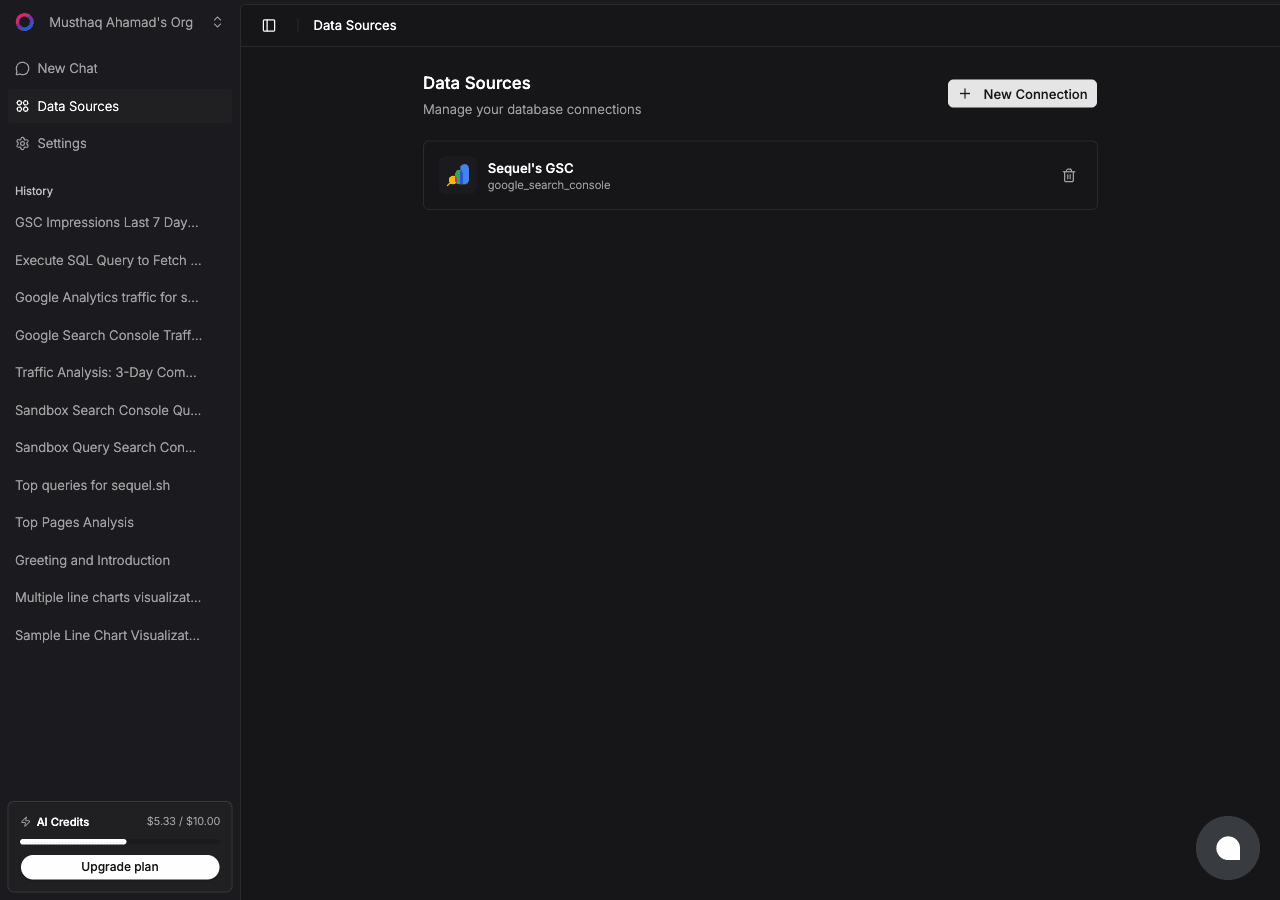
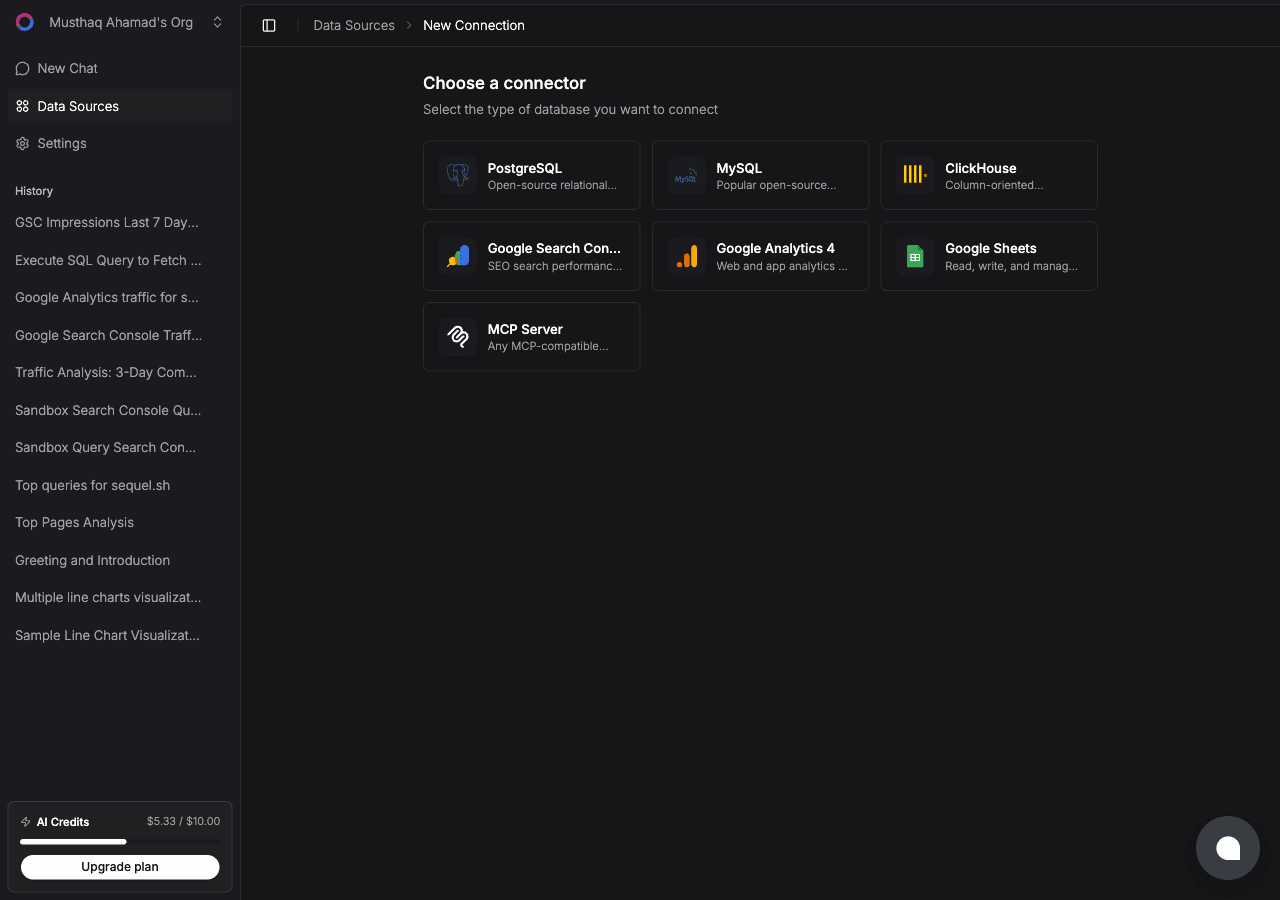
Click New Connection and choose ClickHouse.
ClickHouse uses individual fields rather than a connection string:
| Field | What to enter |
|---|---|
| Connection Name | A memorable label, for example Events Cluster |
| Host | Your hostname with no https:// prefix |
| Port | 8443 for ClickHouse Cloud, 8123 for self-hosted HTTP |
| Username | Often default |
| Password | The password for that user |
| Database | The database this connection should query |
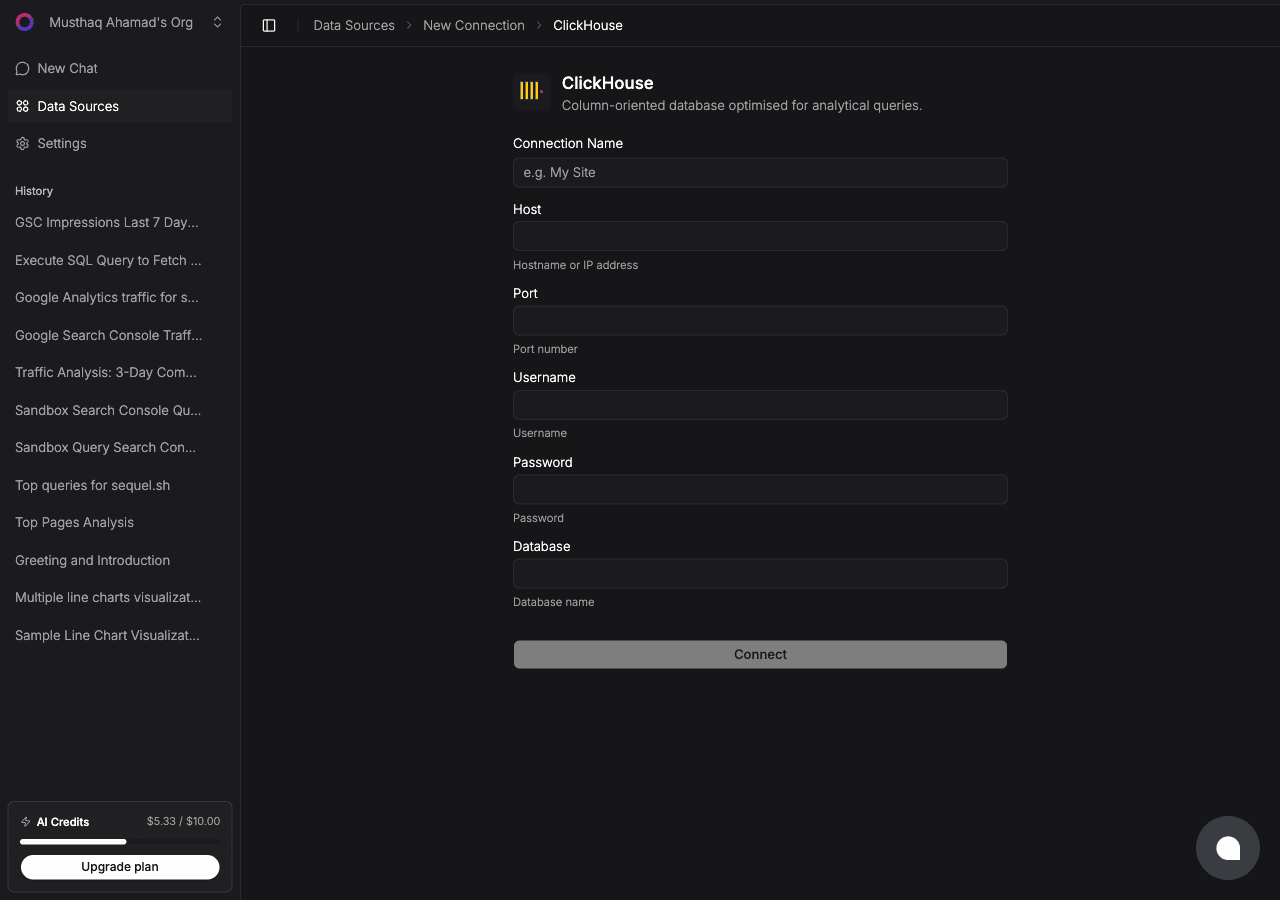
Click Connect. Sequel reads your table engines and column types so the bot knows what it is querying before it writes any SQL.
Add a connection instruction. ClickHouse bills you in scanned rows and wall-clock seconds, not just in money. In the connection settings, add an instruction like "always filter on
event_dateand never query without a time bound" and every generated query will honour it.
Step 2: Add Sequel to Grok Bot
Grok Bot has no MCP config file and no settings form to fill in. You add a server by asking the bot.
Open a chat with your bot and send this:
Add a custom MCP server called sequel at https://api.sequel.sh/mcp
Say custom server explicitly. Leave those words out and the bot searches the plugin marketplace instead of registering your endpoint.
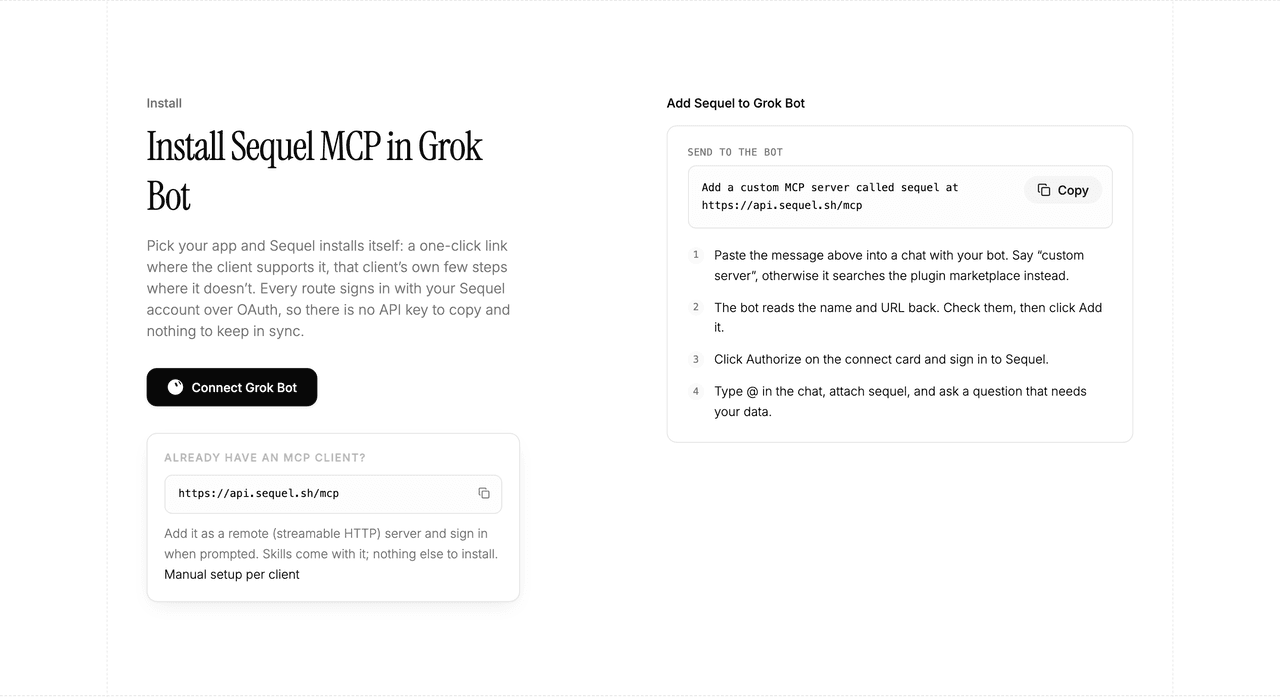
The bot reads the name and URL back to you. Check both, confirm, and it posts a connect card in the chat. Click Authorize, sign in to Sequel, and approve access. The OAuth token stays on the connector side, so there is no API key to copy and nothing to keep in sync.
To confirm it registered, open Settings → Plugins → Yours. Every server on your account is listed there, including the ones you added by chat.
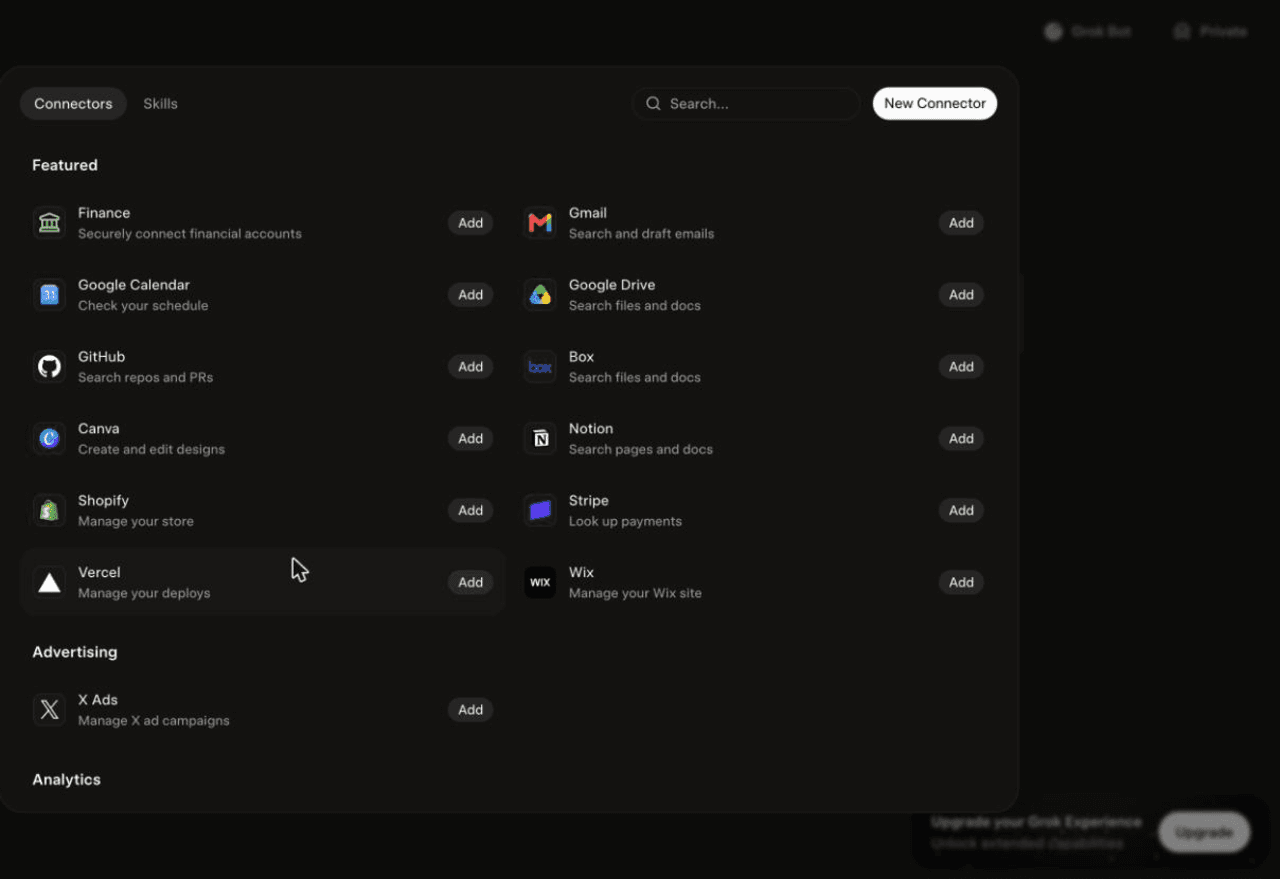
Then attach it to a task: type @ in the chat and pick sequel.
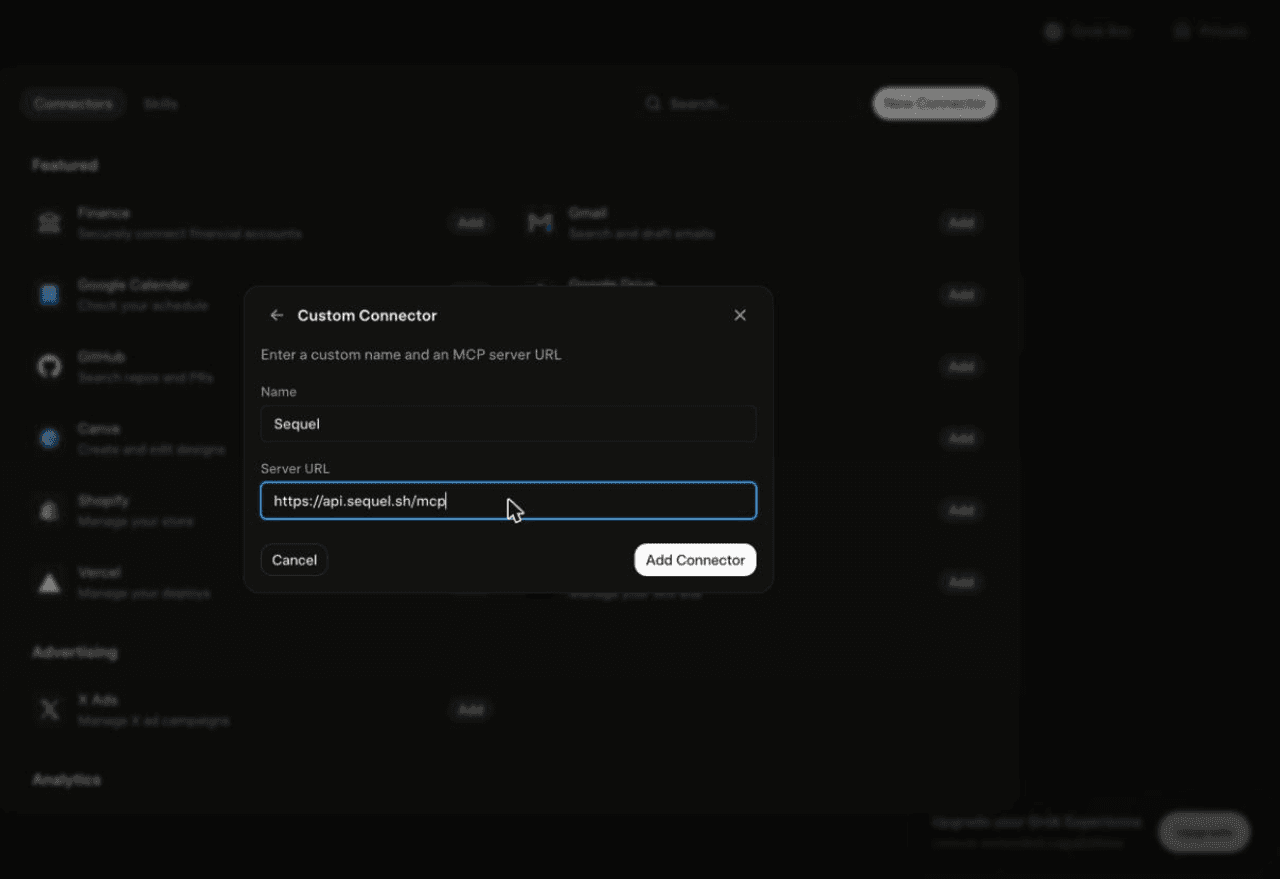
Using Grok chat rather than a bot? The steps do not carry over. On grok.com, open Plugins → New Connector → Custom, set the name to
Sequeland the Server URL tohttps://api.sequel.sh/mcp, click Add Connector, and sign in.
Step 3: Ask Grok Bot About Your ClickHouse Data
Attach @sequel and ask:
What are the top 10 event types by count in the last 24 hours?
Show p50, p95, and p99 request duration by endpoint for the last 7 days.
Compare daily unique users this week against the same week last month.
What You Can Do Now
- Percentiles without the syntax: "What's the p99 latency by region?" instead of remembering
quantile(0.99)argument order. - Scheduled anomaly checks: the bot can run the same aggregate every morning and only speak up when it moves.
- Funnel and retention math: window functions over event tables, described in one sentence.
- Schema discovery: "Which tables use ReplacingMergeTree, and what are their sorting keys?"
- Cross-source joins: pair ClickHouse event volume with Stripe revenue or GA4 sessions in one answer.
Troubleshooting
| Symptom | Likely fix |
|---|---|
| The bot searched the marketplace instead of adding the server | Resend the message with the words "custom server" in it. |
| The server is not listed under Settings → Plugins → Yours | The registration did not complete. Resend the message and confirm the name and URL when the bot reads them back. |
| The bot answers without touching your data | You did not attach it. Type @ in the chat and pick sequel before asking. |
| Connection test fails | Drop the https:// from the host field and confirm the port: 8443 for Cloud, 8123 for self-hosted HTTP. |
| Queries time out | Add a time filter. Tell Sequel in the connection instructions to always bound queries by the partition column. |
| Authentication error | Confirm the user exists on the service and that your IP is allowed in ClickHouse Cloud's IP access list. |