
Plenty of real business data still lives in a spreadsheet: the budget, the content calendar, the pricing model nobody has migrated yet. Grok Bot is xAI's bot builder, an agent that keeps context and reaches your tools through plugins. Connect a sheet through Sequel and the bot can read it alongside your database, which is where spreadsheets usually become useful.
TL;DR
| What you're connecting | One Google Sheets spreadsheet to Grok Bot |
| Setup time | About 4 minutes |
| Setup method | One chat message. Grok Bot has no MCP config file |
| Auth | Google OAuth with the drive.file scope |
| Access level | Only the spreadsheet you pick in the file picker |
| Scope of a connection | One spreadsheet |
| Availability | Account-wide, including scheduled and background runs |
What You'll Accomplish
Once this is wired up, you can ask your bot:
- "Which line items in the budget tab are more than 20% over plan this quarter?"
- "Summarise the content calendar: what ships in the next two weeks and who owns it?"
- "Compare the forecast tab against actual revenue from Stripe."
Prerequisites
- A Sequel account: sign up free at sequel.sh
- A Google account with read access to the spreadsheet
- A Grok account with a bot you can send messages to
Step 1: Connect Google Sheets to Sequel
Sign in to sequel.sh and open Data Sources.
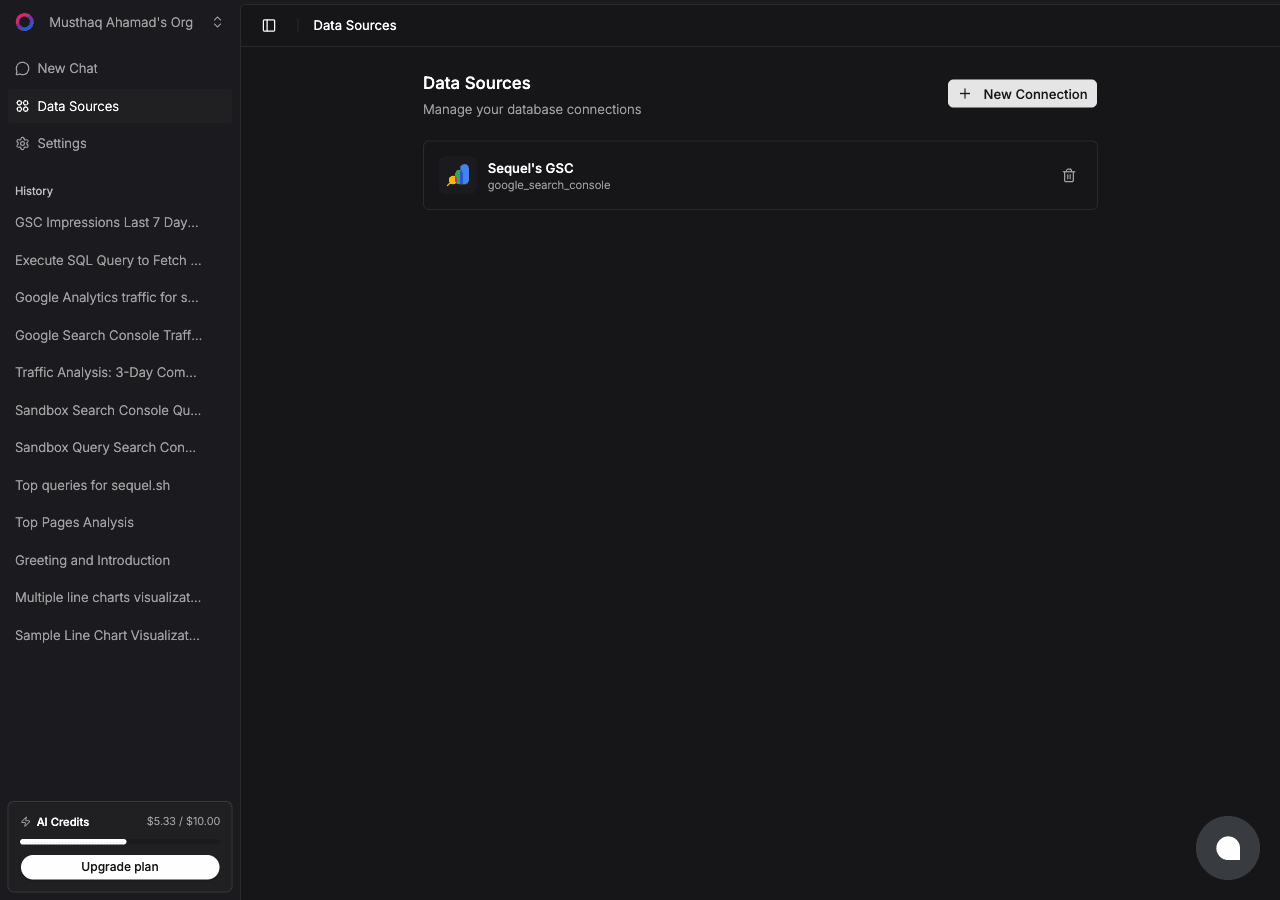
Click New Connection and choose Google Sheets.
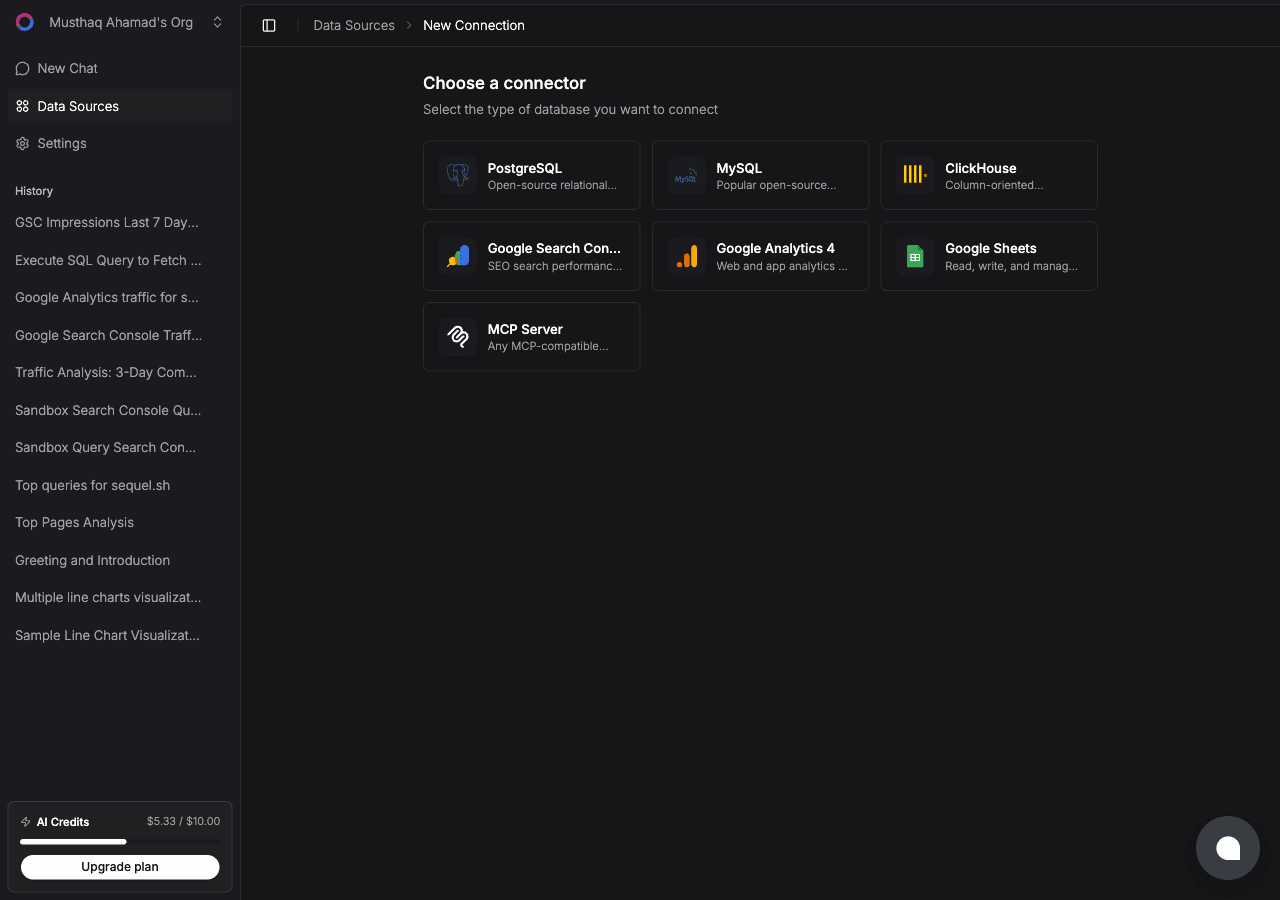
| Step | What happens |
|---|---|
| Sign in with Google | Google's consent screen asks for the drive.file scope |
| Pick a spreadsheet | A file picker opens, filtered to spreadsheets. Select one |
| Confirm | Sequel verifies access, indexes the tabs and column headers, and goes live |
Scoped by design.
drive.filegrants access to the one file you selected. Sequel cannot enumerate or open anything else in your Drive.
Step 2: Add Sequel to Grok Bot
Grok Bot has no MCP config file and no settings form to fill in. You add a server by asking the bot.
Open a chat with your bot and send this:
Add a custom MCP server called sequel at https://api.sequel.sh/mcp
Say custom server explicitly. Leave those words out and the bot searches the plugin marketplace instead of registering your endpoint.
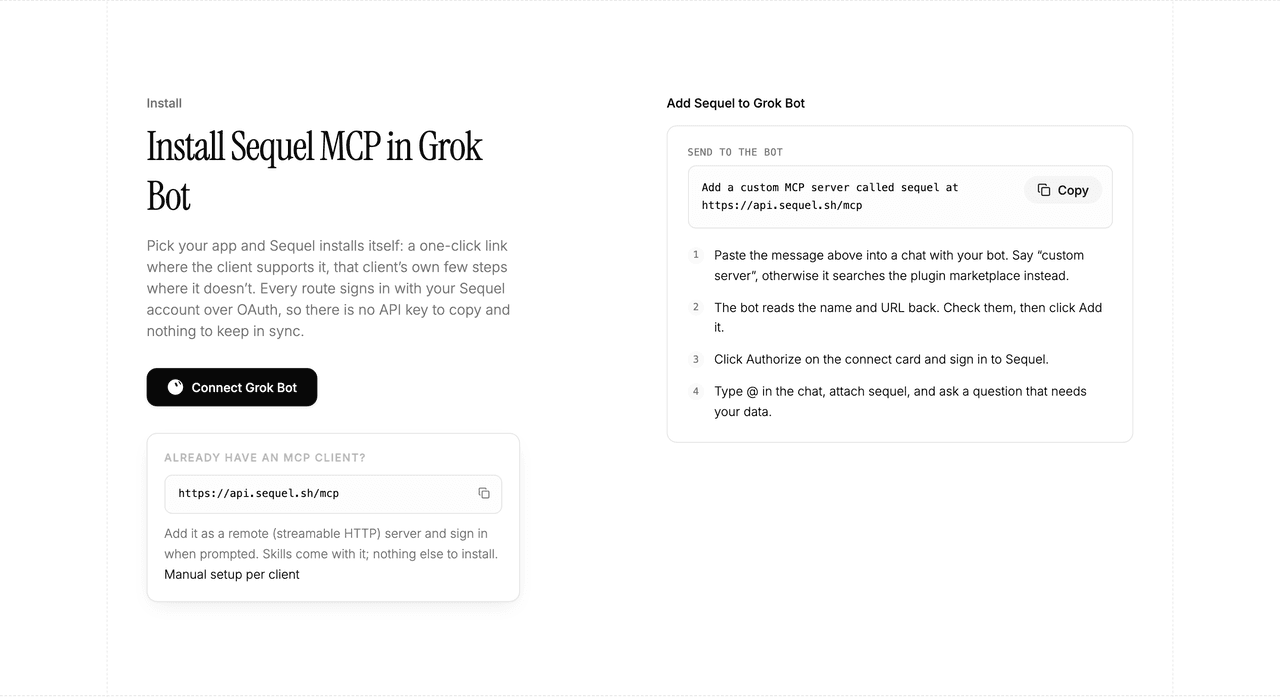
The bot reads the name and URL back to you. Check both, confirm, and it posts a connect card in the chat. Click Authorize, sign in to Sequel, and approve access. The OAuth token stays on the connector side, so there is no API key to copy and nothing to keep in sync.
To confirm it registered, open Settings → Plugins → Yours. Every server on your account is listed there, including the ones you added by chat.
Then attach it to a task: type @ in the chat and pick sequel.
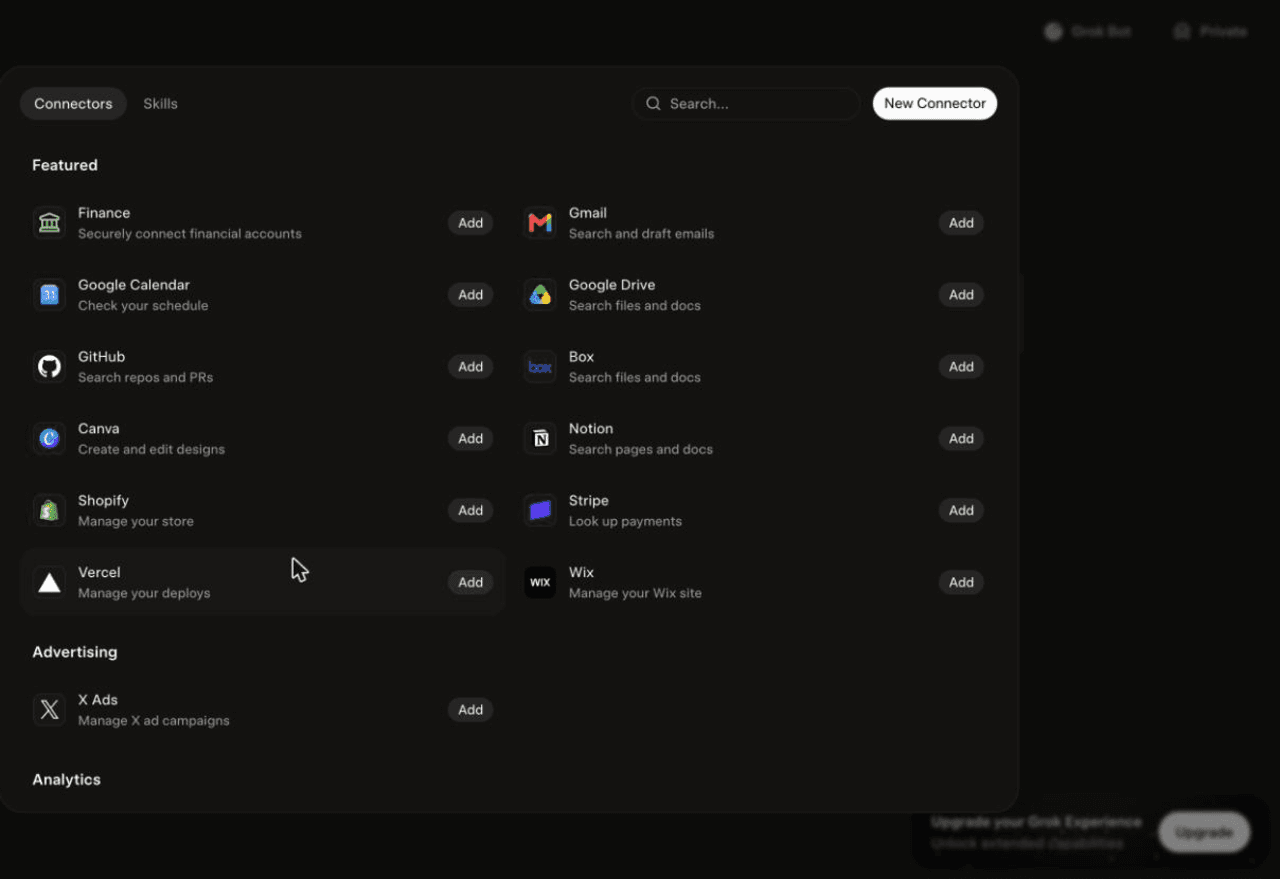
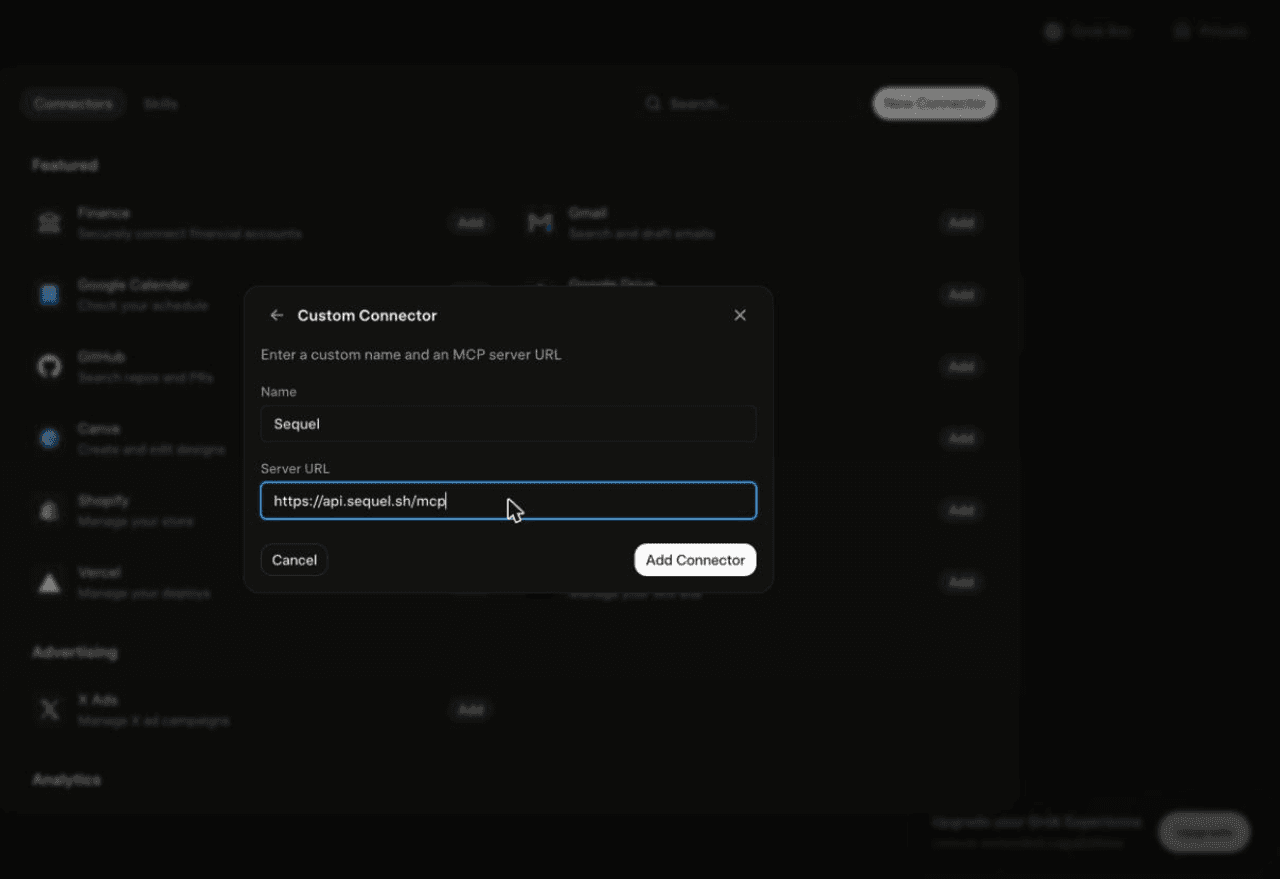
Using Grok chat rather than a bot? The steps do not carry over. On grok.com, open Plugins → New Connector → Custom, set the name to
Sequeland the Server URL tohttps://api.sequel.sh/mcp, click Add Connector, and sign in.
Step 3: Ask Grok Bot About Your Spreadsheet
Attach @sequel and ask:
Which budget line items are more than 20% over plan this quarter?
Summarise the content calendar tab: what ships in the next 14 days, and who owns each item?
Which rows in the pricing tab have a missing or zero margin?
What You Can Do Now
- Spreadsheet questions without scrolling: ask for the answer rather than hunting through 4,000 rows.
- Plan versus actual: with Stripe or your database connected, compare the forecast tab against what really happened.
- Data hygiene checks: "Which rows are missing an owner or a due date?" on a schedule.
- Summaries for stakeholders: turn a sprawling tracker into three sentences.
- Reference data for joins: keep mappings and lookup tables in a sheet and let the bot join them against production data.
Troubleshooting
| Symptom | Likely fix |
|---|---|
| The bot searched the marketplace instead of adding the server | Resend the message with the words "custom server" in it. |
| The server is not listed under Settings → Plugins → Yours | The registration did not complete. Resend the message and confirm the name and URL when the bot reads them back. |
| The bot answers without touching your data | You did not attach it. Type @ in the chat and pick sequel before asking. |
| The picker shows no spreadsheets | You signed in with a Google account that does not have access to the file. Reconnect with the right account. |
| Columns look wrong in answers | Headers changed. Refresh the schema from the connection settings. |
| You need a second sheet | One connection is one spreadsheet. Add another connection. |