
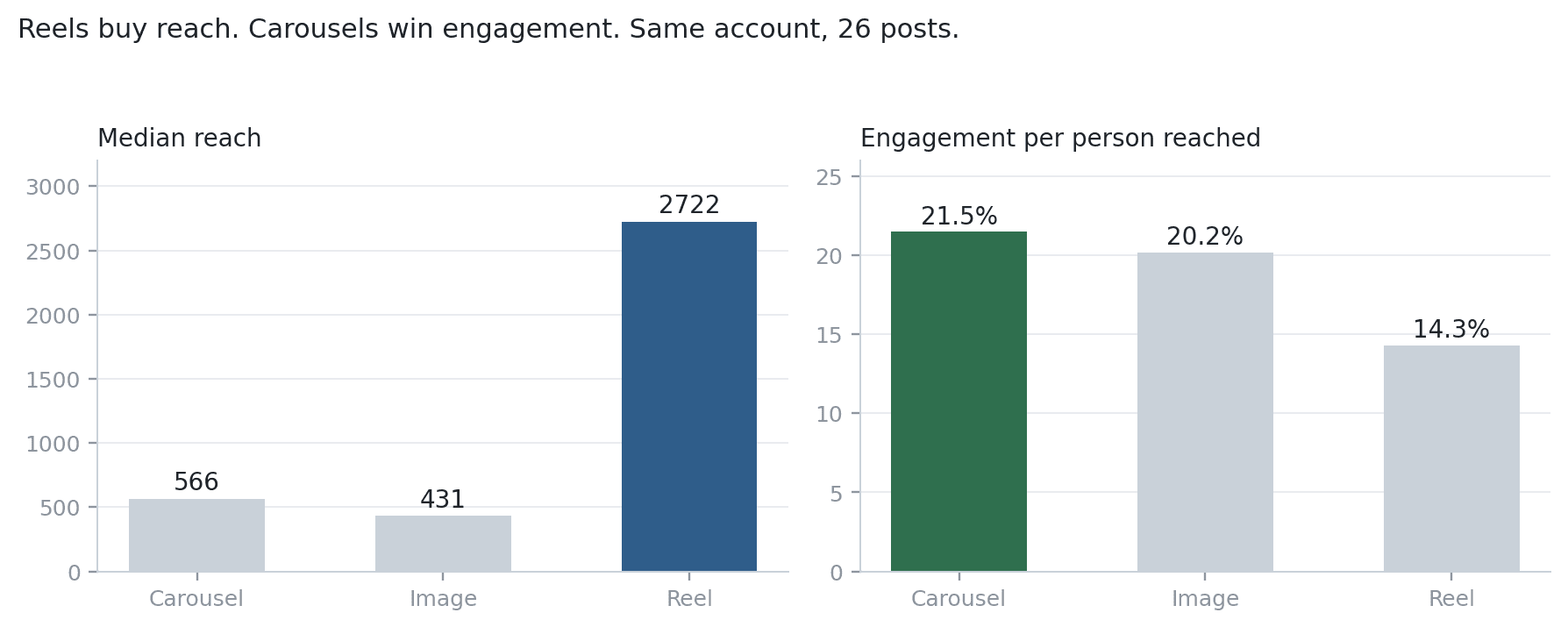
Instagram is now a data source in Sequel. Connect a Professional account once and your AI agent can query it over MCP, the same way it already queries Postgres, BigQuery, GA4, Stripe, and Search Console.
TL;DR
| What shipped | Instagram connector, six read-only tools |
| Auth | Instagram Login, no Facebook Page required |
| Account type | Professional (Business or Creator), 100+ followers for demographics |
| Covers | Posts, reels, stories, post and account insights, comments, audience demographics |
| Does not cover | Ad spend, hashtag search, competitor accounts |
| Works with | ChatGPT, Claude Desktop, Claude Code |
What you can ask
The connector exposes six tools: account profile, media list, per-post insights, account insights, comments, and audience demographics. In practice that means questions like these now work:
- "Rank my posts this quarter by engagement per person reached, not by likes."
- "How many accounts followed me versus unfollowed me last month?"
- "What share of my reach came from people who don't already follow me?"
- "Which reels held attention longest, and how does that compare to their reach?"
- "Compare my follower demographics to the people who actually engage."
Why this is not another Instagram dashboard
Instagram analytics tools are not scarce. What they all share is a boundary: they can tell you what happened on Instagram and nothing about what happened next.
Sequel sits in a different place. Instagram lands in the same MCP connection as your warehouse, your product analytics, your billing data, and Search Console. So the interesting questions are the ones that cross the boundary:
- "Compare monthly Instagram profile visits to GA4 sessions from social, and show me the gap."
- "Did the accounts that signed up in the week after that reel convert any better than baseline?"
- "Which Instagram topics also have real search demand in Search Console?"
One agent, one connection, no CSV exports in between. That is the part a social analytics tool structurally cannot do, because it only has the social data.
A worked example from building it
While testing the connector against a real account, we found something the Instagram app will not show you.
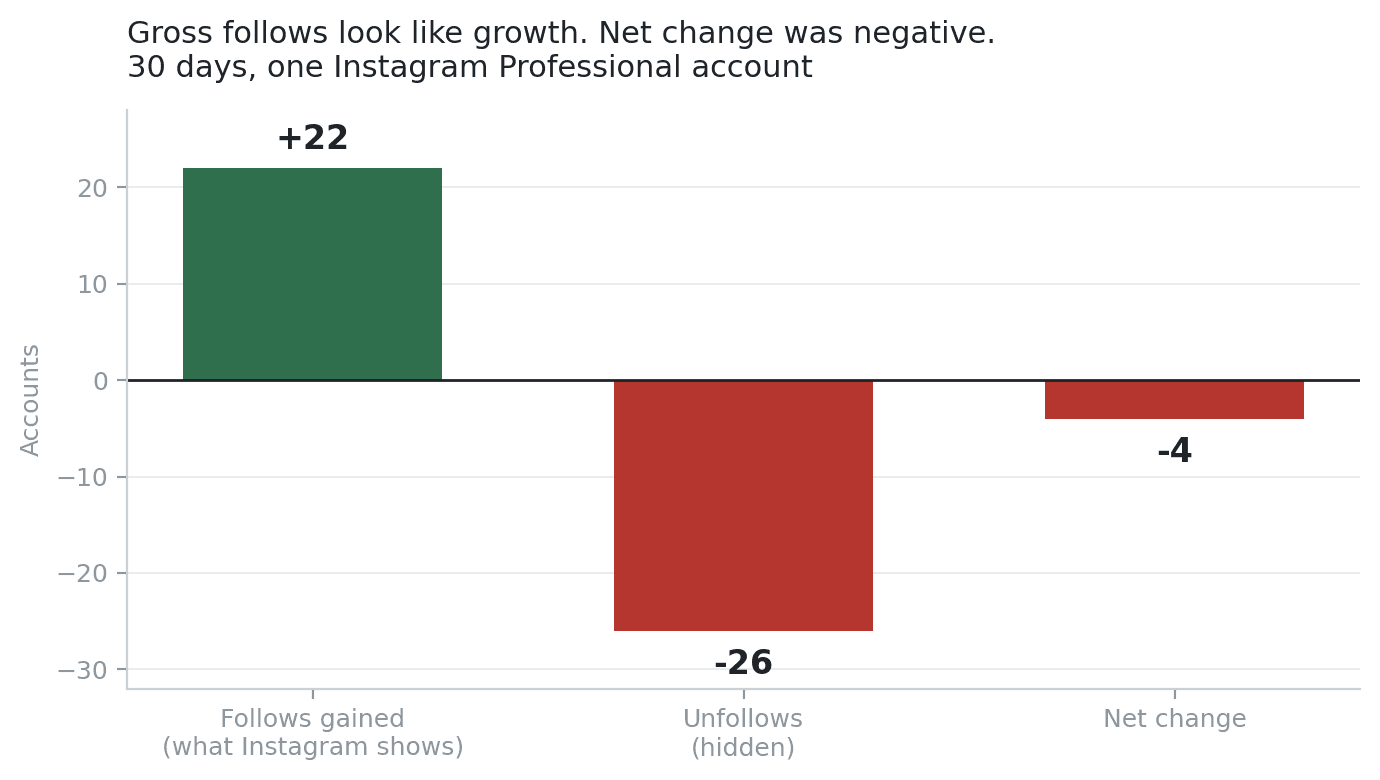
The daily follower series showed one to three new followers on most days, summing to 22 over 30 days. The account looked like it was growing. Pulling follows and unfollows separately showed 22 follows against 26 unfollows. Net change was −4.
Instagram's follower graph is a gross metric. It cannot go down, which makes it useless as a growth signal. The unfollow number exists in the API, but it returns null unless you request it with the right breakdown, which is why most integrations quietly drop it. We wrote that up in full: your Instagram follower count is hiding your unfollows.
Honest limits
Worth knowing before you connect:
| Limit | Detail |
|---|---|
| No ads data | Spend and ROAS are not in this API |
| No hashtag search | Only available via the Facebook Login configuration |
| No competitor data | You can analyze your own account only |
| Stories are ephemeral | Story insights exist only while the story is live |
| Post insights are per-post | Auditing 50 posts is 50 API calls, so bound your date range |
| Reach is estimated | On older reels it can be unreliable enough to distort rate metrics |
Get started
Connect Instagram from Data Sources, then New Connection, then Instagram. Authorize with the account you want to analyze and Sequel saves the connection under its handle.
From there, pick your tool: ChatGPT, Claude Desktop, or Claude Code. If MCP is new to you, start with what MCP is and what an AI data analyst actually does. For the broader picture of agents doing this work, see AI agents for marketing analytics.
Sign up free at sequel.sh and connect your first source.