
Grok Bot is xAI's bot builder: a persistent agent that keeps context, runs skills, and reaches your apps through plugins. It has no MCP config file and no settings form for servers, so you add one by asking the bot in chat. Point it at Sequel once and it can query every database, warehouse, analytics tool, ad platform, and CRM you have connected, joined across sources in a single answer.
TL;DR
| Setup method | One chat message to your bot. No config file, no settings form |
| Auth | OAuth. The bot posts a connect card, you sign in to Sequel |
| Setup time | Under 2 minutes for the bot, a few minutes per data source |
| Repeat per source? | No. Add Sequel once, then connect sources in Sequel |
| Sources available | 18 and counting, from Postgres to Instagram |
| Access level | Read-only, with each query surfaced before it runs |
| Unattended runs | Supported, including scheduled bot tasks |
Why Grok Bot is different from Grok chat
The three Grok surfaces add MCP servers in three different ways, and the steps do not carry over:
| Surface | Where you add a server |
|---|---|
| Grok Bot (bot builder) | Ask the bot in chat. Verify under Settings → Plugins → Yours |
| Grok chat (grok.com) | Plugins → New Connector → Custom |
| Grok Build (terminal agent) | grok mcp add |
This guide covers Grok Bot. The Grok chat variant is included at the end of step two.
Step 1: Add Sequel to Grok Bot
Grok Bot has no MCP config file and no settings form to fill in. You add a server by asking the bot.
Open a chat with your bot and send this:
Add a custom MCP server called sequel at https://api.sequel.sh/mcp
Say custom server explicitly. Leave those words out and the bot searches the plugin marketplace instead of registering your endpoint.
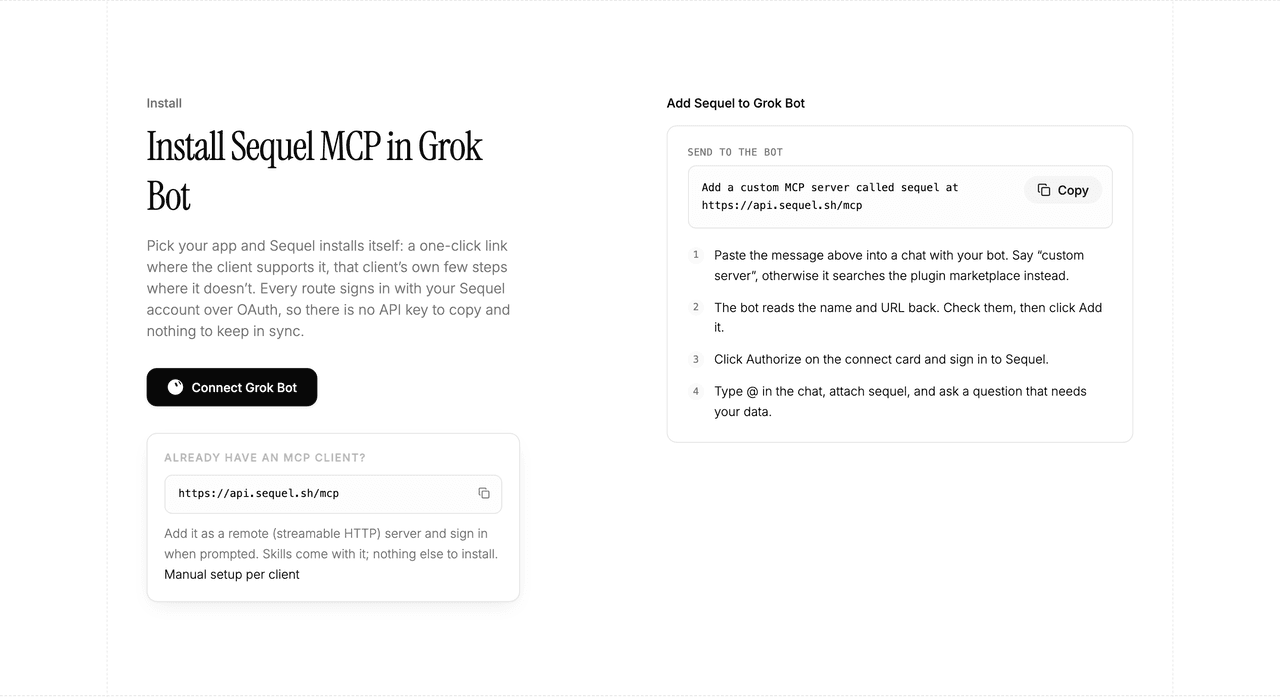
The bot reads the name and URL back to you. Check both, confirm, and it posts a connect card in the chat. Click Authorize, sign in to Sequel, and approve access. The OAuth token stays on the connector side, so there is no API key to copy and nothing to keep in sync.
To confirm it registered, open Settings → Plugins → Yours. Every server on your account is listed there, including the ones you added by chat.
Then attach it to a task: type @ in the chat and pick sequel.
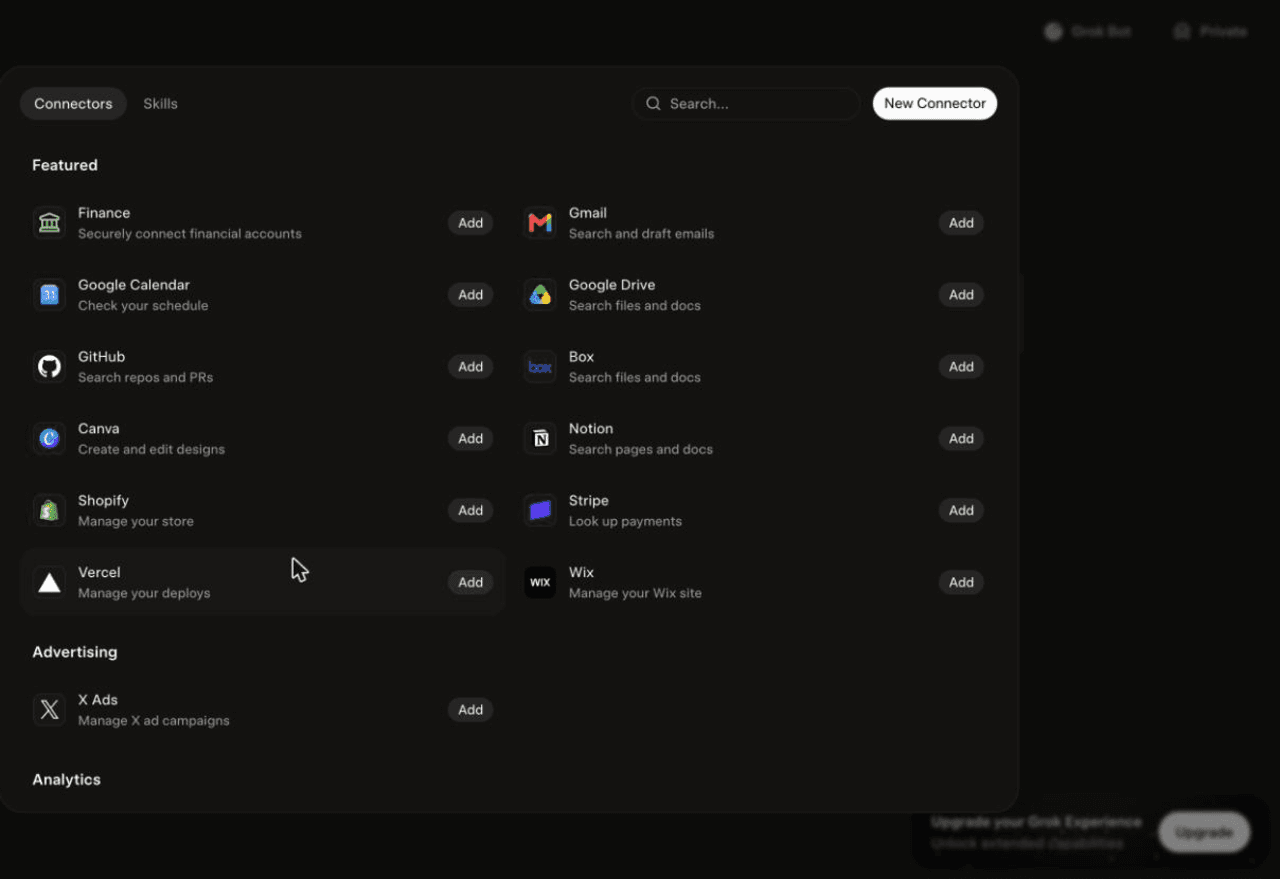
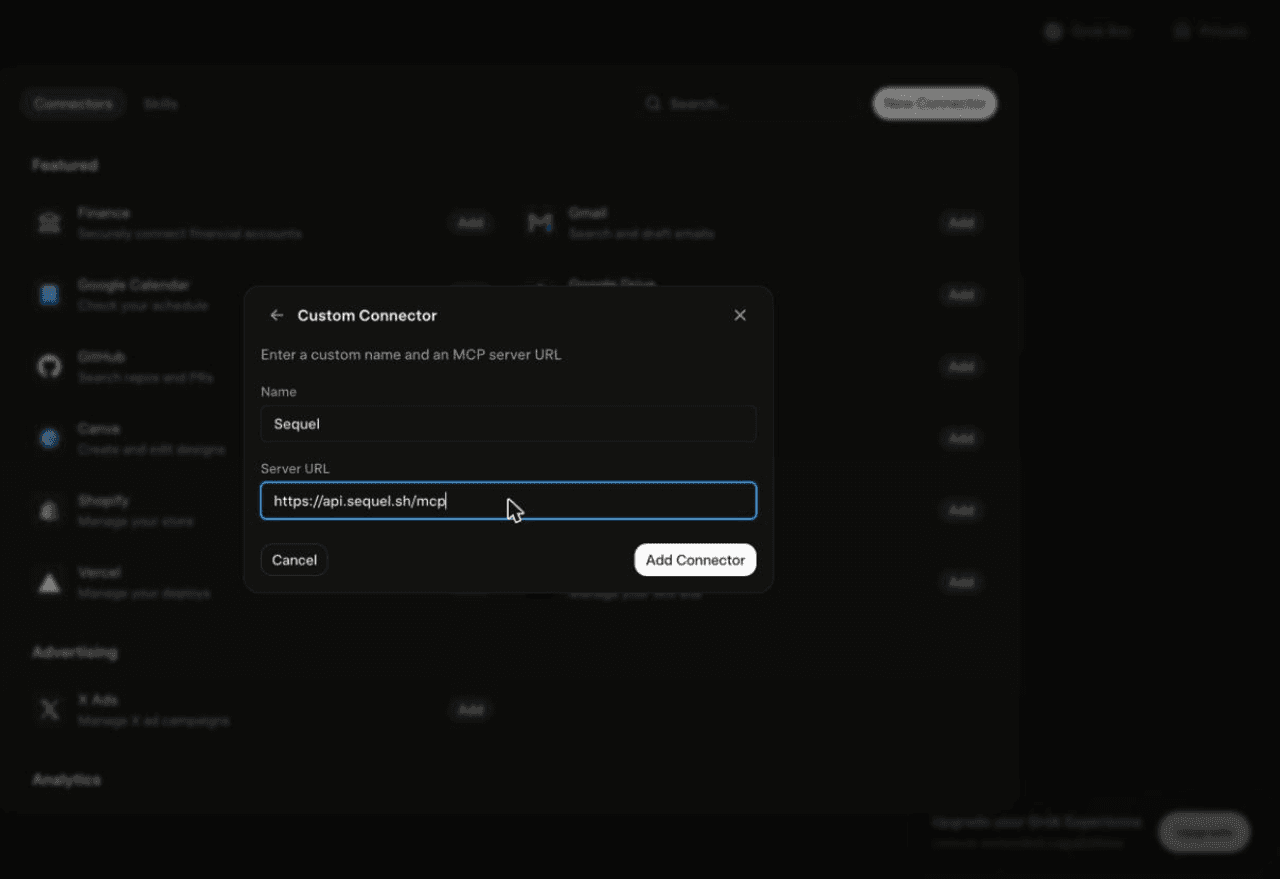
Using Grok chat rather than a bot? The steps do not carry over. On grok.com, open Plugins → New Connector → Custom, set the name to
Sequeland the Server URL tohttps://api.sequel.sh/mcp, click Add Connector, and sign in.
Step 2: Connect your data sources in Sequel
Everything the bot can reach is whatever you have connected in Sequel. Sign in to sequel.sh and open Data Sources.
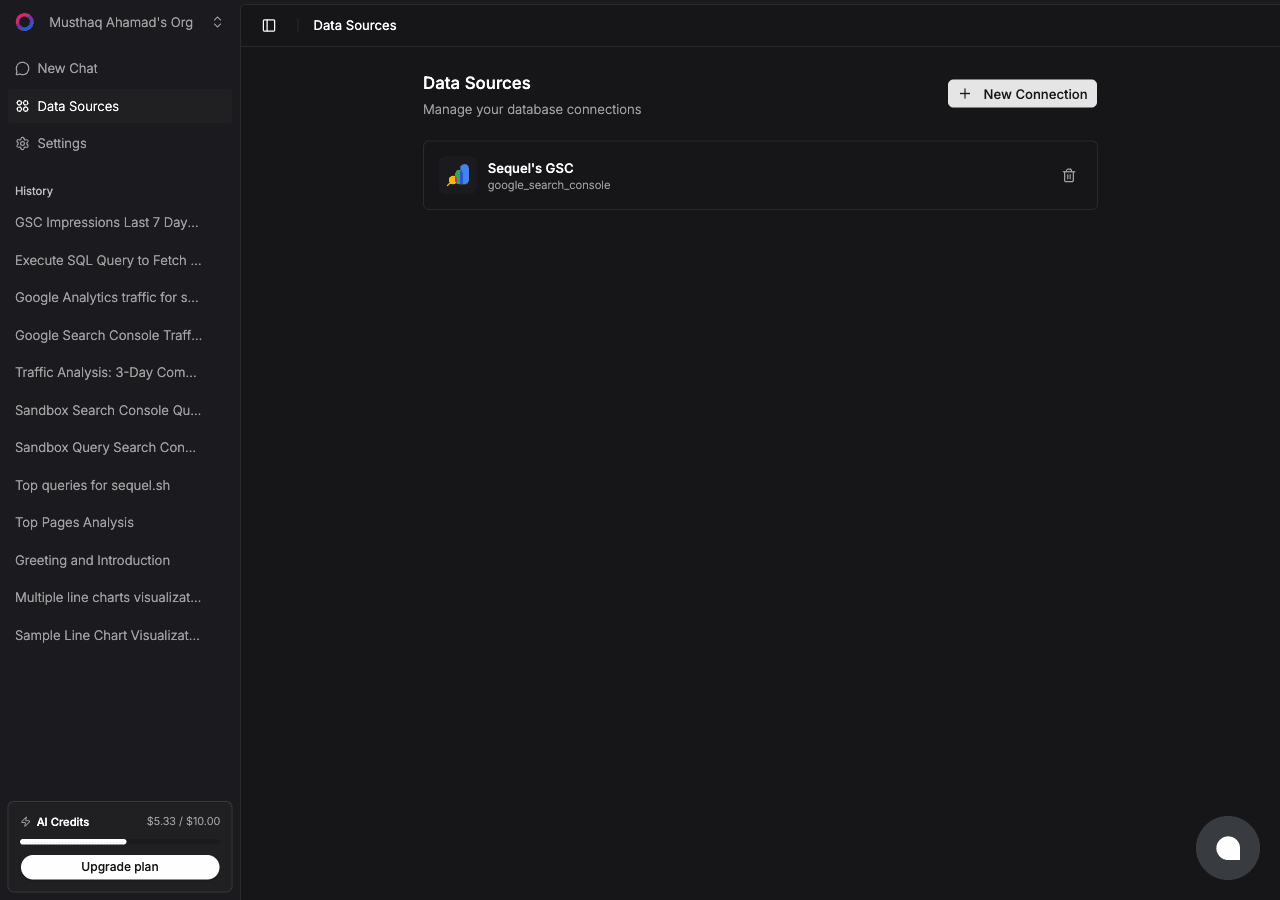
Click New Connection and pick a connector.
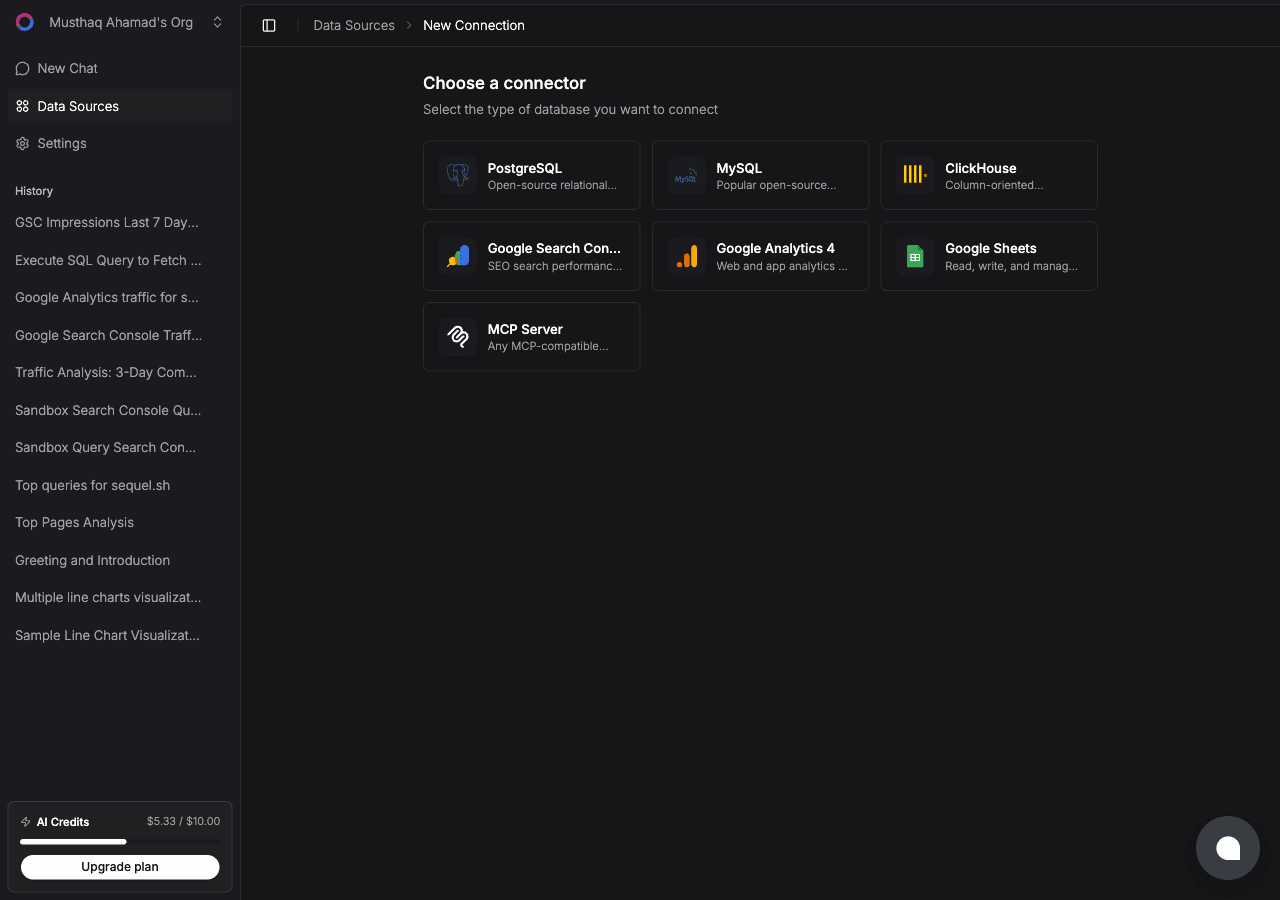
Each source has its own short setup. Pick yours:
Databases and warehouses
| Source | Auth | Guide |
|---|---|---|
| PostgreSQL | Connection string | Connect PostgreSQL to Grok Bot |
| MySQL | Connection string | Connect MySQL to Grok Bot |
| ClickHouse | Host, port, user, password | Connect ClickHouse to Grok Bot |
| BigQuery | Google OAuth, read-only | Connect BigQuery to Grok Bot |
| Cloudflare D1 | Cloudflare OAuth, d1.read | Connect Cloudflare D1 to Grok Bot |
Analytics and SEO
| Source | Auth | Guide |
|---|---|---|
| Google Analytics 4 | Google OAuth | Connect Google Analytics to Grok Bot |
| Google Search Console | Google OAuth | Connect Search Console to Grok Bot |
| Ahrefs | API key | Connect Ahrefs to Grok Bot |
| PostHog | Personal API key, read scopes | Connect PostHog to Grok Bot |
| Mixpanel | Service account | Connect Mixpanel to Grok Bot |
| Amplitude | API key and secret | Connect Amplitude to Grok Bot |
Revenue, CRM and content
| Source | Auth | Guide |
|---|---|---|
| Stripe | Restricted read-only key | Connect Stripe to Grok Bot |
| Polar | Organization access token | Connect Polar to Grok Bot |
| Dodo Payments | Read-only API key | Connect Dodo Payments to Grok Bot |
| HubSpot | HubSpot OAuth | Connect HubSpot to Grok Bot |
| Apollo.io | Master API key | Connect Apollo to Grok Bot |
| Google Sheets | Google OAuth, drive.file | Connect Google Sheets to Grok Bot |
| Instagram Login OAuth | Connect Instagram to Grok Bot |
You only add Sequel to the bot once. Every source you connect afterwards is available immediately, with nothing to change on the Grok side.
Step 3: Ask your bot a question that spans sources
Attach @sequel and ask:
Which landing pages lost the most organic clicks in the last 30 days?
Join GA4 sessions with our Postgres signups and show conversion by channel.
Which Meta campaigns drove revenue that actually landed in Stripe last month?
The last two are the ones a single tool cannot answer. The agent pulls from each source, reconciles the identifiers, and returns one table.
What this unlocks
- One setup, every source: the bot does not need to learn a new integration each time you connect something.
- Unattended digests: a server you add works in scheduled runs, so a daily metrics summary becomes a bot schedule rather than a person's Monday.
- Cross-source answers: blended CAC, channel-to-revenue, usage-to-billing, questions that normally take three exports.
- No credentials in chat: OAuth means your database passwords and provider tokens stay encrypted inside Sequel.
- Read-only by default: each query is surfaced before it runs, and scoped credentials enforce it upstream where the provider supports them.
Troubleshooting
| Symptom | Likely fix |
|---|---|
| The bot searched the marketplace instead of adding the server | Resend the message with the words "custom server" in it. |
| The server is not listed under Settings → Plugins → Yours | The registration did not complete. Resend the message and confirm the name and URL when the bot reads them back. |
| The bot answers without touching your data | You did not attach it. Type @ in the chat and pick sequel before asking. |
| A source is missing from answers | It is not connected in Sequel. Add it under Data Sources and ask again. |
| The bot asks you for a database password | Do not give it one. Sequel holds credentials; the bot only ever gets an OAuth session. |